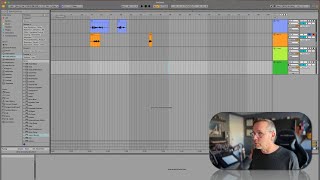
In this segment of the "Free Ableton Live 12 Music Production Class" tutorial, J. Anthony Allen demonstrates how to set up multitrack recording in Ableton Live's Arrangement View using a two‑input audio interface. He creates two audio tracks—one for vocals and one for guitar—assigns the appropriate input channels, and shows how to arm both tracks simultaneously by holding the Command key (or Alt on PC) while clicking the record arm button. He checks input levels to avoid clipping, records a short take, and then toggles the arm buttons to enable playback monitoring. The demo concludes with a brief note that the next lesson will cover comping. The tone is instructional and conversational, with enthusiastic encouragement and practical tips.
Chapters
Okay, let's talk about multi tracking in arrangement view. So multi tracking means we're going to record multiple things at a time. Now, I only have two inputs on my audio interface, so I can only record two things at a time. If you have more, you can record as many things at a time as you have inputs for. Okay, so. So let's do it. So I'm going to make a new audio track. I'm going to make two new audio tracks. This one will be J vocals. That's me. This one will be guitar. Okay, so I'm going to set this one to be my microphone, which it already is. I'm going to set this one to be my guitar, which is plugged into channel two. Okay, Now I have this track soloed, so I can turn that off. Now here's the trick. You'll notice if you just click on ARM to record, you can only click on one at a time. So the default here is that you can only record one track at a time. However, there's a quick way around it. I'm going to hold down command and click record on a single second track. I believe it's alt, I think on a PC. So now I'm set up to record vocals on one track and my guitar on the another track through a different input, input two. So let's try it. Okay. Little check of my guitar. It's there. It's a little loud. Remember, you don't want those meters to turn red. That means you're getting too loud.
So want to stay right in that range.
I got a nice good signal. Okay, so let's record.
I'm the world's worst singer, so I'm not going to sing anything. I'm just going to talk. Yo, now I'm talking.
Okay, that's enough of that. Neat. We did it. Okay, so we can hear that back. I'm gonna turn off ARM to record here so that we can hear what we're doing.
I'm the world's worst singer, so I'm not gonna sing anything. I'm just gonna talk. Yo, now I'm talking.
So weird. Okay, but it worked. So that's how we multitrack record. Okay, so next let's go into how comping works.