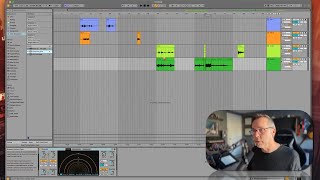
In this segment of J. Anthony Allen’s Ableton Live 12 class, the instructor walks through the distinction between Arrangement View and Session View, showing how to toggle between them. He explains the core principle that audio effects in Ableton are applied after the recording stage, meaning they are not baked into the audio file and can be added, removed, or tweaked at any time. Using a vocal track, he demonstrates adding a delay effect, recording the performance, and then disabling the delay to prove the effect is non‑destructive. He repeats the concept with a guitar track, applying a Guitar Rig amp‑emulation plugin after recording to illustrate post‑recording tone shaping. The overall message is that effects can always be edited later, giving producers flexibility and a non‑destructive workflow.
Chapters
Okay, a quick word about effects. Let's go back to Arrangement View. Now you'll see everything's grayed out, because that's how Arrangement View works. It says you are working in Session View right now, not Arrangement View. So everything's grayed out. And I need to say I would like to take back over Arrangement View. And I do that with this little button. Okay, now we're saying we are in Arrangement View, and Session View is effectively muted. So effects. If I want to put effects on this track, the way that signal flows in live is that the effects always come after the recording. So if I was to put effects on this track before I recorded, those effects would not be in the audio. I can add effects later. Okay, let me explain that a little bit better. Let's say. Let's do it. Let's go to Audio Effects and Echo, and let's put it on this track. No, wait, even better. Let's put it on this track. Okay, so now we're going to hear my voice through a bunch of delay. Okay, so I'm going to record it, and you'll see. Check 1, 2. Here is my voice through a whole bunch of delay and blah, blah, blah. Okay, so I accidentally left that one recorded arm to record. That's fine. I'll just delete that. Okay, so here's what I just did. Check one, two. Neat, huh? Okay, so the question is, is that delay in this audio? Right. The answer is no, because this recording happened and then it went down here and added the effects and then to the output. In other words, I can turn off that delay and we won't hear it. Check 1, 2. Here is my voice through a whole bunch of. Okay, so the reason I'm pointing this out is to tell you that you can add effects later. If you add effects to a track that you're recording on, that's great. You can totally do that. But just know that you can modify those effects later. They're not printed into the audio. So I can take my guitar here, which has the blandest of tones, and put on a guitar amp emulator. So this is a plugin called Guitar Rig that just has kind of amp emulators. Let's do styles. Here's like a Prince tone. Okay, we'll put Prince's tone on this guitar track. World's Worst Singer. So I'm not gonna sing anything. I've still got that big delay on it, too. It's like the Purple Rain tone anyway, so I can add that after the fact. The effects do not need to be on the track before I record it. They can always be added after. Okay, let's move on.