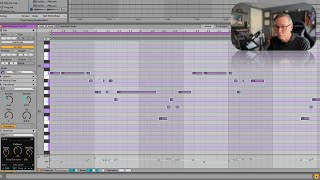
In this segment of the "Free Ableton Live 12 Music Production Class," J. Anthony Allen walks viewers through Ableton Live's Transform tool suite, treating each function as a "creative seed" for reimagining a sampled melody. Starting with a simple D‑minor melody extracted from a clip, Allen demonstrates how to select the entire phrase and apply various transformations: arpeggiate (playing notes sequentially), connect/spread (inserting notes between existing ones with control over density, rate, and tile), ornament (adding grace notes and stutter effects), and quantize (aligning notes to the grid). He explains how each parameter influences rhythm, note density, and harmonic fit within the D‑minor key, producing a blues‑groove variation. The tutorial is instructional, showcasing practical workflow steps for generating melodic variations while maintaining key integrity.
Chapters
Okay, let's do some fun stuff, because this is really kind of fun. So if we go to this transform tool, you have all of these options, and these are just ways that I like to think of these as creative seeds. So you can take something you've got, like this melody and remember this melody we got from this clip, which was just a sample. Right. We turned it into this melody, which sounds like this. Okay, cool. So now let's turn it into our own thing. Let's take it. I'm just going to select all. What the heck, and let's do something to it. So arpeggiate means we're gonna play notes one at a time. And we can kind of tell it to riff on that and play with it. That's more of a tool for. If we have chords, though. We don't have chords here. We just have a melody. So let's go to connect. We can say spread. So it's going to add notes here in between the notes that we have. And it's going. And we can say kind of where we want them to go. Density, like, do we want to fill up all the space or not? Rate. This is going to kind of make smaller, faster notes or longer, shorter notes, depending what we do and tile. I think this is the amount of overlap between notes. So let's say, I don't know, spread somewhere around there. Density, rate, Something like that. Okay, now here's what we have. That. Now it's adding all kinds of notes, but because of the key stuff, because it knows we're in D minor, it's sticking to D minor, Right. So all these extra notes, like, kind of fit and are making kind of a cool kind of blues groove here. It's kind of wild. So connect. Ornament means take the notes I have and add a little flourish here or there. Right? So with ornament, I can say add a grace note here or there. Now I've got everything selected. So it did it. You can see, like, it added these little stutter notes all over the place. This is gonna sound wacky. Okay, I'm gonna take that off. If I went to, like, high, it's gonna add a little note before or a little. That's a little intense. So for that, you want to do it on just like a couple notes here or there. Let's look at quantize. We already know.