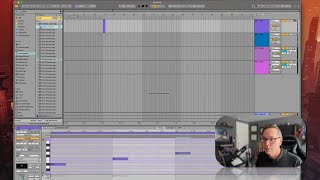
In this tutorial segment, the instructor addresses a common beginner issue: why a MIDI track produces no sound. He explains that MIDI data consists only of numerical information and requires an instrument device on a track to generate audio. The lesson demonstrates loading a piano sampler, emphasizes that instruments are assigned to tracks—not individual clips—and shows how to duplicate a MIDI clip onto a second track with a different instrument (a Wurlitzer) to hear the same notes through multiple sounds. He also covers renaming tracks for clarity and briefly mentions that instrument racks can later be used to group multiple instruments on a single track. The segment concludes with a transition to basic MIDI clip editing techniques.
Chapters
Okay, let's move on to talking about MIDI editing. The first thing I want to say is something I've said before, but it is the number one question I get asked at this point in your live training, and that is that you go to a MIDI track, maybe you double click, you make some notes, or you play on your MIDI controller, but you can't hear anything. Okay? Now, I know I've talked about this before, but just humor me, because you're going to encounter this and you're going to say, why can't I hear this MIDI track? Remember the principle. MIDI data is numbers flying through the air. There's nothing to hear. What you need is an instrument. Okay, so let's go over to instruments, and let's say. Let's go to sampler, and then we'll go to. Let's actually just search for, like, piano, grand piano. There we go. Let's throw that on there. Now going to hear things. Okay. You must have an instrument on a MIDI track in order to hear what you're doing. Also remember that when it comes to MIDI instruments, you're putting an instrument on the track. Okay? Not the clip. So let's say I make some chord progression. Say, was that an E flat? Let's do something a little easier, okay? D, F, A. Here's a D minor chord with a weird G in it. Okay? So here's a D minor chord. Okay? So let's say I want to hear that in two instruments. Okay. I want to hear that in the piano, and I also want to hear it in this Wurlitzer keyboard. The way we're gonna do that is we're gonna go to another track, and we're gonna put that Wurlitzer on that track, and then we're gonna copy this clip and paste it down here. Okay. Because you can only have one instrument on a track. Okay. All the clips that I put on this track are going to be piano. I might as well just name this piano. That was command R to rename the name of the track. Okay? Now, there is a way using instrument racks to group some things together, and we'll talk about that in the future. For now, just remember that you can only have one instrument on a track at a time. So now we're going to hear this played through two instruments. Neat. Okay, cool. So that's how tracks and instruments work. Just as a quick little recap, now let's go into basics of editing for MIDI clips.