In this segment of J. Anthony Allen's daily Ableton Live 12 class, the instructor demonstrates how to work with MIDI take lanes to record multiple takes, view and manage them, and create a composite take by selecting the best parts. He explains the Capture feature, which automatically surfaces recent MIDI input even after a clip is deleted, and the Automation Record function that records non‑note MIDI data such as controller knobs and buttons. After covering these workflow tools, he transitions to a brief practical showcase of a track he’s been working on, illustrating how the discussed concepts apply in a real project.
Chapters
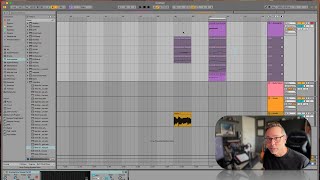
Okay. Take lanes in MIDI works just about the same. So I'm gonna go up here, I've got a loop going. I'm gonna arm this to record and start recording something on this clip. Okay, so we recorded a bunch of MIDI stuff there. We can now go to show take lanes. And we can see a bunch of take lanes now. You might say, what are these? This is actually kind of wild. So this is my second take at this video. I did this video a minute ago and I just didn't like what I came up with. So I'm redoing it. But even though I deleted the main clip, the other takes of it are still here. So I mean, I thought I deleted everything, but it's still here. Interesting. But I can select things just like anything else and make the take lane and put together a composite take of the best versions of myself playing it. Now there's a little bit more that goes into this you can do. There's something called capture, which will just automatically put on the screen the last couple MIDI things you did. It's kind of wild. So experiment with that. And then there's also automation record which will record just. Just non note MIDI stuff. Things like dials and buttons that might be on your MIDI keyboard. So that's another thing to look for. Okay, let's move on and let's just look at a track. Right. We've been talking a lot about theory and how all this works. Let's look at something. I've been working on one of my things and talk through what I did just as a break, something fun to do.