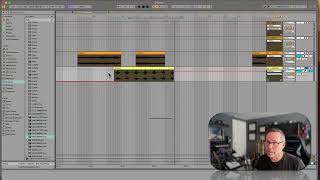
In this segment of the "Free Ableton Live 12 Music Production Class" tutorial, J. Anthony Allen walks viewers through the fundamentals of automation in Ableton Live 12. He demonstrates how to view and toggle automation lanes for parameters such as volume and panning, explains the process of adding and deleting automation points (dots), and shows how to create curved automation lines using the Option key. Allen also discusses practical considerations for screen space when multiple automation lanes are active, offering tips for hiding lanes and efficiently navigating between them. The segment emphasizes that virtually any parameter can be automated, and provides clear, step‑by‑step instructions for entering automation mode, editing the pink automation line, and shaping automation curves.
Chapters
Okay, so over here you can see everything that is automated. Okay, Anything with a dot is automated. And we can switch between them here if we want. Or again, we can just click on the parameter. Easy to. This is just a list of all your possible parameters. If we want to see both at once. If we want to see our volume automation and our panning automation, we can click this little plus here. So. And then click on volume up here and down here is panning. Okay, so this shows a new lane. We call it a new automation lane. So here we can see both. If you do a lot automation, these will kind of eat up a lot of your screen. So I can hide that panning there and go back to just toggling between the two by clicking on the different ones. Now, once you start working with effects and all kinds of stuff, you're gonna have automation going all over the place. And I'll show you that in a minute. So key takeaways here. Automation is changing a parameter over time. Any parameter, virtually any parameter, can be automated. And we're gonna do it by going into automation mode, clicking the thing we want to automate. And then you'll see this pink line, and you can move it to wherever you want it to go. Okay, now you're always going to get straight lines doing that. I'll add one more thing to this. If we want to get rid of a dot, you can click on it. If you want a curved line, you can put your mouse right over the line so that it turns dark like that. You actually have to be a little bit under it. And then I'm going to hold option. Now my mouse has this little curve after it. Now I can click and drag and make a nice curve either up or down. Okay, so if you want those kinds of automation lines, you can do that too. Okay, let's look at another track.