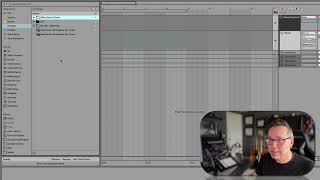
In this segment of his "Free Ableton Live 12 Music Production Class," J. Anthony Allen walks viewers through his personal system for organizing the massive amount of sound resources he uses in Ableton. He explains how he groups generative plugins, favorite samples (including Beethoven string quartet chops, drum hits, and DX7 patches), and synth presets into dedicated "favorites" folders, tags them for quick access, and continuously updates the collections as his preferences evolve. Allen also discusses his use of a UVI subscription library, the challenges of handling hundreds of plugins, and the overarching goal of minimizing time spent searching while staying in a creative mindset. The segment ends with a segue into practical searching techniques to locate the right sounds efficiently.
Chapters
So I kind of plug those in there. I like generative stuff. So I've been experimenting with a lot of generative stuff. That means like things like a plugin or a max effect where I can set some parameters and then it'll start going like I can say randomly generate a rhythm and it'll do it. It'll just kind of make these random things. So I like playing with that kind of stuff. So that's why I have a folder here of that plugins. Now I've put this one here because as you saw, I have hundreds of plugins and when I'm working on something, the last thing I want to do is spend hours digging for the right plugin. So this is just my favorite most go to stuff lately. Things go in and out of this folder all the time. So these are just my favorite things. Samples. Similarly, these are just some of my favorite samples to go to lately that I've been using in different projects. I've got a whole project where I'm chopping up like Beethoven samples. So here's a wav file of Beethoven string quartets. These Mr. Bill samples I bought, they're really good. DX7 library I really like. And this is just like a bunch of random drum samples that I found online somewhere. And they were great drums. Again, these are just kind of my favorite drum sounds for the moment. Synths. My favorite synth sounds for the moment. You can see that this DX7 is in both synth sounds and I think samples. Yeah, that's okay. You can do that. And then I put UVI here because I've been experimenting with this UVI plugin company where they. You kind of buy a subscription and then they give you like hundreds of plugins. I like it so far, but there's too many plugins to deal with. So I've just put putting my favorites here so that I can kind of sift through what I like and what I don't like. So that's just kind of a work in progress. But anyway, you can set this up however you want. Just think about the categories that you use to that you access the most and then think about making a little collection for them. What's the goal of saving you time while you're working, While you're making something, you're in the creative mode. You don't want to be digging through your whole library for that one kick sound you want. So make a folder of your favorite kick sounds and then tag it up here. Okay. You don't have to use it, but it'll save you a lot of time if you get good at it. Okay, now, next, let's go into searching for stuff and ways we can make sure that we find the right stuff.