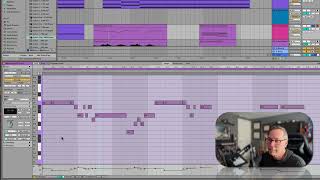
In this segment of the "Free Ableton Live 12 Music Production Class," J. Anthony Allen demonstrates how to manage note visibility in Ableton Live's piano roll editor. He shows how to enable and disable the "Highlight Scale" feature to show only notes that belong to the current key (e.g., C minor), how to hide out‑of‑key notes entirely, and how the Fold button further restricts the view to only the notes actually used in the clip—useful for drum programming. Allen also explains that changing the global key (e.g., from C minor to D minor) only alters the visual reference on the screen; the underlying MIDI notes remain unchanged, requiring the user to adapt the clip manually if desired. The tutorial is hands‑on, focusing on workflow shortcuts rather than deep music‑theory concepts.
Chapters
Now, the way we have this set up now, scale is on, so it says we are in C minor. I've got some notes like this one that are not in key. That appears to be the only one. There it is again. So I could leave that there or I could change it. And what I'm seeing here in my piano roll editor is all possible notes, not just the notes in key. If I wanted to turn off. Showing me the notes that are in key, I could go here where it says highlight scale. Could turn that off. Now I'm just seeing black and white notes. I'm still seeing the key kind of on the notes over here, but it's just showing me black notes and white notes. If you look at a piano, there's keys that are black and keys that are white. That's what it's showing me here. I'm going to turn the scale back on. Highlight scale. If I want it to hide all the notes that are not in this key, not in this scale. Without going too deep into music theory, key and scale are the same. So if we're in the C minor key or scale, I want to hide the notes that are not in key so that I'm just working within that C minor. I can hit scale here. Okay, now it's showing me only the notes that are in C minor. And this one, because I used it. If I get rid of that one. Actually, let's highlight both of these and move them up. Okay. Now if I hit scale again and again to kind of reload it, that note is gone because I'm not using it. So it'll show out of key notes, but only if you're using them. So now that I'm not using it, this is only showing me the notes that are in the key of C minor, my global key. Okay. And you might be wondering what this fold button does. It takes it a step further and hides all the notes that you're not using. Okay, so now it's only going to show me the notes that I'm using. This fold thing is useful when you're programming drums primarily. I haven't found a use for it otherwise, but. Okay. And if you're asking what happens if I change the key here, let's go to D minor. Okay. Everything shifted. My notes don't shift. Okay, so now I've got some notes that are out of key, probably. Yeah. Here's one these. These ones. But I also changed my global key up here. Okay, so you're going to. If you change it here, and this is on. You're going to change it up here, globally. But just remember, it doesn't change the notes. It just changes what's on your screen. You can adapt your clip to the notes if you want to. Okay, moving on.