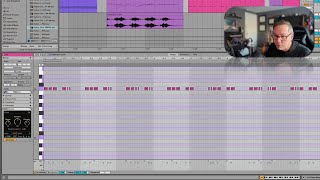
In this segment of the free Ableton Live 12 music production class, J. Anthony Allen demonstrates the "generate" operations for creating MIDI clips. He starts by creating a new empty clip, turning loop off, and using the rhythm generator to specify step count and pattern density, explaining how the tool calculates a set of possible patterns (e.g., 69) and lets the user scrub through them. He shows additional rhythmic controls such as split percentage, left/right shift, and velocity/frequency modulation, highlighting their usefulness for quickly generating drum or hi‑hat patterns. Allen then moves to melodic generation, describing the three key parameters: Seed (initial pitch seed), Shape (melodic contour), and Stacks (chord stacks). He adjusts pitch range (E♭2–C5), note duration, and velocity randomization, demonstrating how narrowing the pitch range and extending note lengths yields more musically useful melodies. Throughout, his tone is instructional and enthusiastic, emphasizing the practicality of these tools for rapid idea generation in a production workflow.
Chapters
Okay. Similar to the transform operations, we have generate operations. Now these are super fun. Let's do this. Let's go. Let's take that. Move that over there, make a new MIDI clip. Let's make it, I don't know, a couple bars long. Okay. Turn loop off. Sure. Okay, now let's just make something. So I've got no notes on this clip. Let's just say make me something so I can say, make me a rhythm. Okay. I can say, I want this many steps, this kind of a pattern density. Like, is it really full, kind of empty something in the middle. Now this pattern thing, what I'm pretty sure this is, is they've taken number of steps, so that's number of grid steps here by the density and calculated a number of possible patterns. In this case, there are 69 possible patterns. And you're just kind of scrubbing through possible patterns. Okay. So, you know, think of this as like something you might use for drums or something like that. You can add some splits to it. So you could say like 39% of the time it's going to split in half and give you double. You could shift it left or right if you want. You can do some velocity and frequency control too. So this is not particularly brilliant. Here's what it sounds like, But sometimes you're working on something, you're just like, I just need like a rhythm. Just spit me out a rhythm that I can start playing with. If I was like programming hi hats or something like that. This is wonderful for that. But let's keep going. Let's say now these next three. Seed, shape and stacks. Stacks is the word they're using for chords. Shape is the word they're using for melody. Type things. And seed, I believe, is just giving you a. It's like. It's like spraying on a canvas, like spray paint just on a canvas. Give you someplace to start. So we can say the range of pitches. This is E flat 2 to C5. Let's make that a little smaller. Maybe you can see like all these pitches that have just come up. Duration, long notes and short notes. Let's make some more longer notes. Velocity, you know, a randomized range. So it's going to basically randomize, make some notes in this area. Now if you want this to be more useful melodically, let's make a smaller range for our pitches. Okay. A little bit more. All right, I'm going to take these, our initial rhythm out. Let's see what it made.