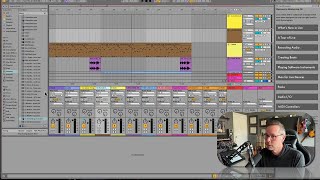
In this segment of the free Ableton Live 12 music production class, J. Anthony Allen provides a concise rundown of the major additions in Ableton Live 12 compared to Live 11. He notes that roughly 10% of the program has changed, introducing a new instrument, a new effect, a mixer accessible directly in Arrangement View, a suite of generative MIDI tools that can automatically create melodies and chord progressions, expanded library functionality, and key‑aware device behavior that lets devices follow a set musical key. Allen mentions that a separate, dedicated class exists for a deeper dive into these new features, but for the current course he will assume viewers are new to Live. He then transitions to the next section, which will cover navigation within Live, including how to move around the interface, zooming techniques, and workflow shortcuts designed to save time.
Chapters
Okay, before we move on, I thought I would just do a quick little what's new in Live12? In case any of you have used Live11 before, or if you are currently using an earlier version of Live while you're watching this class, the difference between live 11 and 12 is a pretty significant difference. You could follow along with this class using Live 11. That would be more or less fun. Fine. I'd say there's probably about 10% of the program that's different. Nothing really in the way that we make music with it. There's just some tools that I'll have that you won't have. For example, there's a few. There's one new instrument, one new effect. Things like being able to have the mixer in the arrangement view with this button down here. There's a bunch of new MIDI tools for generative things, meaning, like we can tell Live to write us a melody or write us a chord progression. And it will. And we'll walk through how to do that soon. There's a bunch of new functionality in the library that we'll be going over just shortly here. And all this key aware stuff, that's this here where you can kind of set a key and have all your devices just kind of follow that key, or most of your devices follow that key. So there's a lot of new stuff that. There's a lot more than that. I actually have a whole separate class on going over all the new stuff between live 11 and 12. So if you want to dive into that, feel free. Otherwise, I'm just going to progress forward with this class, assuming you've never seen Live before and everything is new to you. So let's do that. Okay, in the next section, we're going to focus on navigation. So figuring out how to get around within Live, all the different rectangles, the different boxes here and there, and some kind of weird little workflow tips that'll save you a bunch of time. Like the. Like how you zoom in and out, which can be a little strange to get used to. Okay, let's go over to that section now.