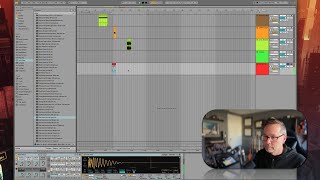
In this segment of the free Ableton Live 12 music production class, J. Anthony Allen walks viewers through the MIDI clips browser. He first renames the "MIDI clips" folder for clarity, then demonstrates how to browse, preview, and drag MIDI clips into the session. Allen explains how clips load their associated instruments, the rule that a track can host only one instrument unless using an instrument group, and how clip preview tempo interacts with the session tempo. He shows the consequences of placing a chord clip onto a drum‑machine track, emphasizing the need to place clips on separate tracks when they carry their own instruments. The segment concludes by signaling a shift to the upcoming discussion on samples.
Chapters
Okay, up next is clips. Okay. Now, you might think I've already told you a few different ways times, that everything in our kind of content area here is a clip. This is a clip. This is a clip. This is a clip. And you'd be right. Those are all clips. Kind of every nugget of audio or MIDI is a clip. That is true. However, this button here, I don't like the way it's labeled. I don't like it because what we're seeing here is just MIDI clips. Okay, so I'm going to rename it. Actually, let's do it. I'm going to control. Click on it. Or you can just press command R. Rename. MIDI clips. Because that's what this is. This is all your MIDI clips. You can see alc. Ableton Live clip. Okay, so there's a ton of MIDI clips here, and some of these are pretty cool. This is just stuff that's been found on your hard drive. All of these things that are these really long lists. We have a really robust way to search through these lists, and we'll get to that in a minute. I just kind of want to show you what's in each of these. So, like halftime, trip hop. Sure, let's put that on. I just drug it to the open area here, and it made a new track. That's cool. This clip is going to load up a drum sound. Because this is a drum clip. Solo it. Now, you might have noticed that the preview played at a tempo and this one played at a different tempo. It's because this one is going to play at my session tempo, which is up here. It's cool. You know, we can add these things in. These are just MIDI clips. Some of these ones, the drum ones probably, we've already seen in the drum list up here in the library. Same info, just in another spot. But, you know, these ones are chords. So let's hear that. Kind of an arpeggiated chord. Now, what would happen if I did what I almost just did, which is put this chord onto this track? This track already has a drum machine on it because I put this on it and that loaded a drum machine. Okay, so this has a drum machine, and a track can only have one instrument on it, unless it's an instrument group. More on that later. But when I drag this on it, this clip is now gonna play through this drum machine. So it's gonna be weird. It doesn't know what to do with all these higher notes, but the lower notes had drum sounds to them. So if you want the clip to come with its own sound, it needs to go on its own track. Once a clip pulls an instrument on it, that instrument is going to stay on it until you explicitly put a different instrument on it. So I could easily change the instrument on any of these tracks, but if I want to use the instrument that comes with the clip, I need to put it on a new track. Cool. Okay. All right, so MIDI clips. Now, samples is something a little different. Let's talk about that next.