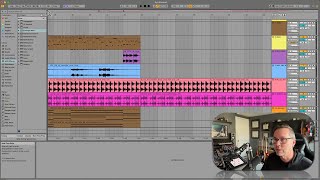
In this segment of the free Ableton Live 12 music production class, J. Anthony Allen demonstrates how to navigate the Ableton interface efficiently using mouse and trackpad gestures. He explains a single‑click‑and‑hold method where pulling the mouse down zooms in, pulling up zooms out, and moving left or right scrubs the timeline. He also shows the equivalent two‑finger pinch‑to‑zoom and swipe‑to‑scrub gestures on a trackpad. Allen points out that these gestures work not only on the main arrangement view but also on the mini‑grid and the notes editor, emphasizing that frequent zooming and scrubbing are a natural part of working in Live. The tutorial ends with a prompt for viewers to practice the motions.
Chapters
Okay, so let's get to know navigating in live a little bit. And the main way that we do that is we have a couple kind of weird gestures to learn. So if you go. So if you want to zoom in or scroll. So scrubbing is this way, we can zoom in this way, zoom in and zoom out and scrub left and right. Now you can do all of that with a single click. It's kind of crazy and it takes a minute to learn it. Okay, so what you're going to do is click up here right above the numbers where you get the magnifying glass. Okay. You're going to click and hold down. Now, while you're holding down, if you pull down, you're going to zoom in. If you pull up, you're going to zoom out. If you move right, you're going to scrub. And if you move left, you're going to scrub. Okay, Left, right, up, down, right. So the idea here is that you can navigate from the beginning of a track to the end of the track with like one quick gesture. Okay. It takes some practice, but you can do it now. Alternatively, if you have a trackpad, if you're on a laptop or you're on a desktop and use like one of these, you can do two finger stuff. Okay. So two finger kind of pinch in and out and two finger swipe side to side does that. That's what I've gotten in the habit of doing. But it's just much easier for me because I have this trackpad thing. So anywhere that you can zoom in and out, that gesture is going to work. Or the two finger thing. That's true on a mini grid as well. If we go down here, we can do it up here. We can also do it over here on our notes section if we want to zoom into the notes. Okay. Just click and drag, click and drag. Or two fingers. That's how we zoom in. And you're going to be doing a lot of that, a lot of zooming in and zooming out. Just the kind of nature of live. You're constantly zooming in and zooming out. So get used to those motions either with a trackpad or with a mouse by using the up, down, left, right thing up here. Cool. Go ahead and practice it. I'll wait.