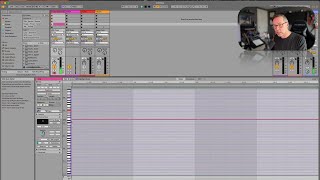
In this tutorial, J. Anthony Allen demonstrates a common MIDI playback problem in Ableton Live where a note fails to sound because the note‑on message occurs just before the start of a MIDI clip, causing the DAW to miss the event. He shows the symptom by playing a note that starts slightly before the clip’s start point, resulting in silence. The fix is to enable the "Chase MIDI Notes" option (found under Options), which forces Live to infer and play notes that began before the clip start. Allen emphasizes keeping this setting on for complex MIDI sequences to avoid silent notes.
Chapters
Okay. There's a weird little problem in MIDI sometimes that can come up from time to time, and there's a kind of a strange setting to fix it. So in this video, I just want to tell you what that weird problem is so that you know how to spot it and then how to fix it. So if I make a MIDI clip. Not even going to record something now. I'm just going to, like, put it in. Okay, here's a MIDI note. Okay. And I think I still have a piano loaded up. Nope, I'm cello. But that's great. Okay, let's not loop it. Let's just hear it. Okay. So what a MIDI note is, is it's really two, like, messages from the keyboard. It says, when I play a note, it says a note has been pressed. And then the velocity at which it has been pressed. So the volume. Okay. And then it doesn't say anything else until I lift up my finger. And then it says that note has been lift up sort of. So nothing's happening in this area. It's just waiting for the note off message. So if this was to happen, watch closely what I'm about to do here. So here's the beginning of the note. That's where that message is that says, I played a note. So if that goes back, okay, now I'm going to start playing from right here and stop playing there. What's going to happen? Nothing. We're not going to hear that note because we didn't get the note on message. We didn't get the part of the message that says a note has been played. This used to be a really big problem, and it still is a problem if you don't. If you're using a DAW that doesn't know how to compensate for that. So what we need to do is get the start of the message over the start of the clip. Now you might think, well, that's really obvious, but watch this. What if I was to do this? Boom. That's all it takes. Now, I'm not going to hear that note, Right. It looks perfect, but I'm not going to hear it because the start of that note is just a hair off. Okay, so the solution is go up to options and then chase MIDI notes. What that means is that LIVE is going to kind of figure out what notes are happening and make their sound anyway. So now we'll be able to hear this note. There it is. Just be sure that chase MIDI note option is on. Once you get into doing more complex MIDI sequences, that will be something that drives you nuts if you don't have that Chase midi note setting on, so leave that on.