Learn how to refine a piano MIDI chord progression in Ableton Live 12 by consolidating clips, adjusting voicing, and shifting notes for smoother voice leading. The instructor adds auxiliary notes to enrich the harmony and prepares the part for a synthesizer swap.
Chapters
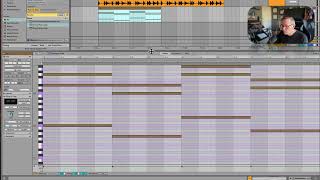
So it's going to look like a sharp. Whoops. BD and F. All right, now I'm looking up here, and I just want these to work kind of just to flow between each other kind of well. So let's see. I could move that note up, leave it down, but I will move this one down. Okay, so let's hear it. Now, remember, this is just piano. Okay. It's not bad. Let's loop just this first half so we can try. Okay. I kind of like it. I like it in this order. And so I'm going to make. Turn this into one clip. So I'm going to join this together with consolidate command J. Okay, now we have one clip. And so now I can look at it a little closer. So let's. What I'm going to do now is called voicing. So I'm going to stretch this one out. I'm just going to try to make the path of least resistance between all of these notes. Okay, so let's take this one and go down an octave. That makes this to this kind of nice. None of these connect super well. Now I'm gonna add some notes in here that aren't really part of it, like this. So I'm gonna add this note. I'm just gonna stretch over. Maybe this note I'll stretch over too. Okay. You're not really going to hear that very much in the piano because the piano doesn't sustain a whole lot. But once we switch it to a synthesizer, you will. Okay, so I think I'm cool with this chord progression for now. Let's go to find a synth to put on it.