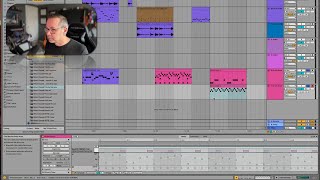
J. Anthony Allen shows three ways to make programmed hi-hats sound natural in Ableton Live 12: randomize velocity, adjust the chance parameter to control how often notes trigger, and add a subtle delay effect. He also tightens kick-snare timing and mentions using a triplet grid for more rhythmic variation.
Chapters
All right, while we're here, I want to get a little more life out of all of these hi hats. And there's three things that we can do to really kind of make these more. Make these groove a little bit better. Make them feel a little more natural. Two of them you already know and one of them is new. So let's do the two that you already know right now. So the first is play around with our velocity. Okay, so let's go here and select all. Here's our velocity and let's just randomize it. So I'm going to hit randomize. Now let's hear these hi hats. Okay, while we're at it, let's tighten up this. So kick, snare, snare, kick. Let's get rid of that snare, snare. Maybe we'll do a little extra kick here and then here. Cool. Okay, now back down to our hi hats. So just by randomizing our velocity, it's actually giving them a quick, quite a bit more life. I have some that are kind of sticking out this one right. So let's just pull that one down. Maybe a few of these higher ones. Right now it's like suddenly just has so much more life. So I'm going to leave that just like that. I like it. Okay, so that's thing one, thing two that you already know is chance. Let's take our chance parameter. So let's select all and then let's move our chance down. I don't want it to be 50. That means there's a 50% chance that any node is going to play or not play. So let's move it back up to, I don't know, 77, 75. That's good. That means like basically there's a three out of four chance that every note is gonna play. Actually, that seems a bit high. Let's go down to 60. Okay. So roughly a one in three chance. Okay, let's hear that. Okay, that's a little thin. Let's turn that back up to 70. Okay. I really want to crank up my tempo now. Cool. We're developing a good group here. Okay. It's going somewhere. It's. It's kind of interesting. If you don't like that chance thing, you can turn it off just by smashing these back up to the top. And then it's effectively off. So I'm going to take it and pull them down to just maybe like. Let's go Back to our 80%. 79. Close enough. Okay, cool. Now, now that I hear these hi hats. This isn't the third thing that I want to talk about, but I'm just kind of feeling that these could use a little bit of delay. So I'm going to put an echo effect on them, and I'm really going to kind of turn it down. I don't want very much here, especially not in the feedback. Okay. Yeah, that's feeling pretty good now, especially when you've got this chance stuff happening. A little delay. I don't know. It just feels really, really warm and nice to me. Okay, now let's go on to the third thing, and that is the triplet grid.