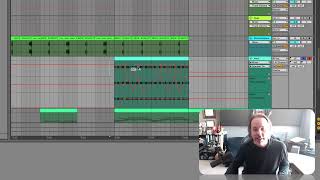
J. Anthony Allen explains binary automation in Ableton Live, where controls like mute and solo have only two states: on or off. Unlike volume, which slides smoothly, binary parameters toggle at specific points. A soloed track overrides mute automation, staying audible no matter what the automation says.
Chapters
Okay, so not all automation works this way. There are some things that work slightly different and that is something that we call binary automation, meaning things that don't have an amount attached to them but are on or off. For example, volume has an amount. It can be. It can be all the way down or all the way up or, or, you know, anything in between. And we can move it around like this. So we have the ability to change it like this. But let's say I wanted to automate the mute and solo function here. I can do that, but that only has two states, on or off. Right. So what I would do is if I click click on it, Ableton calls this speaker on, but if you're in a different program, it might be called mute. So I have on, and if I make a point there and another point, I can move this down and it's off. And that's my only option. If I drag up and down, that's it, it's on or off. So you'll encounter some things like this where you can automate just turning the thing on or off, but it's going to be just this binary operation. It only has two states. Let's do that. Cool. So watch out for those. That doesn't mean when you. Sometimes when you automate in this way and you see that you're in kind of this binary thing, it feels like things are broken because you can't smoothly slide between two things. So if that happens to you, make sure you're not in one of these binary things that can only be one or the other because when that happens, it is working perfectly correctly. Another thing I want to point out while we're here is I'm going to hit play on this and check out our mixer. Everything that we've automated has a little. Has that little kind of orange square or pink square, whatever it is. And you'll see it moving around as I play through this track. Right. So watch over here while I hit play. Okay. Now you'll notice when watching that that our speaker on off thing, automation didn't work. It was turning on and off, but it played through all of it. The reason for that is that this track is soloed. So it's always going to be on because I have soloed. But if I turn that off now, you'll hear everything, but you'll hear this coming and going. Cool, cool.