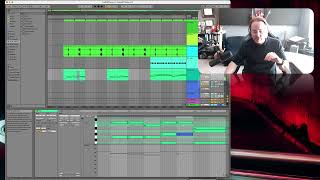
J. Anthony Allen shows how to fix robotic-sounding keyboard riffs in Ableton Live by varying note velocities. He demonstrates manual adjustments, uses the Randomize function, then compacts extreme values to keep the variation subtle and realistic.
Chapters
Okay. So velocity editing is something we do in a MIDI track to make it feel like more of an audio track, sort of. It's a way to make something feel more real. I believe I did some of it here. I actually didn't. So let's look at this. This is a little keyboard riff, Okay? So I could make it sound more real by adjusting these velocities. So I'm going to grab this little bar right here and move it up so that my velocities are nice and big. Right now, all the velocities are the same. So. So that means that if someone played this on a keyboard, they would be playing, like, extremely precise. Just bum, bum, bum, bum, bum, bum, bum. Unlikely. That's not going to sound natural. So what I should do is let these fluctuate at least a little bit. And a little bit can go a long way here if you just kind of scatter these around a little bit. Like if I just did like that. And you'll see there's three notes mostly, sometimes four notes per chord here. So there's going to be three or four velocities. So I can just kind of separate them a little bit. Just move around. Maybe I'll leave that one there, that one like that. Okay, now they're just a little bit different. Now let's hear this. Right. It's barely noticeable, but in the context of a whole track, you do notice that there's a little bit easier way to do this. If I want to go really nuts in Ableton, I've got this randomized velocity. So I could just do that. Just hit this a few times, shuffle the deck. Now this is giving me a velocity where I've got really low stuff and really high stuff. So this is going to sound goofy. Okay, so that's not quite what I want. So I'm going to do is grab all this really high stuff, compact it down there, then grab everything, pull it up, lower stuff. Let's try that. That's rather nice. Move this one up a little bit. This one and there. Okay, now you've got a much more natural sound. So everything we talk about in this section is really going to be a lot about subtlety. There's a lot of very subtle things you can do to make a track sound less robotic and more natural. And this is one. Okay, so let's move on and talk a little bit now about automation, because automation is another big thing that we're going to work on.