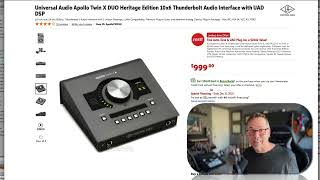
In this tutorial J. Anthony Allen walks viewers through the key considerations when purchasing an audio interface for a home studio. He emphasizes the adage “you get what you pay for,” noting that higher‑priced interfaces generally deliver better performance, though cheaper models can suffice for simple needs. The first decision is ensuring the interface has the correct computer connection (USB, USB‑C, etc.), especially for Mac users whose ports evolve. Next, he explains how to determine the required number of inputs: a full band setup (drums, guitar, bass, vocals) typically needs at least eight inputs, while solo or layered recordings may only need one or two. He illustrates this with his own two‑input unit, which can record a mic and a guitar simultaneously. Output needs are usually modest—stereo left/right for monitors and optionally a headphone out—though some units provide multiple line and monitor outputs. He also highlights practical desk‑side controls, such as a large volume knob that can switch between preamp gain and monitor volume. Finally, Allen mentions a high‑end example, a compact Universal Audio interface priced around $1,000, to show the range of options available.
Chapters
Okay, if you are going to buy an audio interface, here's a couple things to keep in mind. First, in general, I find that with audio interfaces, you pay. You get what you pay for. In other words, the more expensive ones are generally worth it and the cheap ones are generally fine, but they're not as good as the expensive ones. So here's what you should look for. First, make sure that it has what you need to connect to your computer. It has usb, C, it has usb, whatever, whatever ports your computer have. This is probably more of an issue for us Mac people because our ports keep changing. Second, make sure it has enough inputs. Okay, so think about the biggest thing you plan to record in your, like, home studio or your setting. Okay, so if you want to record a rock band, you need to be able to plug in a bunch of microphones for the drums. And then, so let's say, I don't know, five microphones for your drums and then guitar, bass and vocals. If you want to do everything all at once. Okay, so it is very common to have an interface that has eight inputs and then multiples of eight. So 8 and 16 and 32. So if you want to record a whole band, get one that has at least eight inputs. But if you want to record a bunch of vocal tracks, you really only need one input. Okay, so when we talk about number of inputs, we're thinking about how many things we want to record at the same time. Okay, so if I want to lay down a vocal track, a violin track and a guitar track, but it's all me, I really only need one input because I'm only going to do one of those at a time. I can layer as much stuff as I want, but the number of inputs means how many things we're going to record at the same time. If you go into a big studio, they're going to be able. They're going to have 64 or 128 inputs available. But here what I use, I have two inputs available. This unit, this is the one that I have here. This is the back of it. I have two lines input. That's all I need for what I'm doing here. So I can record a mic and a guitar at the same time. That's great. Or two microphones at the same time. Okay, so think about how many inputs you need. Think about how many outputs you need. In most cases you only need two outputs. You need a left and a right for your two speakers. Maybe you need a headphone output. Also this has four outputs. I've got two line outs and two monitor outs so my speakers are connected to monitor outs if I look at the front of this I also have a headphone out right here there's another input that is guitar specific here or it's just really an instrument input Any instrument would do if you wanted to plug directly in to the interface you could do that and then the thing I have on top Another thing to consider is just if this thing is going to sit on your desk what controls you have I have a big giant volume knob it can either be my input if I hit this preamp button or my output meaning like the volume of music I'm hearing if I hit this monitor button it's handy I just need one big volume knob is all I really need this universal audio is a really nice one this is a really nice a high end but small unit so it's about a thousand bucks you can get much more expensive ones and much cheaper ones if you want to go.