J. Anthony Allen walks through Ableton Live's built-in synths: Collision for percussion, Electric for keys, Tension for strings, and Wavetable as a flexible all-purpose tool. He shows how to create a MIDI track and load an instrument, and explains that each track holds only one instrument, so you need separate tracks to keep a Drum Rack intact.
Chapters
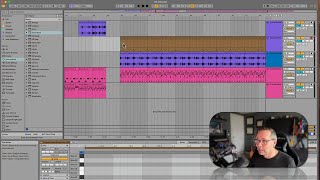
Okay, in this section, we're going to start looking at the different synths within live, that is to say, instruments. So these instruments are all the different synthesizers, samplers, sound making things of live. We are going to go really deep into using all of these when we get into the sound design class in this series. But for now, I just want to get us comfortable making some music with these synths without knowing what every single dial does. We already know the drum rack, so we're off to a good start. So I think what I'll do is I'm going to take this clip or this drum pattern, these three things. I'm just going to put them out here, and I'm going to, you know, paste them a whole bunch so I have some room to play. That was just Command D for all of that. Okay, so now here's what we got. I kind of love this groove. I'm, like, super into it. Okay, great, let's. So for each of these synths, they. They each kind of do their own thing. You can kind of ignore for the moment, these DS things. Those are. Those are Macs for live devices, and they're a little different. We will look at those, but hold off on those for now. Our main instruments are these other ones, and each one of these have their own kind of thing that they do particularly well. However, they are also really versatile. So I couldn't go through and say, like, this one is good for baselines, and this one's good for leads, and this one's good for pads. Like, I couldn't really say that because they're all kind of good at everything, or at least most of them. But they do kind of have different characteristics. Like collision is particularly good for percussion. Y things electric is particularly good at electric pianos. Rhodes organ. That kind of sound. Tension is good for string, like, things. So let's load one up. We've got two ways we can load up one of these synths. Let's go to wavetable. Okay. Wavetable is probably one of the most complex synths we have, but that's okay. I can just drag a wavetable right on a track. But I don't want to put this one here because I do have this percussion here. So I'm just going to drag it down here, and it's going to make a new MIDI track. There it is. I can open it up right there. And there's no MIDI information on it because I just dragged an instrument on it. I didn't do anything else, so I didn't make any material for that instrument yet. Now, remember the way MIDI works in that every track. Every MIDI track can have an instrument on it. Only one instrument. So? So if I was to put this instrument on this track, it's going to get rid of my drum rack. Okay? So that's why I made a new track.