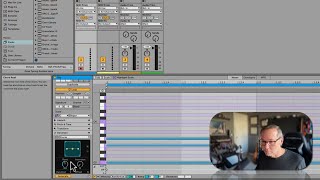
J. Anthony Allen shows Ableton Live 12's new Transform and Generate buttons for MIDI clips. Transform lets you alter existing ideas, while Generate creates new material like chord progressions that stay in key. Allen uses random generation as a creative starting point, then shapes it into something personal.
Chapters
Okay, before we move on to the next section, I want to point out one kind of cool new thing that's here that we haven't talked too much about, and that is in a MIDI clip, you've got these transform and generate buttons. If you open these up, there's all these tools that. And this is all new in live 12. You won't see this if you're in a 11, 10, whatever. There's all these tools that are effectively making. Helping Live create things for you. So with the Transform tools, if you've made something, you can go to these transform tools and say, make something different, mess it up, transform it. Or if you don't have anything, you can go here and just say, make a chord progression for me. And, you know, like, kind of randomize something and it's going to stick to the key and make you a chord progression. Right. It's pretty wild. So these generate things are just going to, like, generate music for you. I've had some really good experience with them, just using them as a way to create something random and then kind of sculpt it and play with it and make it my own. They're really great. So there's a bunch of different options here, and I just want to point out that we will go through how to use all of this, all of the transform options, and all of the generate options in the next class in this series. In Part three, we get into a bunch of MIDI tools where we will go over how to use every single one of these. I'm thinking about making a whole class just based on, like, let's have Live create something for us. But I don't know if I'm actually going to do that. So more details on these in depth in the next series. For now, I want to move on and talk about tuning systems.