In this tutorial J. Anthony Allen explains a common MIDI playback issue where notes that begin before the playback start point are silent because no note‑on message is sent. He demonstrates that a long sustained note will not be heard if playback begins mid‑note, as the MIDI protocol only transmits a note‑on at the start and a note‑off (often with velocity zero) at the end. Allen also shows that when playback is stopped before a note‑off arrives, DAWs automatically send forced note‑off messages (velocity zero) to prevent hanging notes. He introduces the concept of “chasing notes” or “velocity tracing” – a technique used by many programs (including Ableton) to compensate for missing note‑on messages by generating them retroactively, ensuring all notes are heard regardless of where playback starts.
Chapters
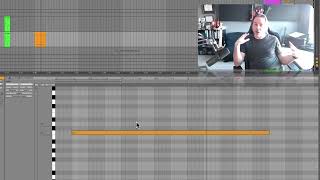
Let's go in and look at one more kind of oddity about midi. And that is the way we start and stop notes. And we've talked about what goes into the protocol. But let me show you a weird example of kind of the consequences of the way we do that. So here I have one long note. If I play this not. Cool. And you can hear it with strings because I still have this track routed to strings. So actually, just while we're here, if I hit play on it, you'll see there's no instrument here, but we're routing to the strings, which is here. You'll see volume coming here. So that instrument is actually playing because I'm routing it through that channel. Anyway, that's not what I wanted to show you here. What I want to show you here is that remember that while the note is playing, nothing happens in the MIDI message, right? The MIDI message says, turn this note on and then turn it off. So what happens if I start the note in the middle? Where'd it go? It's gone. It never got a message to turn on. That's a weird thing about midi. So let me explain that again. If I don't hit the start of this note, we are not going to hear it because it never got a note on message. Like, if I start playing it right here, The no down message never came and we're not going to hear that note. This is a weird thing about MIDI and it frustrates a lot of people. If you're doing something with a lot of long notes and you don't start it at the beginning, you might not hear all those notes. Now, there's a solution to this, and that is a lot of programs have built in something called chasing notes or velocity tracing, something like that. They each call it something different. I'll show you how to do it in Ableton in just a second. But I want you to understand why this happens. So there's no note on message and it just plays. And then when we get the note off message, it doesn't matter because the note off message just says play it at a velocity zero. So sends that at the end of it, it sends the play this note at velocity zero. And it doesn't care that there's not a note on. So I have to hit the beginning of that note in order to get the note on message. Okay, what if I stop the track before the note off message comes? Technically, that note is still ringing. We should still be hearing it. Now, any piece of software knows that when you stop the track. It knows just to hit all the node off messages, send everything at a velocity of zero just to make sure nothing stays ringing. But that's something that the software is doing just to make sure that notes stop. Otherwise that note would still be ringing because it never got the note off message. So the computer handles that part of it for us. It knows how to force a note off message when we stop playing. Okay, let's go to a new video and let's talk about how we set up this chase. MIDI notes.