In this lecture, J. Anthony Allen explains the landscape of professional music notation software for writing acoustic music. He frames notation editors as analogous to word processors for musical scores, emphasizing that they only handle note entry and playback, not audio. He reviews three main options: Finale (widely used, around $300‑$400, functional but complex), Sibelius (once a major competitor but now discontinued and more expensive), and MuseScore (free, cross‑platform, rapidly improving, suitable for students). Allen advises learners to start with MuseScore and only invest in expensive software if needed. He also teases an upcoming Steinberg notation program that may disrupt the market. Throughout, he stresses the importance of picking a single, professional notation editor and distinguishes these tools from sequencers, which handle audio. The segment ends with a brief mention of returning to pencil‑and‑paper methods.
Chapters
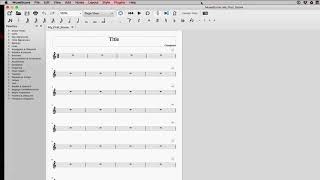
Okay, first, let's talk about software. Now, when you're writing. Well, I should. I should say when I'm writing, and I should preface that. Everything in this class, when it comes to the creative techniques and things like that, are really my opinion, but I think I've already said that. Okay, so when I'm writing acoustic music, meaning for real instruments, I'm doing it in notation. So standard notation, the stuff like what you just saw in the string quartet. Now, in order to do that, we have several different software programs that can do that for us. They're basically like a Microsoft Word kind of where in Microsoft Word you type, you know, letters. In these other programs, you make notes. And it's a kind of a similar thing. It's a little more complicated than that, but more or less. So there are three different programs kind of on the market right now. You do not need all three. Pick one. Pick one. That will be good. What you need is a professional notation editor. Now, I know that programs like Logic and some of the other ones have notation things built into them where you can work with notes on a staff. Those are really kind of. They're okay, but they're not really quite ready for primetime. You wouldn't make a professional score in those programs. The three that exist, that are the professional scores, like, if you buy sheet music from somewhere, it's probably made in one of these three programs. The first one is Finale. It's what I have pulled up here. It's one of the most popular ones. It works great. All of these programs are hard to learn. They're fairly complicated. You know, people complain about Finale having bugs and this and that and the other thing, and they all do. Nothing's perfect. But Finale is a good program for notation software. The other one is called Sibelius. I don't have a copy of Sibelius here, but. But Sibelius is kind of the big competitor to Finale. Now, if you're going to buy one of those two, I'm going to tell you right now as I'm. This will change soon, I think. But right now, Sibelius is not a good buy because recently the company that owns Sibelius pulled the plug on it. So Sibelius was not going to get developed any further. So anything that's wrong with it is wrong with it forever. It also probably won't support new operating systems, new computers and stuff like that. So Sibelius is not a great buy. It's also more expensive than Finale, I think. I don't remember the prices on any of these, but Finale is probably around three or 400 bucks. Sibelius is like six, I think. So those are the main big two. But there's a third option and kind of sort of a fourth option. So the third option is this one called Musescore. Musescore is totally free. This is a free program that you can Download. Go to musescore.org you can find this program. You can download it for Mac or PC, I believe. Now this is because this is. This is a free program. It doesn't get developed at the rate that the other ones do. It's a little slower to develop. But in the last year or so this has come a long way. I've been keeping my eye on this program for a while and I've seen students do some really exceptional looking scores in this program and I'm really impressed with it. So it's a really legit, good alternative now. So check out musescore. It's totally free, so don't spend a ton of money on Finale until you know you're gonna need to do something that Musescore can't do. And Musescore can't do anything, everything. So it's legit to get there. But stick with the free one for now, right? Don't buy something expensive. So Musescore is great. Now the. I also mentioned there's kind of a fourth option and the kind of four option is one that's going to be released soon. There's a new notation program that's going to shake up the world of people that are super nerdy enough to keep track of notation programs like me. It's going to be released by Steinberg and I can't remember the name of it, but if you're watching now, look for this other program from Steinberg. It's looking pretty interesting from the little previews I've seen of it. But for now, Musescore is great. I'm going to use Musescore throughout this class. So you can follow along with me and Musescore if you like. So those are the three main programs. Now remember, these are professional notation software. This is different than a sequencer. We cannot do anything with audio in these programs. All we can do is input notes and play them back. So. I can make notes, I can make chords and I can listen to them, right? So that's all we do in this stuff. That's all these programs do. They're very kind of monothematic. They do one thing and they do it well. I guess there's another thing which is print out good looking scores that we can then give to performers to play. That's a whole other can of worms. Okay, so that's the background on software. Next, let's talk about going a little bit old school and using pencil and paper.