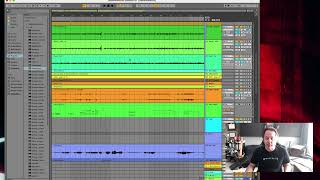
J. Anthony Allen covers the keyboard shortcuts that work the same way in nearly every DAW. Spacebar toggles play and stop. Command or Control C, V, X, and D handle copy, paste, cut, and duplicate. Learn these few commands first, then pick up others as you need them.
Chapters
Okay, when you're working in your daw, there are a couple of key commands that are nearly universal. They're almost always the same in all programs. Now, I'm not a big fan of saying you should memorize thousands of key commands. Look, some people are, though, and if you get really good at a daw, you will eventually know a lot of the key commands for it, just because you'll find yourself doing the same thing a hundred times in a row. And then you'll just say, hey, is there a key command for that? Just to save myself some work. And there probably is. So key commands are good to know. I'm not a fan of just saying you should sit down and study the list of key commands and memorize all of them. That's not very useful to me. Memorize the ones that you're going to use all the time. But these few that I'm about to tell you are the same in virtually all programs that I've found and are really useful to know. The first and most common is the spacebar. The spacebar in just about every application I've ever worked in means play and stop. It's a toggle, so I am currently stopped. I put my cursor somewhere and I press the space bar and it's going to start playing. I press the spacebar again and it's going to stop. Spacebar always means play and stop. Another thing that's a nearly universal key command is anything you can do in a text editor. So if I select something and I'm going to press Command C, now I'm on a Mac, if you're on a PC, I think it's option C or Control C. But for me it's Command C to copy something. I can click out of it, go somewhere else, and Command V to paste, I can Command D to duplicate. And Command X to cut. So if I just want to get rid of something, command X, that is true in every program I've ever worked with. I'm pretty sure it's the same text editor stuff, right? Like copy, paste, cut, duplicate. Maybe duplicate isn't one of them, but command D is almost always duplicate. So file those away in the back of your head. Those are probably the most common things you're going to need, and it's really handy to have. So there you go. Nearly universal key commands.