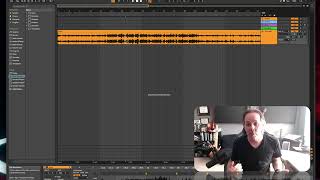
J. Anthony Allen shows how to use a professional song as a guide track in your DAW to study arrangement, drums, bass, and synths. Import it, mute and unmute sections to analyze structure, place markers for intro and chorus, and compare your mix levels against it. It's a learning tool, not for sampling or copying.
Chapters
Okay, we're gonna set up a guide track. So what a guide track is, is we're just gonna drop a finished, professionally produced track that is not ours into our session. Okay? So I'm going to drop this track in. This is a track I like, and it's one that I find really interesting. And I want to make something in the style of this track, okay? So I'm going to load this whole thing in there. Going to let it load up a little bit. Okay, there it is. Now, I'm not going to use this track. I'm not going to sample this track. I'm not going to do anything with it, but I'm going to use it as a guide, okay? So I'm going to say while I'm working on this section, I'm going to keep this muted. But every now and then I'm going to turn it on and say, what are they doing there? And then in this section, I'm gonna say, what are they doing? I'm gonna listen close. I'm gonna listen to the drums, to the bass, to the synths. I'm gonna really try to understand what they're doing. Even going more granular than that and thinking, like, what is their hi hat doing? What is their kick doing? How can I get that kind of sound? I'm gonna analyze and sort of recreate it, but I'm not gonna copy the track. I'm not going to make it sound the same as that one. I'm going to do my own thing, but I'm going to use this as a guide. You can see why some people kind of think this is. It's not cheating, but it's. You know, you should work with your own ideas. But as you are learning how to do this, this is a perfectly acceptable thing to do. Another thing that I might use a guide track for is form. So you might say this is our. Oops. This is our intro. And then right here, they go to a chorus or something that looks like a chorus right here. We're gonna go to bridge right here. I'm just guessing on this particular track. Let's call this first two. And then right here, let's say this is a quiet chorus or something like that. So now you've got, like, a framework for your song, right? Because you know that in this one, you like that song. And this is what they did. They had this long intro, and then they went to a chorus, and then there's this long bridge, a verse, and then like a quiet version of the chorus. So you can basically set up your session to kind of emulate this by just putting those markers in, and then, you know, that's how they did it. So it's probably a formula that works. So guide tracks can be pretty handy. Just put it in your session. I usually put it at the top and mute it, and then, you know, every now and then turn it on. It's also great for mixing, because when you're mixing, you can kind of see, like, are your levels kind of in the ballpark of a professionally produced track? So guide tracks, super handy.