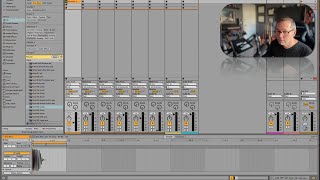
J. Anthony Allen shows how to turn a one-shot kick sample into looping patterns in Ableton Live 12. Set the clip length to a quarter note, stretch it to two beats for an alternating kick, then use negative start positions to shift the kick to different beats. Everything stays locked to the grid.
Chapters
I remember back when I was learning how to use Session view, and somebody showed me this thing that I'm about to show you, and it just went click and everything made sense about Session View. So let's do it. So first I'm gonna find a kick. Sample. Sample. One shot. I just want to thump. Okay, not bad. Let's do this one. Okay, I'm gonna throw that somewhere. How about right there? Okay, here's my kick. Okay, now that is a very short sample. If I loop that sample, that is basically useless. Okay, now I can't loop it right now because that sample isn't warped. I have to turn warping on to loop it. So if I loop it, it's just going to do this. Watch. That's not very useful to me. Okay, I want that to be in time. Okay, So I want that to be on a quarter note. Okay? So now in order for that to be a perfect quarter note, I have to make sure that the length of this loop is a perfect quarter note, and it's not. So let's take. Let's make this loop longer. See, I can loop the empty space here. Now I can get here. And now this is a quarter note. 1 to 1.2. That is the first beat. Now, if I launch this now, it's a quarter note. Okay, now this might be all you need. That's what's kind of cool about this, is that, like, if I have this clip going and I just want a pattern that is just like a solid kit and set it to the beat. I don't need a whole loop here if it's just one note. Okay, so let me set this to loop. Okay, now but what if I want it on every other note? Okay, that's easy enough. All I have to do is stretch this out, right? Because now it's going to go kick nothing. Kick nothing. And that kick, because the loop length is 2 beats, it is going to be perfectly on forever. I could let this play for 20 years, and that is never going to fall off the beat. It's just going to be perfect. Okay, now what if I want to do the same thing, but I want the kick to be on beat 2 instead of beat 1? How do I do that? Think about it for a minute. To do this, I put silence on the back. So if I want this to be on beat two, I need silence at the front. So watch this. What I'm going to do is I'm going to take my loop position. I'm going to type in minus one. Okay, now I'M at a whole bar. The negative, that's not what I want. So I just want these two beats. Okay, here's one. And here's negative one. So we're going to start. We're going to move our start position back and our end position forward. End position isn't really going to matter here, but I like to move it out of the loop race just to be safe. Okay, so now we're going to start here at negative 1.1.4 and play one. Now it's gonna be on beat two. Okay. So you can go negative. All right. So hopefully that kind of opened your mind as to what we can do here in session.