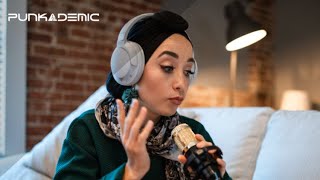
Learn to set up a podcast from hardware through publishing. The class covers microphones and audio interfaces, four recording setups from solo to remote hosts, post-production basics like noise reduction and music, and how to distribute to Apple Podcasts, Spotify, and Amazon Podcasts.
Sam. Foreign.
Welcome to part one. Pod Interface. In this class we're going to talk about everything you need to know in order to record. If you're brand new program, we're going to learn every aspect of how it works. We're going to spend the majority of our time talking about recording situations. But if you're brand new, we'll start by talking about microphones and then about setup. Let's dive in computer hardware things you're going to need in order to get your podcast sounding the absolute best. Then we'll move on to kind of the four different recording situations that you might be in. The first is recording a single person in a room. The second is multiple people in a room. The third is multiple people in multiple rooms. And the fourth is multiple people on opposite sides of the country or different geographic locations. There's actually a way to do that and still make it sound really top notch and super pro quality. After we through all that, we'll talk about how to use the various publishing platforms to make sure that your podcast gets on all of the main platforms like Apple Podcasts, Spotify, Amazon Podcasts and all of the major distributors of podcasting. So it's a, it's a fun, relatively short class. It's going to be a whirlwind through some audio fundamentals to make sure that you're getting the best quality sound. But if you watch, we should have you up and running to be making your own podcast that compares with the quality of the top podcasts out there in a few quick hours. So let's dive in and let's get started.
Because it's just a good free program, I.
It's simple, it's not going to let us do as much stuff as we can do in another program, but it's good and simple.
So I'm just going to set my input here. Okay, so let's go through one more time our hardware setup. So what we need to do is we need to have our microphone plugged into our audio. Okay, so now that we've recorded all our dialogue that we need, there's a handful of things we can do to kind of spruce things up a little bit. First, let's talk about music. Now when you're using music, okay, I want to show you a trick in case you are dealing with a noisy recording and there's noise in the background. There are some ways to get rid
of it where even like your Google Drive and then you distribute text out to everybody. All the different services that has a few drawbacks.