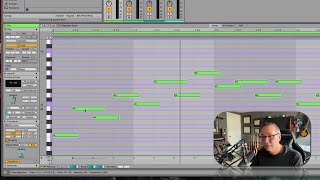
J. Anthony Allen shows how to use Quantize in Ableton Live 12 to snap notes to the grid at different resolutions. The Amount slider lets you make subtle timing shifts instead of snapping all the way, and quantize works opposite to humanize: one pushes notes onto the grid, the other nudges them off.
Chapters
Okay, let's talk about quantize. So maybe you already know what quantize is. That is when we have notes that are not perfectly on the grid. And in the past, we could use command U to quantize, and we can still do that. But if we want a little more control in our clip, we can go to transform and quantize. So our options here are the current grid, which is going to be, you know, what I'm looking at here. Or we can say quarter notes, 8th notes, 32nd notes, 16th notes. So we can adjust things that way. We can add triplets, which can be really handy if you're programming, like really delicate stuff, really complicated stuff, like maybe some of those like trap beat hi hats or something like that. Flipping over to triplets really quickly is really handy. So this is a good way to do it. So now you see we've got 8th note, triplet, 16th note triplet. They're a little different. Now. I am at the moment adjusting the end notes, end of the notes. So I can do start, end, or both. So if I do start notes and end notes, it's going to look like that they're going to stay really uniform triplets. And then we can say the amount so we can, you know, have a little flexibility. This is, in a way, quantizing is like the opposite of humanizing, right? Like it's undoing humanizing. Basically, it's going to make you more on the grid where humanizing is going to take you more off the grid. Okay. So you can think of humanize and quantize as kind of two sides of the same coin. They're opposites in a way, but more or less it works the way that quantize works in the past just gives us a new kind of interface and some kind of easy control to see how it's going to work. Cool. Let's move on.