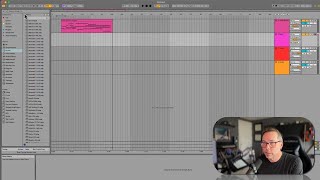
J. Anthony Allen shows how to record MIDI in Ableton Live's Arrangement View. He sets up a cello track with a Novation controller, records a C-major phrase, then adds a drum machine track and records a kick and snare pattern. MIDI recording requires no audio feedback setup, just arm the track and hit record.
Chapters
Okay, let's record some stuff. So here's what we're gonna do. We've got this one track set up with my novation. It's got cello sounds on it. Let's delete this echo and this arpeggiator. Okay, Perfect. Okay, I'm gonna go up to this fifth bar here just for fun. I kind of have an idea what I'm going to do with these first few bars. But so I'm going to put my cursor here. I'm going to start my metronome. I'm going to give myself a one bar lead in with the metronome and I'm going to turn the metronome on. Now I'm just going to play some fun. Like I'm just going to noodle around in C major for a minute, I think and play some cello y stuff. And then I want to try to add some drums to it and we'll see what happens. Okay. So I don't have to worry about my monitoring really at all here because there's no microphones that are recording into live and the MIDI signal that's being sent is just midi. It's not. There's no danger of it feeding back. So that is super easy. So I've got this armed to record and now I'm going to go to my big record button and hit it. Sa. Neat. That was cute. Let's go to another track here and let's put a drum machine on it. So I'm gonna hide my filters here and let's see what we can do here. Now I'm going to play in the drums. So when I'm auditioning drums right now I'm really just listening for the sounds, not the pattern that it's playing. Let's go down the ways. That's cool. We'll do that. So I'm gonna throw that on this keyboard or on this track. Now I have a drum kit. So now I'm going to play some notes and find. I'm going to find my drum. So you can see, if you look down here, you can see what notes I'm playing. Like there's no drum sound there. If I play a lower note, Lower note, lower note. Now I'm getting into the drums. So on my keyboard, if I want to get to the majority of the drums, I need to go down an octave with the octave button on this keyboard. All right? Okay. So let's try to record some drums. This is going to be a little sloppy, but because I'm going to try to hold the keyboard up so you can see what I'm doing. Okay. So I found that my main kick and snare I want here and here. Okay. So let's try to record a beat with just those. So I'm on the next track. It's arm to record.