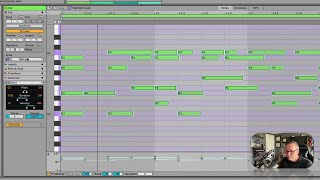
In this solo tutorial, J. Anthony Allen demonstrates Ableton Live 12’s generative tool “Seed,” explaining how it can create melodic material beyond simple melodies. He walks through each of Seed’s core parameters—pitch range (C3‑C4), note duration (16th to 8th notes), velocity stability, voices (polyphonic density), and overall density percentage—showing how they shape the output. Allen keeps the generation within a C‑major scale, listens to the results, and points out a hidden melodic fragment that emerges. He then routes the generated MIDI to a string instrument, illustrating how the raw output can be repurposed. Finally, he offers practical workflow advice: using Seed as a quick compositional springboard, trimming or extending notes, and customizing the material to fit a project’s needs.
Chapters
Okay, let's go down to seed. Now seed is a weird word that they've used here. I think they're trying to avoid using the word melody because you could use this for so much more than a melody. But that's also kind of what you can do with it. So this is really actually quite simple. So we've got three parameters. Pitch, duration and velocity. So let's say pitch. Let's go to C3 to C4. I want this whole thing to stay within that octave. So I'm just going to set this to C3. Actually can just click and drag right here. There we go. And here I'm going to go to C4 there. C3 to C4. Okay. Just that octave. Okay. You can already see it generating some stuff. So let's say duration. I want 16th notes and up to 8th notes. Sure. Velocity. I want a pretty stable velocity. So let's say, you know, up there. Now voices. Voices is an interesting term here. You can think of voices as like, how many things are going to happen at the same time? Like if someone was going to sing this, how many people would it take to sing it? That's like an easy way to think about voices. So one means there's going to be no overlapping notes. Let's go up to four just for fun, see what it generates. And then density. So at 62%, that means we're going to have 62% of the area filled with notes. I want to actually fill that out quite a bit more. Let's go to 100%. What the heck? All right, here's what we got. Now remember, we're all within a scale here. We're all in C major because of this up here and up here. So look at that first chord. We'll see what it did here. Let's take a listen. That's weird. It's a bit. Let's make some longer notes. Let's go up to just 16th notes now, just out of curiosity. Well, let's hear it one more time then. I'm going to try one more thing. Now this is interesting because what I heard here, in addition to some other, some stuff I didn't like, I heard. I think that's what I heard. Those last two notes might be wrong, but that's a cool little melody that's buried in there. Did you hear that in there? Here it is again. That's pretty cool. You know, so let's take this entirely Ableton created melody and let's put it in my strings. What do you think? It's going to sound like if I put it in the strings. Listen. Pretty cool. So we can do some interesting stuff with this. Generate. If you're working and you've got a deadline, this is a good way to get started with something. If I was working on this, what I might do is get rid of some of this other get rid of some of these other notes. Maybe extend that out. Make sure we really hear the things I want to hear. I lost that note. It's a great place to start for something really interesting. So seed.