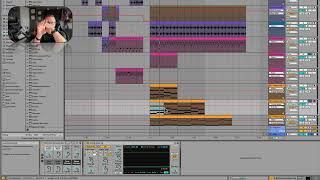
J. Anthony Allen shows how to set up side-chain compression in Ableton Live 12, using a kick to duck a synth's volume and create the pumping effect in dance music. The side-chained source doesn't need to be audible, and you can dial it in subtle or aggressive depending on what your mix needs.
Chapters
Alright, we're going to select sidechain input from. What's the name of that track? Five Drum Rack. Okay. From five Drum Rack. Alright, we can say post effects. We can say post mixer. Those are settings that will affect our volume, really. But in our case they should be fine. So let's hit it. So now we see that line right there, that's our kick coming in. And let's pull this down. Okay, so now that kick is really affecting our volume, but we're not hearing it yet. Let's solo this too. And listen. You feel that, that pulse in the synth? Basically what's happening here is we're telling live that when these two sounds are happening at the same time, the kick wins. So use the compressor and. And scoop out the volume every time the kick hits. So the kick hits and the synth goes down and then it comes back up. And then the kick hits. Synth goes down and it comes back up. That's what makes that offbeat feel. We can even mute the kick and not hear it and we'll still get the effects of it. You feel that? So you've heard this a thousand times and every like in like tons of pieces of maybe primarily dance music where it's just got that, like, feel to it. And that is a really aggressive side chain. So it has this effect of like almost being nauseous in a way, if you use it really aggressively. But you don't need to use it really aggressively. There are a lot of very subtle things you can do with the sidechain that are really helpful to your mix. And when we get into mixing, we might even hook up a sidechain to help us get certain aspects of the mix under control. So there are. You don't have to do it as aggressively as I'm doing it here. Let's listen to this in the whole context. So you don't even need to hear the thing you're sidechaining to if you don't want to. I just wanted us to have like a four on the floor. Really straight kick to Sidechain two. So to sum up, if you want to sidechain something, take whatever you want to sidechain. It should be something that's got some sustain to it. Put a compressor on it, open this little arrow, click sidechain and select what you want to do. You can do a little adjustment to the signal here. There are other effects that will let you sidechain. So when you see this little arrow, sometimes it's gonna have sidechain controls in it. So keep an eye out for those, but that's how you sidechain.