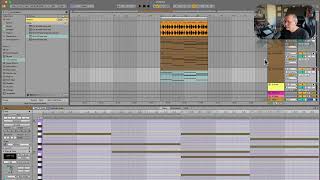
An Ableton Live tutorial on building out a chord progression by duplicating tracks, swapping instruments, and lowering layers an octave for depth. The instructor drops a middle layer that sounds too bright and identifies the missing bassline as the next step.
Chapters
Okay, I kind of like it, but we need more. I need more definition on that harmony. It's. It's a little too ambient. So here's what I'm going to do. I'm going to duplicate this track. Going to go over here. Control. Right click or command click, duplicate. Okay, now I have that same track. Now I'm going to put a different instrument on this one. Let's try that. I'm gonna solo this one. Actually, no, I'm gonna mute our other one. That's a little bright, but I don't hate it. So I'm going to keep that one and do one more. And you know what I'm going to do? This is going to blow your mind. I'm going to go back to piano for this one, because here's my logic. What I'm thinking is this adds a cool texture. This adds a cool texture, and this is going to give some definition to our chords. So I'm going to take this one back down an octave. Maybe even. No, just one. All right, now let's hear them all together and see what we've got. Okay. I really sort of don't like this middle one now. So let's try one other thing on that. Let's go back to. Instruments still looking at the new meld. Let's try that on this one. Okay. It's getting somewhere. It's like a power ballad, but it's got potential. So the thing that I feel like this is missing right now is a baseline. So let's go to that.