In this tutorial J. Anthony Allen walks through Ableton Live’s “Stacks” feature, which generates stacks of notes that function as chords. He explains the terminology (root, shape, inversion), demonstrates how to set a root note (e.g., C, E, A), choose a shape, and adjust inversions to reorder notes across octaves without changing pitch content. Allen shows how moving the root down an octave aligns the chord range, and how inversions affect note ordering. He then builds a four‑chord progression by adding chords, tweaking shapes and inversions, and uses the duration and offset controls to vary chord lengths and timing. Finally, he highlights that chords can be edited by clicking, dragging, or adjusting individual parameters, illustrating a practical workflow for creating chord progressions quickly in Ableton Live.
Chapters
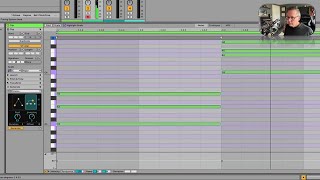
Okay, next we get to stacks. Now, stacks is means chords, so let's just generate some chords. Now, interestingly, and I probably shouldn't say this, but in a very early version of the beta version of this, this was just called chords. But they must have had an internal discussion, and they said, you know, technically, what we're generating here is not chords, it's stacks of notes. Because not all of these are functional harmonic chords, which is true. It's splitting hairs. They called it stacks, let's call it stacks. But this is generating chords. So here's what we have. We have all these shapes. Now, these shapes are really quite interesting. So I haven't figured out yet the correlation between these diagrams and the actual shapes and what it's generating. But this is a major chord, so let's make it so. Here we go. So I said, root is C, inversion is zero. So I'm going to make it. And now we're going to have a C major chord. So all we need to do really is set a root and then a shape and maybe an inversion. Show you. So let's make a second chord here. Okay, so now I have two chords. With the second one, let's say the root is E and let's change the shape. Okay, that's a minor chord. I don't know why, I don't get it. But you've got these other ones that are getting kind of interesting. They're going through different harmonies, and they're fun. Okay, now you see how this is stacked really high. What an inversion means in, like, music theory world is the order of the notes. It's not going to change any notes. It's just the order of the notes. So if this sounds like too big of a leap from this to this. Right. It's like way up high. So let's change the inversion. Okay, so that stacks all the notes. Now let's move the root down an octave to E2. There, see? Now it's right in the same thing, in the same range. So the inversion just changes the order of the notes through octaves. That's all it does. So now I've got something kind of cool. Let's add another chord. Let's add two more chords, actually. So with this one, let's say the root is A. And let's change the shape to. Let's go here. This is rather nice. I'm going to adjust that inversion. That's nice. The fourth one, let's go. That's cool. Maybe I'll take that inversion down there. All right, now we have a able. An Ableton invented chord progression. Let's hear it. Okay. Pretty cool. It's a nice chord progression. All right. We can change the duration of the whole segment if we want, or each individual chord. Say this chord is short, so clicking on each one of these adjusts it so we can make them different lengths and then offset is just going to kind of push it to a new spot. Okay. And of course, you can also just like click and drag and move stuff like the old fashioned way. That's just fine as well. So that's how Ableton can write chord progressions for you. Pretty cool.