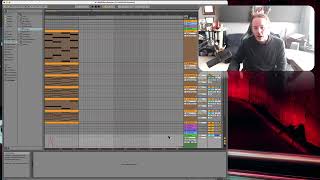
J. Anthony Allen shows how to automate tempo in Ableton Live using the Master track's automation lane. Tempo automation affects the entire song, unlike individual track settings. He also covers other Master track parameters like crossfade, which lets you assign tracks to A or B and blend them like a DJ.
Chapters
So one question I get asked a lot is how do we automate the tempo of the whole track? This works a little bit different because you'll notice that so far we've been automating on a track. For anything on that track, the automation lives on the track. So if I wanted to automate this Arpeggiator, for example, I would go to the track that that arpeggiator is on. But the tempo isn't on a track, it actually is at least, or the automation for it is. It's on our master track. So we go down here to the master and we'd open that up and this is where we have tempo, so song tempo and an automation line for it. So, so we could do this, say go really fast and then really slow. So now you can see here, up in my master tempo, I got a little automation dot. And now the whole track is going to speed up and then slow way down. So automating the tempo is going to live in the master track. It's a little unintuitive to find it there. People look all over for it. So now, you know, other things that are here are the master, mute, panning, volume, global groove amount and crossfade. So the groove amount is like a, like swing or something like that. I don't know that you'd want to do that on a global level. Like on the master track. You might want to do that for the individual tracks. If you look into using grooves, that's an Ableton specific thing. The crossfade is another Ableton specific thing. It's this. If we go over to Session View and we turn on Crossfade, you can assign any track to be either A or B. And then over here we're hearing our A's and here we're hearing our B's. Right, so you can crossfade between tracks. That's more of a performance DJ thing, although there are some other uses for it sometimes. So you can automate the moving of that crossfader if you want. All of that you would find in the master track. To be honest, the only time I really do any automation in the master track is for tempo.