Ultimate Ableton Live 10: Echo
J. Anthony Allen walks through Ableton Live 10's Echo device, showing how to create effects from a simple delay to wild sound design. He covers feedback above 100% for self-amplifying loops, stereo linking tricks, and using gates to shape which parts of a sound get delayed.
Chapters
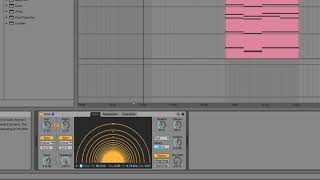
Okay, let's look at the echo plugin next. Now this is one of the new ones. This is only available in live 10 and it's a little funky. There's a lot of cool stuff in here. This can be like a total sound design kind of plugin, or, you know, it could be a normal delay type plugin if you wanted it to be. But I just want to show you something. Let me show you just really quick some of the crazy sounds you can get out of this. I'm going to run our same drum loop through it, but I'm just going to play it for like a second and then I'm going to pause it. Okay, so here we go. Okay, so now I paused it, but just listen really close. Nothing's happening. But just keep waiting. It's. It. Okay, that. That can go on forever. That could go on forever. So that just kind of shows you what, what this thing can do. So I just ran a little bit of signal through it at first, and it went through the plugin and then it kind of died away and then it kind of came back because I was messing with it. So let's look at what this thing can do real quick. So we have three tabs at the top. Okay, so let's start with the echo tab. Over here we have familiar stuff. We have the volume of our input signal and the amount of feedback. You could see that reflected here. Let me close our filter for a second. And then up here we have the left and right echo. This little thing is going to link them together. If you want them unlinked, just click it. And then you've got separate controls for the left and right side and our rhythm amount here. So it's a little bit different than the way it worked in the other ones, but a similar concept. So each of these rings is giving us like the a time that it's going to be fed back. Okay. So you can kind of imagine that each one of these is the signal coming back again. And each one of the white dots represents an eighth note. Okay. So if I turn up feedback all the way, even like way higher, then these just get infinitesimally small and quieter. Right. Now, one thing to note here is that feedback, 100% feedback would mean that the signal is going back into the delay again at the same volume. Right. So normally we want feedback to be something less than 100%. If you go up to 100%, it's never going to decay. But this feedback lets us go up to 150%, which means it's actually going to increase on itself and get louder and louder every time. So point, play with that. It's fun. You gotta be careful with that a little bit. And these buttons will help you control that a little bit. This one gives you a little bit of feedback or, sorry, a little bit of clipping on your input. Just a nice little crunch on your input. And this one inverts the feedback amount. So we're going opposite now of what we were. What we were doing. Okay, we have a filter down here. So if we want to filter the signal, we can do it. You can control it with these parameters down here. Here's our filter type. Or you can turn it off with that. Leave it on. And then some global controls over here. Okay. So we can add some reverb to it if we want. Stereo spread the output signal. And our trusty dry, wet mix going over to modulation. What we have here is the ability to kind of modulate what's happening coming out of the echo. So we can set a waveform. We can set a phase if we want. And notice we've got kind of an orange line and a blue line, right? So here's our orange stuff and here's our blue stuff. So we can set the orange line to be the delay time and the filter cutoff. And we would just give it some. Okay, you gotta give it some of that. And that's. So that's gonna be modifying in a sine wave, in this case, the delay time and filter cutoff. We can also do the envelope, which is kind of sort of like a dry, wet mix for your modulation. You can kind of think of it that way. So 100% would be all modulated and zero would be. No, modulated. It's a little more complicated than that. But that's the basic gist of it. And then character are a couple other fun things you can do. Gate in ducking kind of walks us through what is going to be applied. So if we turn on gate, what we're saying is it has to be this volume in order to go into the echo. Everything under this volume is going to be let go and not applied to the echo effect. Ducking is kind of the opposite. It has to be under. So this one has to be over this volume. This one has to be under this volume. So imagine you've got like a snare crash. And you want the delay on the actual hit of the crash, but not on the sustain. Ducking would help you do that. But let's say you want the effect on the sustain, but not the crash that would be ducking. So gate and ducking noise just adds a good bit of noise into your effect. Wobble. I'm not exactly sure what they're technically using here to create wobble, but it does exactly what it says it's going to do. Add a little bit of wobble to it, crank up this morph amount and the amount of the effect here to get some really cool effects. This re pitch isn't probably what you think. What Repitch is, is classically with a delay effect, what happens is if you adjust the speed of the delay while there's sound going through it just mathematically, that creates what sounds like a big pitch bend because the speed is going up. So if you have this on, it's going to do that. That thing where if you adjust the speed of the delay, it goes up. Let me just try it. I'm not hearing hardly any of my. What? Let's try that again. You hear that? The pitch is going up and down. If I turn this off and I'm doing that, then it kind of. It just kind of crossfades between the old speed and the new speed, so you don't get that pitch ramping kind of sound. So it's a bit of a subtle thing. But if you're automating the echo amount, that might be something you want to turn off. If you want. Cool. So really fun effect. Have some fun playing with that one.










