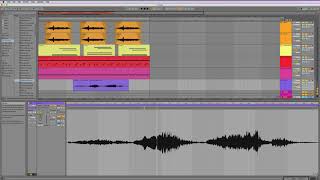
J. Anthony Allen introduces Ableton Live's warping feature, which lets you change a song's tempo without affecting its pitch. The technology has existed for 15-20 years, but real-time pitch-preserving tempo shifts only became practical in the last five to six years. Warping works on audio clips only, not MIDI.
Chapters
Okay, up next, we're going to be talking about warping. Now, let's talk a little bit about kind of where this comes from first. So, like I said before, at the beginning of this class, in the old days, we had two ways, or we had one way to make two sounds match in tempo. The way was you put your finger on the record and that slowed one of them down, and then you could match them in tempo. Now we have these digital ways of doing it. Now, the technology to do this has been around for probably 15 or 20 years, but the technology to be able to do it in real time is more recent. The last, I don't know, five or six years. And the it that I'm talking about is to separate speed from pitch. That's the big thing that we're doing here. In other words, when I slow that record down so that it matches, what I'm doing is the tempo is going to go down, but also the pitch is going to lower. Right? When you slow something down, the pitch goes down. What we can now do is separate the pitch and the speed. So I can slow something down and have the pitch stay the same, or I can change the pitch without altering the tempo. Those are separate elements now, and there's some really hardcore math that goes into that working. But the way Live deals with it is it's called warping. And it's been a very key element of Live for quite a long time. Lives had a warping engine, they call it, built into it. Since I don't know how long it goes back, I don't think it goes back to version one, but pretty early it's been. A crucial component of Live is the ability to warp. You can find warping in other software now, too. Pro Tools has its thing, I think it calls it Elastic Audio. Logic has its version of it that it calls something else. So the other programs, they have warping in them, but Live has been doing it the longest, and I think it's the most refined in Live. So let's take a look at how it works now. When we're talking about warping, we're talking about audio. There's no need to warp a MIDI clip, right? Because we can play a MIDI clip at different speeds and it doesn't affect the pitch at all because all we're sending here are messages on when to play what things. This can slow down and speed up all we want, and the pitch is not going to be affected because it's already just data audio. On the other hand, we have to be a little delicate about how we put things together if we want to change the way it works. So let's go into this file and let's. Let's just get down to it.