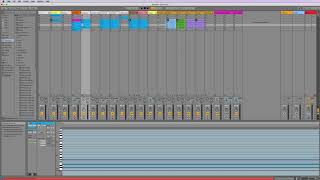
In this introductory tutorial, the presenter highlights the most noticeable new elements introduced in Ableton Live 10 for users upgrading from earlier versions. The key updates include a more vibrant and extensive use of color throughout the interface, the Collections feature that lets users group sounds, clips, effects, and plugins by color, a brand‑new Wavetable synthesizer instrument, additional audio effects, and a new Capture button that records recent playing without prior recording. The speaker notes that while the overall layout remains similar, these visual and functional changes become more apparent as users explore deeper navigation and advanced tools. The video serves as a preview, promising a series of upcoming videos that will dive deeper into the Capture button and other advanced navigation topics.
Chapters
Okay, I want to point out just a couple things really quick that are new in live 10 that you might, if you're on an older version of Live, you might be confused by or something. The first thing is that colors are a lot more active, let's say in live 10. So the colors are a bit more bold and they're a lot more places. Probably the main reason for that is because of over here, which we'll talk about in a minute. But this collections thing lets you kind of group sounds, clips, effects, plugins all together by a color. So it's really kind of handy. And we'll talk about that when we talk about the browser. Other things that are new are. There's a new instrument, so there's one new instrument called the wave table. When we get into instruments, which will be a little ways yet you won't have access to that. There's a few new audio effects that you won't have access to, and then there's some general look and feel things that will look different. This capture button you don't have, and that's going to be something that I really talk a lot about soon. In the next probably 10 videos, I'm going to be talking about this capture button because I love it. It is so cool. But I'm sorry to say if you're not in live 10, you don't have it. There's a lot of other kind of behind the scenes stuff, but those are kind of the main things. The main look and layout is largely the same. You know, there's more colors, there's a couple more buttons up here and there's some more effects. But until you get into the really advanced stuff, you probably won't notice a whole lot of difference. So I just wanted to point out those couple things and I'll be pointing out more as they come, but don't worry about it. Okay, so let's move on and start talking about the main kind of navigation stuff in Live and look at all the different sections.