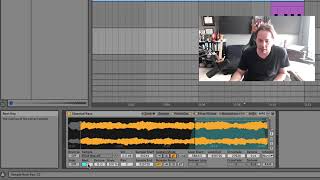
J. Anthony Allen shows how to use Ableton's Sampler with the Classic Keys preset. Learn to adjust loop positions, use crossfade for smooth transitions, and set the root note to preserve pitch. Sustain mode loops forward only, while Boomerang loops forward then reverse.
Chapters
Okay, next, let's look at Sampler. So sampler is a little more. We have a little bit more control over our sound. So I've loaded up one here that's just a preset called Classic Keys. Okay. So we can see where our start position is and where our loop is. There's a little crossfade to get us across there. Going to sound pretty good. Okay. So that note can sustain for a really long time because of that. So we have, you know, sustain mode where it can go left to right, you know, it can go from beginning to end and stop left and right and then loop. Or this boomerang mode, which I find generally if I'm trying to make a seamless loop like this works a little bit better. The boomerang mode, it's going to go into the looped section and then instead of the end of it jumping back to the beginning and going forward, it's going to go to the end and then it's going to play backwards and then forwards and then backwards. Sometimes that can make a more seamless loop. Let's try it. Yeah, not so perfect here, but I've had good results doing that. Loop, start, loop, end. We can detune it, panning our root note. We don't have access to the root note in simpler, but we do in Sampler. The root note is just what note we play to play the untransposed original sound. So here it's C2. So that's going to play the original sample without any transposition on it. So you always want to set the root note to the note of the sample if it's a pitched sample. Right. So if you've recorded like a piano, record the note middle C and then set that to be middle C, C3 or 4, depending on what not brand of keyboard you're working on. That's a long story. Okay, so on its surface so far, it looks like Sampler is just simpler but with more detail. Right. And that is true so far. But the big difference is in this thing called zones. So let's go to a new video and look at zones.