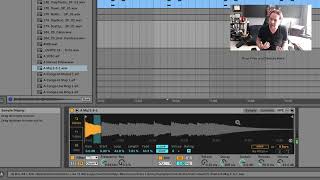
J. Anthony Allen shows how to use Ableton Live's Simpler device in Classic mode. Load a sample, trim it to a single chord, and middle C plays it at original pitch while other notes transpose it. Add looping, filters, envelopes, and an LFO to shape the sound.
Chapters
Okay, so I have a sample loaded up in simpler. Let's talk about, generally speaking, how to use simpler. And we're going to focus on classic mode first. Okay, so I loaded a little keyboard sample here. Okay, that's neat. But I actually only want that first chord. So first thing I'm going to do is, is change my start and end position. Actually, I'm going to leave my start position right where it is, but I'm going to change the length right, right there. Give it a little bit more. That sounds good. That looks good. Okay, if I wanted to, I could adjust the start position and move it all over the place. Actually, what happens if I put it right there? It's kind of neat, but I'm going to go back to the beginning. Okay, so now I just have that one note. Cool. So I'm triggering this with my keyboard. I'm playing a MIDI note now on the simpler and the sampler. Just remember that if you want to play the sample at the pitch that it is, play middle C. Your keyboard, if you play any other note, it's going to transpose it. Right. So middle C is the note that it is currently at. Okay. Now, I could set this to loop if I wanted it to. If I do, I can make a little fade. And I can set the loop length to be different, which is probably what I want here so that it doesn't loop all the way back to the beginning. Because it's so much louder at the beginning, this will make for a slightly smoother loop, although it's still not going to be incredibly smooth. Could be worse. So now I have something set up nice. I can apply a filter to it. I've got filter here that I can play around with. I've got an envelope here. Attack, Decay, Sustain. Release. It looks a little bit different, but that's our same envelope parameters. I've got an LFO here I can play with. So when we're in classic mode, that means that we can play how we've set up. We can play polyphonically, meaning we can play more than one note at a time, Which is going to sound weird because this is a chord, so it's going to transpose it all. Strange. We can set things up to loop. And if we go over to the controls tab, we have a little bit more controls. We have another filter, we have a pitch envelope we can play around with and more on our LFO settings. But that's pretty much it. In classic mode, you're going to be able to play a sound and you can play it as many notes as you want. If we wanted to go on the MIDI keyboard, we would trigger this just like any other sound. So C3 is our unaltered pitch. It's going to loop, so I can extend it out if I want. Let's make this MIDI clip longer. Tell it not to loop, but be longer. There we go. There. Right? And I can trigger more notes if I want. I could do this. I could even trigger some things really fast if I wanted. Which can be kind of fun, actually. Neat. All right, now we turned our groove into. From like a slow, sexy jam into this weird frame. Set up a thing, but sure, why not? Okay, let's go on to this one shot mode and talk about that.