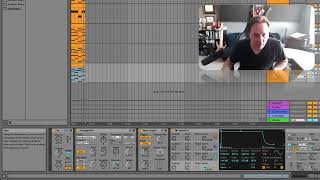
J. Anthony Allen shows how the Random MIDI effect replaces notes with random pitches, then demonstrates adding variation to hi-hat patterns and creating chaotic melodies with an arpeggiator. Use the Scale MIDI effect afterward to lock random notes into a specific key.
Chapters
Okay, let's say you really want to get things weird. What you can do is take a random MIDI effect. Like not random meaning any MIDI effect, but specifically the MIDI effect called random. So here's random. What random is going to do is it's going to listen for any note coming in and then it's going to change it to some other note, any note it chooses. So here's how it works. A MIDI note comes in and then it says, cool, thanks for the note. I'm gonna give you a totally different note and it'll be a surprise. This actually can be useful. You might think that sounds like a terrible idea, but think about like drums. Let's say you've got 10 different hi hats. So you could limit it to only saying choose a random hi hat sound. And then if you've got a pattern going and you want it to give it a little bit more life, you could have, you know, 10 different hi hat hits. And it might sound a little more natural actually by doing that. But in our case when we're actually using notes, It's a little chaotic. So what we can do here is sign we can add the random note to the note that came in. So in other words, that's going to make it go up. So if this chooses 10 and we give it 60, the note it's going to output is 70. We could say subtract, meaning if note number 60 comes in, it's gonna, and it chooses 10, the note that comes out is gonna be 50. Or we could say do both. So the note that comes in is 60, it's gonna output two notes, 50 and 70. So we can kind of limit its choices a little bit here. Probability. And then this is like a multiplier, I believe. So move us up and down octaves essentially is how we would interpret it. So here's what we get now on this track. Okay, Weird. Now I have a bunch of random notes. That's cool. You know what I could do? I'm gonna crank my arpeggiator up to 30 second notes. It's gonna be really fast. Let's pull that scale multiplier down, okay. To get those really high notes out of there. Okay, now what I'm gonna do is I'm gonna do that thing I mentioned the last video. I'm gonna kind of smash these into a key because right now they're totally random. But there is a way to get these conformed to it to a key, and that is by using this scale MIDI effect. So let's go to a new video and talk.