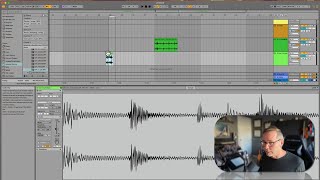
In this segment of his free Ableton Live 12 music production class, J. Anthony Allen walks viewers through the process of identifying and correcting mis‑warped audio clips. He explains that while Ableton usually warps correctly, it can fail about 20% of the time, so he deliberately loads clips that are warped incorrectly to create learning opportunities. He demonstrates how to enable short‑warp mode, adjust loop length to match the intended number of beats, use the metronome, and temporarily slow down the project tempo to locate transients in a short clip. He also shows how to double‑time the clip to make it a full bar for easier editing, then revert the change. Throughout, he emphasizes a step‑by‑step troubleshooting mindset and encourages viewers to experiment with these techniques.
Chapters
Okay. So warping can be hard. It can be a tricky thing to figure out, and it's not the easiest part about using live. So I want to do it a little bit more. Let's do a couple more, and I'll just walk you through my process on what I'm going to do. Now, before we do these, I want to point out one thing is that a lot of the time live is going to warp things correctly. Probably, I'd venture to say the majority of the time. It's not like 99% of the time, though. It's probably like 80% of the time, depending on what you're doing. So I'm gonna pull in clips that are intentionally warped wrong, or I'm pretty sure are warped wrong. But just know that, you know, the majority of the time, things actually go pretty well with this. But I'm going to create some problems for us just to, you know, learning opportunity stuff, you know, how it works. Okay, so let's do another beat. So this one, I think, is going to cause us problems. So it's short warp was turned off by default, which is surprising. So let's turn that on. Okay, we'll take a look at it. And let's loop it and turn on the metronome. Okay, so what I see here, first of all, I see a weird amount of time. So. This should be two beats long. Okay. And it's more than two beats long. It's hanging over by a little bit, so that's a problem. So let's tighten our loop to two beats. And then here. Okay, obviously that's wrong. So let's see if we can figure this out. I'm going to slow down my tempo a little bit. And let's see, we don't have very many transients here because it's so short. So let's see if we can figure out where this big one right here goes. This is going to be a tricky one. I always make these examples, like, really hard for myself. But. Okay, so let's. Let's double time this so that it's a full bar, and then this will be easier to deal with. And then I'll undo it at the end. Okay. So. That's what I want.