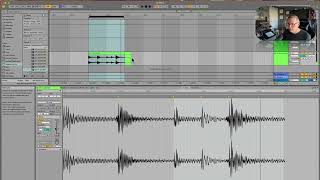
J. Anthony Allen shows how to use warp markers in Ableton Live 12 to align kick drum hits to specific beats. He slows audio to half-time to hear transients clearly, then places markers on beat two, beat four, and the "and" of beat three, demonstrating how technical precision and creative choices like stretching for a funkier feel work together.
Chapters
So this crack should go on beat two. Boom, crack. Okay, so I'm going to make this warp marker and tuck this back on beat two. Okay. And then this, I think, should go on beat four. Okay, so, boom, crack. Boom, boom, crack. That means this kick should go right on beat three. And this kick should go right on the and of three, which is right in the middle of beat three. Okay, now that makes some extra space at the end here, but that's okay. Let's hear it. Okay, now let's get it back to the tempo we thought we were at and loop just two beats and see if we got it. Okay, let's turn on our metronome. Okay, great. So with this one, I warped all the transients because there was only five. Five of them. And in order to really wrap my head around what's happening here, I slowed it down to half time and then locked everything in based on where I think it goes. Now, what can be kind of fun about this is that there is some kind of subjective work here. Like, it could be that this kick goes on the last eighth note. Like, if I want that kick on the last eighth note. Sure, put it on the last eighth note. Stretch it out. Go there. This area might sound kind of funky, but at this tempo, maybe not, Right? You can make some cool patterns this way. Maybe we want this kick to be, like, really fast. See, this is where the kind of compositional arrangement comes in. We'll do more of that in a few minutes, but for now, I think we got this one. It really takes an ear and it takes some practice to get these, but that's how we do it. Okay, let's go on and do something that's a little more abstract. This is where things get really hard.