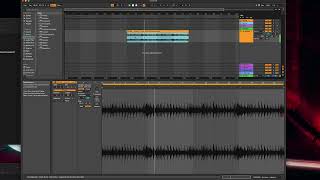
J. Anthony Allen shows how to warp audio loops in Ableton Live by placing markers on transients and using Set 1.1 Here to align the start point. A loop at 109.74 BPM had a small gap at the beginning; fixing it made the loop lock perfectly with the metronome. You can tighten further by aligning kick drum transients on each beat.
Chapters
Okay, so I realized that we did that kind of fast. So let's do it again and go into it a little bit more detail. So I have a different loop here. I'm gonna throw it in here. Now this one is a little more straight up, so I think live's gonna get it correctly. Okay, so I drop it in here for the first time. Zoom in a little bit. What I'm looking for is first I'm going to look at that seam. Is there any extra space at the end here? There's not. That looks pretty good. Next, I'm going to see if it lines up on a bar line. So we're starting it at here, bar 17. It's ending right at bar 33. So that means it's perfectly in tempo. That probably means it's guessed correctly. I can actually zoom in a little bit. And I can see that we're actually a little bit off of the beat here, this little gap. But we're consistently off of the beat. So it's probably going to sound right. That could get us on the beat by just doing that. Now we're closer. If we zoom out, we'll probably be right on it. So we've probably guessed right. Let's look at the clip view and see BPM 109.74. It sounds a little fishy, but it's pretty close to 110. So let's see what our metronome test gives us. Turn on the metronome and hear it. Okay, we are on the beat, but just a hair off. So let's tidy it up. And you know, in this, you might not need to. This might be tight enough because it's loose, It's a little off. But I am going to try to tighten it up. So I'm going to loop just this first bar. Okay, now I'm going to go into our warping and look at this. So first thing is I have this gap right at the beginning. That's probably the biggest thing throwing us off is just that little gap right there. So there's an easy fix for that. I'm going to go to this first transient. Talk more about transients in a second. But basically, the first attack, I'm going to make a warp marker there. Then I'm going to control click or right click. I'm going to say set one one here. That's going to tell it that this is the beginning. Ignore what's before this. Okay, now I've got to get rid of this warp marker here and adjust my loop point. There we go. Now, if we look up here, everything looks to be right on. So that might just be enough. Let's hear the metronome now. Yeah, so I don't really need to do anything else. If I wanted to do more, what I would do is in this case, I would listen for those kicks and make sure that those line up on a beat. So two, that should be right here. This one is obviously another kick because it looks the same as that one. Make sure that's right on three. Make sure that one's right on four. Now let's hear it. Now. It is dead on. So with just this segment, let's delete what comes after it. Now, our BPM thinks it's 110.36, so I went a little bit the other way. I could probably tighten it up by getting these middle points down that on, Which I wouldn't actually do in practice. But if you're looking for more things to just kind of lock down to make it tighter, the next one would be the middle point, which in this case is going to be that hi hat. Okay, so now super tight, it's on there. Okay, so let's go into that word, transients, and talk a little bit more about what a transient is.