Learn how to refine a drum loop in Ableton Live by warping audio, removing fills, fixing reverb decay issues, and consolidating clips into a single reusable loop using Command + J.
Chapters
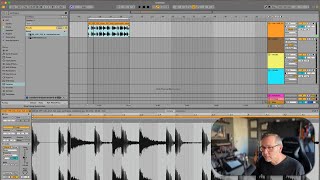
Okay, let's listen to this loop and then I think you'll see what I want to get rid of. The end of it is a little wacky. Okay. So first I want to know if this is warped correctly. I can tell that it is because I can see things lining up on the beats that I expect them to. But if I want to be super sure, let's hit our metronome and just listen. Pretty good. Okay, so now to get rid of this crazy fill at the end, I can do two things. I could just chop it out, select it. I'm going to press the delete key and then replace that with something. I could replace it with basically the last part of the first time through the loop. So I could go there. And stretch it back. See how that sounds. See that? That works just fine. Another thing I could do would be to just smush this down to a four bar loop rather than an eight bar loop. This is going to be exactly what I want. And then let's loop it. Okay. The only thing I don't like about this is that there's all this reverb ringing. And then when it circles back around, it's just dry. So that's kind of unfortunate. So maybe I will stretch it all the way out and see if I can go back to that first thing we tried and just paste in the end of the other loop. Oops. Let's go there, Add that. Okay, let's loop this and see if. When it goes back to the beginning, if it still feels super dry. It does. I think that's just in there. So let's go with this. It works. One thing I'm going to do just to make my life a little bit easier is I'm going to recombine this into one file so that I can drag it around a little bit easier. But as I was saying that, I had another idea. I wonder if I could replace this kick with one that's full of reverb. Let me try. Like this one. Could I put this. Because the deal is that this one has all the reverb on it. And the silence here is what we would call wet, meaning there's still decay from that snare drum happening. But here it's just flat. So let's try taking this one. Actually, this one might be better because it's got a little bit more time. Yeah, let's take that. So copy. I'm going to go here, V. Okay, so I took this kick drum and put it here so that it was more wet. Let's hear it. Let's hear it. Circle around again. See, that works really well. Okay, so now I'm happy with that. Now let's combine it together. So I'm going to select everything here. I'm going to hit command J to consolidate it. All right, now I have my new loop. This is one clip, and it is exactly how I want it. Great. Let's try to add some harmony.