Doorloop DEMO - Rental Property Management Software Made Easy @DoorLoop
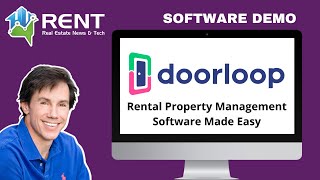
Adam, co-founder of DoorLoop, walks through rental property management software built in 2019 now used by tens of thousands in over 100 countries. The platform automates rent collection, maintenance requests, accounting, and tenant screening. Pricing starts at $49.50 for two months, then $99/month for up to 20 units.
Chapters
Foreign.
It is my pleasure to welcome one of the founders of Door Loop. As you know, we're trying to bring you great real estate financial technology that can help you manage your portfolio, grow your portfolio and just become a better investor. You know the old saying, software is eating the world and it really is in a good way. And Adam is here, he's one of the founders of Door Loop. And Adam, just go ahead and kick it off with a little intro of yourself. How old is the company? Maybe just a little background there and then let's go into it.
Absolutely. Well, Jason, just want to start off. Thank you for the opportunity to present to you and to your listeners and your viewers, obviously we really appreciate that. You know, Doorloop has been around since 2019 and we've frankly taken the market by storm since that time. We now have people logging in from over 100 countries and have tens of thousands of users. So I guess the expression goes we must be doing something right. Okay, high level.
Thanks.
High level. What we've done is we have made a generally referred to archaic industry, which is property management software, a very easy to use solution that is like 21st century based, that has integrations and the ability to integrate with thousands and thousands of other softwares. And not only that, it's fun to use. We've got mobile apps so that the tenants can use it on their phones, management can also use it on their phone. If you have maintenance people, they can also do tasks on their phones and the like. So we've made a really modern solution that's very simple to use and like I said, it's actually kind of fun. As you'll see throughout the demo, we've added some really cool features that make it an enjoyable experience, more so than just awkward tasks that you'll have to deal with on a day to day. We automate it. Okay.
And Adam, if there's a unique selling proposition for Door Loop compared to other competing products, what would it be? I kind of think you might have just given us a clue that it might be integrations that it sounds like you really have focused on integrating with a lot of other software products out there. Would that be correct?
Yeah, you know, it's one of, I think that's one of the selling points for sure. One of the things that we did, and I think it's unique in the industry, we understand that real estate is an archaic industry that is trying to modernize. And what you have is the old platforms were built on a, you know, a desktop download and then they modified themselves to be able to become more of the cloud based platform that everybody's experienced with. When we decided to develop our software, we decided to think of it as the Internet of the future. And we wanted to give our users the ability to integrate with thousands of applications because no one investor or owner operates it exactly the same as everyone else. People have different tastes, they have different likes. Certainly the core functionality needs to be there and we've developed that and integrations are a piece of that. But I will tell you, I think the two things that really stand out from Door Loop as compared to our competitors, number one is our ease of use. Most of the solutions out there are just old and archaic and we're really not built with simplicity in mind. And I think you'll see that throughout our demo. I think the other one that stands us out is our support is just next level. If you go online and read reviews about Door Loop, I'd be surprised if you find a site that does not have five stars on it across the board. I can't say the same for competitors and I think we pride ourselves on that. We overstack and over employ our support department and our training department so that it is next to impossible not to find a same day appointment with us. We want to make sure that we are there to hold our customers hands at every step of the way and we start that off by helping them set up their account and that's included as well. So that's. I think the two big points would be ease of use and help and I think the which would be support. And I think the third point right on par with you is that integration aspect as well.
Okay, great. Why don't you go ahead and share your screen and let's take a close look.
Let's do it. All right, so first and foremost, welcome to the demo of Door Loop. Quick orientation. Let's jump into some specifics. All right, so one of the things I've said twice now is our simplicity and our support and I really want to bring those together. We want you to know we're always here to help. And we actually built it directly into the platform. You'll see on the top right there's a question mark that I've just circled. This question mark allows you to jump in, ask us questions. We have a full knowledge base that's sitting there with videos and articles really just to use as a reference point to help our customers out. Alright, through Door Leaf you want to find things. We make that exceedingly simple. How? Well on the, on the far Left you'll see we have categories, rentals, leasing, people, tasks. If you see all of your properties, no need to look no further, and click on rentals and properties. You will have a list of all of your properties. You can add pictures if you like, or not completely your choice. Just click into the one you want and you will have a dashboard for your property where you can organize yourself, you can add notes, files. You can have access to all of your leases at once. If you have a big building with a lot of people in it, great. Everything's front and center for you. You have one home greatest front and center for you as well. And everything is hyperlinked. So for example, if I wanted to go to this tenant, I simply click in. It'll take me right to their dashboard where I can also organize myself. So this goes back to the idea of everything being very simple. There's not much to remember when all you need to do is point and click. All right, so if I want to find something again, just to divert back, look on the left hand side, identify the topic. Now we make it even easier than that. And I think everyone is familiar with the pull down on their cell phone, whether it's on an Android device or an Apple device, right? And that allows you to do a global search. Well in door loop again, because we're a new solution and I say new, a few years old of course, but relatively new. We built these types of features in to make it easier for our users. So to give you some examples, let's say I want to find something. I could go to these categories. I could also click on the global search and then I can start typing. Potentially it's one of your tenants, you're embarrassed, you forgot their name. But you have the caller ID with their phone number and you need to add notes to their file. Start typing in that phone number. As you'll see here, I've typed in 908 and look right here is the phone number for the tenant. Right? Maybe I want to look up the name of a vendor that I've dealt with beforehand. I start typing in the name of the vendor. Oh look, here's a tenant named Tony. Let me click into my vendor.
That's really handy. So you get everybody in that universe that's got that, that's clue to their existence. Because I tell you, Adam, I would use this feature a lot. These people email me and call me and I'm like, who the heck are you? I have no idea. Like they expect me to know what they're talking about. Like, they go into this thing about, oh, I need a copy of this appraisal. And I'm like, I don't even know what property you're talking about here.
Well, you know, it's interesting. I had a customer the other day tell me there's this feature they loved for this reason. They had a customer call up and scream at them with respect to a leaky faucet, and they didn't get the customer's name and they're just like, I didn't know what to do. So they love the fact that they could come in here and type in leaky faucet and all requests across their properties appeared. And then they realized that was the one, and they clicked right into it and they were able to help resolve it because of the global search feature. So, yeah, that's really cool.
Let's move on.
Yeah, yeah, absolutely. Let's do it. So I think front of you, I think, is one of our greatest features. So instead of with the other softwares, what you have to do is you have to run reports to see what's going on with your portfolio and your properties. We make it easy for you right in front of you. These are customizable. Some people call them widgets, others call them dashboards, and you'll see them dragging and organizing. What's great about these is first and foremost, every single user. And you can have unlimited, users can have their own set of dashboards, and they can organize it how they want. Right. Your maintenance person maybe has different permission levels.
You want access to different maintenance versus revenue. Right. What's your accounting person?
That's correct. The second thing is I can look at it all globally, but I can also narrow it down by individual property. And then on thirdly, I have a feature in door loop, it's called the portfolio. Well, that allows you to do is lump multiple properties together. Whether those are by region, by llc, it doesn't make a difference. You create the portfolio, you call it the name that you'd like, and when you select those results, it will automatically adjust across your software to identify what's going on in those properties. So again, a very easy way for you to see what's going on. What's more is they're not just pretty pictures. As an example, if I wanted to go to this tenant's profile, click it, it'll take you right in. And there's their transaction history. So everything is navigable directly from your main dashboard. All right, And I guess the last step that I'd like to do on our broad Overview is how you enter data. You know, one of the things I think we have as a, as a step up, a leg up from our competitors is really straightforward. We have one main menu. When you look at other softwares, they have menus galore and it becomes time consuming and confusing to remember where to go. At Door Loop, we thought, all right, how can we put everything in one menu so you don't have to remember? And we decided to create this button. It's called a Create new button. All you have to remember is whenever you want to create anything new in Door Loop, click this button. Here's the main menu. And what's great about Door Loop is once you've learned the computer version, you understand the mobile, and once you understand the mobile, you understand the computer. Because we've developed them to be almost identical. So very easy learning curve. Making sense so far?
Yep.
Awesome. Let's jump in. All right, so I want to switch quick gears and go into a little bit more of a specific feature that our customers love. I'm now sharing a screen with you that is a tenant portal. And what's great about Door Loop is you can actually have tenant portals where your tenants can come and make, set up auto pay or make one time payments, make requests, upload insurance where you can communicate with them and post announcements across all of your properties or individual properties. These can also be customized. You can update the URLs, you can change the logos, toggle on and off offerings, change the pictures and colors. And of course, your tenants can download the mobile apps for Door Loop, both on the Google Play Store, on the Apple Store. But it's just a very easy way for your tenants to do things.
So you can do mass communication with your tenants.
Absolutely.
Yeah. That's great.
Absolutely. Yeah. I'll show you real quick. Actually, if you jump into our communication tab, we have an announcement tab. You just click here, new announcement, and you have the choice. Do you want to communicate with all of them or do you want to narrow it down to some properties, some units, some individuals clicking in here will send, how do you want to ascend it? Email it, text it, do a voice message drop, put it in the portal? Do you want the announcement to expire like happy holidays and expires after that holiday?
Right.
Set all of that up with ease. Just a few clicks.
Okay.
One of the cool things, by the way, about Door Loop, all the communication that's done through the software is actually logged under our communication log. So your users can actually see when people are open, opening their emails when they're clicking into them, how many times they've opened it alike, we track all of that for you so that you have control over your entire portfolio and know what's going on. Something interesting to consider. Yeah, I'd also like to take a step back about one of the features that I think is really, really helpful for our users and I think will be helpful for the users that are watching this. So one of the things that I have in my experience, and I used to do commercial real estate development and used to hire large property management companies as well to help manage the portfolios that we would develop, is there's a lot of manual work, a lot of manual remembering to do things. So one of the things that we did at Door Loop is we wanted to automate as much of that as possible, give you a couple of examples of that. So I'm going to click into rent payments as an example. Let's suppose you want to send an email or a text message to your tenants across the board. Let's say you have 20 properties or 200 properties. It's indifferent. You can say, and I'm choosing the number 7. Any number will work. I want to notify all of my tenants seven days before their rent is due. Just remind them to pay rent. You just set that up with Door Loop with two clicks on, that's it. On the day that rent is charged. We can also send a reminder, by the way, we charge rent and let's include a tenant statement with your logo. All their payments, all of their balances and the like automatically emailed to them, or in this case if you would like, text it to them as well. How about sending receipts out for payments? Well, we can do that automatically. Just toggle on a switch and we will automatically send out receipts to your tenants. And in fact, if you're managing for others, maybe you just like to have a more keen eye on your portfolio. You, you can come in and just select yourself for other users and we will actually notify them that a payment was made and the same thing for returns. So again, we're trying to automate as much as possible so you can do other things like go out and acquire new properties or acquire new clients. Or if you enjoy playing golf or vacationing with your family, you can do that too. We also do that for late fees, by the way. We auto will help you auto calculate late fees. We will send out automated late fee notices. Again, we make it very, very simple for that to occur.
Okay, what about repair coordination and maintenance coordination? Some of the Software is now are getting into that world where they actually offer like a service that will coordinate repair and maintenance people for you. Does door loop do that kind of thing?
You know, it's a great question. And we decided to stay out of that realm simply because we wanted to focus on the property management specific piece and not make recommendations to people specific like maintenance folk and tech that are not native to the area that works in. You know, I think there are plenty of softwares out there. You can look up Angie's List, you can go on Yelp and you can make a review for yourself. We decided to stay out of that, that area of the business and allowed us. We wanted to focus on the software itself and make it as amazing as possible and not make recommendations of people that we've never met that may or may not work well for your business. That's how we decided to go that route. But as far as the maintenance piece goes, as I indicated beforehand, tenants can request those. You can also put them in directly here, creating tasks, work orders, requests and the like, setting reminders whether those are individual one times or recurring tasks. Right. If it's related to a tenant specifically, you can do it as a tenant request, categorize it for the tenant, or the tenant can put it in themselves. And then you can assign these tasks to vendors. If you'd like to add an outside vendor, you can of course do that. You can set permission levels for them so they can only access certain parts of the software or only view certain parts of the software. So you can certainly assign tasks to outside vendors if you'd like to add them as a user. Unlimited users, we don't charge per user, but we're not going to recommend a specific vendor because of what we just discussed beforehand. Okay. Awesome. The last thing I'd like to leave is you thought of this. One of the biggest problems we actually saw when we were developing this software is complaints online about the difficulty of other competitors accounting piece of their software. Right. If you're not an accountant, accounting can become very difficult. And so we actually made it exceedingly simple for you to do all of your accounting directly in door loop. Right. And if you want to of course give your account an access to the software, we have amazing, amazing accounting features and a team that will help support you on that as well. So these are all of the accounting related features, but we have also an entire reporting related features as well. And you can customize all of your line items in your chart of account, run reports on those. You can do online bank account Reconciliation, Reconciliation. And to run reports, it's just generally as easy as everything else I've shown you. As an example, I want a profit and loss. Click Profit and loss. It will generate a report. I want a rent roll. Click Rent roll. It will generate a report. Any of these reports are easily generable because I just click on it and it shows it. And then I can filter it by individual property or portfolio, by date range, cash or accrual, whatever the filters that you need. You can even run reports off of reports. So if you were going through this list as an example and said, you know, this is great, but I can't believe we spent $18,000 on maintenance, just click it. We'll generate a report for you on that maintenance for those selected properties for the time frame you want to go further, what is this about? Click into it. We will show you how the expense was entered, including notes, receipts and the like that you saved. So all the way from the global, all the way to the individual, we've got you covered. Plus we make it easy to do it as well. Okay.
Okay, great.
So I think that's a high level sort of thought that I wanted to leave everybody with. And I'll just repeat it. Ease of use, amazing support, ability to integrate with thousands of apps, and I think our price point, frankly, and I'm sure you'll get into that at some point with your listeners, is very favorable as well. But thank you for the opportunity today.
My pleasure. Adam. So couple things. Do you want to go back to your screen for a moment? We didn't talk much about rent payments and so I assume they're able to pay payments with bank transfer, maybe through Plaid or another system. And can they pay by credit card? Not that anybody would want to accept rent by credit card, but a few landlords might. And are there any fees for these payment transfers and so forth like that?
Great question. So the answer is yes, your tenants will have the ability to pay rent via debit or credit card and or ach withdrawal, as you call it. Some people call it E check and they can do that right here by setting up auto pay or making a payment. So that makes it very, very easy to do. And as I indicated beforehand, the automated reminders, the automated receipts are very easy. If I'm not answering your question directly, please let me know. But the answer is directly, yes, they can.
Any fees?
The fees are charged. Great question. One of the things we did really well, we actually charge the fees to the tenant. So on our premium plan, the ach fee is waived. But they would pay 3% if they paid with a debit or credit card. On the other plans, the ACH fee would be $1.99 charged directly to your tenant.
Okay, so for the full rent, it's a buck 99, but it charges the tenant, right?
That is correct. Absolutely. Yeah, absolutely. And by the way, I'd encourage your listeners, if they're interested, just go to doorloop.com demo and we can have an account executive go through this in depth and cover all the topics they'd want and we can even personalize it for them as well. Again, doorloop.com demo happy to help.
How about leasing properties? Does it have tenant screening function? Does it have an advertising syndic function?
Absolutely. We have both as we're. Well, an all inclusive solution. Yes. So we have applications that can be customized. We have an integration with TransUnion as well, which I think is probably the top of the industry. Absolutely. So if you were to go into any particular property and let's just use our global search to get there.
So say this property has become vacant and then the last area I want to cover is documents. Do you have document libraries? Is it the own documents? Is there a DocuSign style platform through it?
Yes. So the answer is on the. Under the settings you'll have rental applications which can be customized. You can set your application fee and of course Integrate with TransUnion if you'd like to have the background check.
So the TransUnion report, it's only one thing. That's credit, criminal and eviction history. Okay. And that's 40 bucks. Door loop charges. Right.
This is actually TransUnion's price. They charge the same thing. If you were to go to TransUnion and use their same product like Smart Move. So. Right. So what we've done is an integration to help our customers out. You would set the application fee as an example. Let's just put it at 200 to make it easy. There's a credit card processing fee of $6 and the TransUnion report costs 40. So the math below says you charged $200. We deducted the 6 for the credit card processing, the 40 for the TransUnion and we'll deposit $154 into your bank account so you make a profit on that particular application. All the reports will be automatically generated and sent back to you for your review and download. Okay. All right.
And back to the other question though.
The document line syndication. Absolutely. Yes. So we, we do have integrations with multiple partners, including the Zillows The Trulias, the hot pads, the dualities of the world as well. And we constantly are expanding that as well. I expect multiple other ones to come out in the next month or two as well. And as we find additional partners, whether it's in the US or abroad, we do look to add those as well. And we love our feedback from our.
Customers, show us how it works. Like say this property you've got up there has come up vacant now and you want to lease.
Yeah, absolutely. So let's just take a property that's vacant, right. And you can set this up with ease and our team will show you how to do it. But you're going to put in all the property related details, then you will identify all the photos, just drag them in. Then you're going to identify all of the amenities associated with your property and unit and then you're going to put in the listing information when it's available. Who's the point of contact, the asking, rent deposits and any particular lease terms. And then when you're done, you'll hit save and we'll push them out to the various sites, some of them, unfortunately.
I didn't see a question there, Adam, or a section for comments, because if it's syndicating to Zillow. Okay, there it is, the details. Right? That's the narrative part.
Absolutely, yeah. Actually using Zillow as an example, one of the things that we did is if somebody comes to Zillow and clicks on your property, will actually create that prospect for you. If they said to contact you that we'll create a prospect in door loop for you. We'll also set a task for the point of contact so that they get a task automatically created inside a door loop to follow up with the individual that contacted them via Zillow.
Let's talk about automatically where it syndicates to, because mostly Zillow, you have to do that directly with many of the other softwares, but it will do the apartments.com syndication network, which will include, I think realtor.com and a whole bunch of others. But Zillow, I've noticed, tends to be like a separate thing now.
Sure, yeah, absolutely.
Syndicating to.
Absolutely. So currently we are syndicating to Zillow, Trulia, Hot Pads, Dwellsy, and we are about to launch a few other ones, including the entire Apartments.com network as well as Zumper and Rental Beast are the ones that I'm currently aware of that will be launching shortly.
That's fantastic. But the reason Zillow is usually separate is Because Zillow actually charges for rental listings.
Correct.
So does Door Loop charge us and then Door Loop pays Zillow or how does that happen?
No, no. We didn't want to think that there was any improprieties going on. We actually did a little bit differently. So what you would do is you set yourself up in Door Loop and we provide you with a unique listing ID when you contact Door Loop. And we'll give you the right point of contact to set up your account, as you've indicated, Jason, to pay for it. Very easy. They're going to say, are you integrated? Are you using a software? You're going to tell them Door Loop and they're going to say, great, it's one of our partners. Can you provide us their unique listing feed? Because you've already set up everything in Door Loop, there's nothing for you to set up on Zillow. Once you've arrived at the agreement with Zillow on the pricing model that you're going to go with them, they open up the funnel and allow the listing through, and everything that you've already set up automatically posts to Zillow.
Okay, so that doesn't. That sounds a little different. Like it's maybe more designed for institutional investors or, you know, apartment building owners. Like with Zillow, for the typical single family homeowner, they just charge, you know, it's a few bucks a week. Right. Which, by the way, many people have complained about this. Landlords don't complain about Zillow charging. I think it's wonderful that they're charging because guess what, that does. It cleans up the platform so there's not all these listings that were leased a year ago still sitting there. And it makes a better user experience. I like it. When companies charge for things, they tend to give you a much better experience. So how does that work? I mean, is this some kind of, like, more expensive subscription fee to. For, like, unlimited listings or something, or how does that work?
No, just to be certain, we don't charge to push the listing information to any of our partners. That is just part of the Pro and Premium packages. That functionality exists. What I'm suggesting is if you want to be able to display your property, your one unit or your thousand units or more through Zillow, you have a choice. You can go to Zillow and you can set up each individual listing, and then you can go to apartment.com and set up every listing and go to Dwellsy instead of every listing, or you can do it all under one roof. And Door Loop one time and then push it out to everybody. Some sites do charge and will not let that data through. Not a problem. You contact them, we give you the point of contact, we give you that specific unique feed that they're going to want. It's directly in your platform. It's a copy and paste, and you provide it to them and all the listings come through. So it's indifferent to us. If you have one unit or you have a thousand, it still works just the same.
Right. But the question you don't know the answer to is what does Zillow charge? So everybody would have to find that out. But that's.
That's correct, Yes. I don't. Zillow sets their own pricing to your exact point. Yeah, I have no control over that.
Right, no problem. Can you just share your screen one last time and just quickly discuss pricing with us?
Let's do it with absolute pleasure. So we do things at Door Loop, pretty straightforward. And I'm going to put 20. Yeah, let's do a 20. Exactly. So we have three different pricing models. We have the Starter Pro and Premium, and those all come with different features. All right. At the end of the day, we have two different plan options with your Starter Pro Premium. That's to go monthly or yearly. You'll see on our site, we're currently displaying a promotion, and that's why you see two numbers. Traditionally, if we were looking at the Pro plan, it would be $99 per month. We are currently running a promotion where your first two months would each be 49.50. So in other words, month one, 49.50, month two, 49, 50. And then we'll go back to the regular rate of $99 per month thereafter. And because we do things in buckets of 20, the price, whether you had one unit or 20 units, would be exactly the same. And then again, if I went over that, let's say I went to 21, the price would remain the same from 21 all the way to 40 units. And the reason we do it that way is we want you to scale with us. We want you to feel comfortable growing with us, and we don't want to hit you upside the head with additional fees every time you add a unit, which a lot of our competitors do. Does that help put in perspective?
Yep, sure. Okay, so let's just get the basic idea. So the medium account, which is called Pro, which is your most popular account for 20 units, that's going to be $50 a month for the first two months. And then after that, it's going to be $99 a month for 20 units, right?
That is correct. Not per unit, is for all 20.
That's basically $5 per unit per month.
Essentially, if you're doing all the $99, it's $5 per unit per month, correct?
Yeah. Okay, good. Okay, good. Very reasonable.
Absolutely.
Thanks for letting us know, Adam. We appreciate the demo. And it's doorloop.com everybody, and thank you for joining us.
Thank you, Jason. Really appreciate your time today. You have a great one. And thank you for all of your listeners. Any questions, just give us a ring. You can find us online@doorloop.com and if you want that demo, doorloop.com demo. Thanks again.
Happy investing, everybody.