Live SaaStr Insider: SaaStr Annual 2025 Booth Unveiling!
In this 30‑minute SaaStr Insider sponsor webinar, host Amelia walks current and prospective SaaStr Annual 2025 sponsors through the new booth renders, level‑by‑level specifications, and production workflow. The session covers the five primary booth tiers (Silver, Gold, Super Gold, Platinum, Platinum Plus, and custom Diamond), highlighting the brand‑new double‑sided category header that will appear on all booths from Gold upward. Amelia explains how to use the two‑part spec package – an at‑a‑glance 3D render with dimensions and an upcoming 2D technical spec sheet – to design graphics, plan power and storage, and incorporate activations, giveaways, and staffing rotations. She stresses the April 1 artwork deadline, the sponsor portal’s task list, timeline of weekly webinars, and the process for uploading assets, confirming points of contact, and accessing FAQs. Practical tips on monitor usage, power strip capacity, cabinet power drops, and optimal booth traffic flow are provided. The webinar ends with a reminder to use the sponsor portal for all upcoming milestones and to reach out to events@saastr.com with any questions.
Chapters
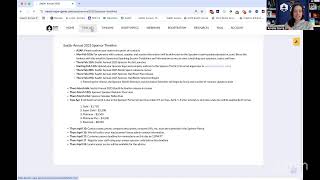
We've got an exciting agenda to cover today. So we're gonna dive into it and I'll kick off with just a few reminders as a few more folks are joining the webinars. Let me go slideshow here. Awesome. Thanks everyone who is joining live or watching this back later. These are our SaaStr Insider webinars. We do these every Thursdays for sponsors and potential sponsors of SaaStr Annual. We are coming up in just about 90 days to the SAS RE annual. So exciting times. We've got a lot of great updates to share with you today. Just as a few reminders today before we kick off, these webinars and all these webinars we do on Thursdays are also live streamed and recorded. So they're immediately available on the SAS YouTube channel. Just go to our live tab. They're all there. A second reminder being a lot of this will now live in the sponsor portal. So every week we've been doing kind of like a new launch for sponsors and then putting it into the sponsor portal. Hopefully you got access last week, um, when we launched the sponsor portal. If for some reason you didn't, because maybe points of contact changed, just let us know. We're events@saastrinc.com. We can make sure you get access and you have all the resources that are already in there for you leading up to Saastr Annual. Um, we— I'll I'll just touch on the portal at the end in case folks have missed it. But today we actually are excited to go through and show you guys and unveil the booths for this year. So that's the topic of the day. If this lets me change slides. Can't change slides. Oh no. Let's try and reload. Interesting. Never happened. Okay. Okay. All right. Well, as you can see, these are always live. Hopefully this will work. I can show you guys the boots. All right, there we go. Just got frozen in a moment there. All right. A few things to bear in mind when you guys start to design, or really right now you might be more at the inception phase of your boots. Based on the new renders that we have. If you have been a sponsor of SASDR or you've seen the prospectus for this year, a lot of this will look very similar. We do just make upgrades and like minor changes year over year based on sponsor feedback from previous year, which was just last September. So a lot of really great feedback went into these booths to improve them for this year. So just as a whole, as we're kicking off today, a few things to keep in mind here on your booth. A lot of our sponsors, whether you're new to SASDR or returning, will know a a lot of them do like to engage in what we call a booth activation and/or giveaway at their booth. That's something just to keep in mind as some people will tie that into the overall design of their booth as well, bring it all together, really make it cohesive as an experience for attendees that are coming into the booth, um, and experiencing it that way. So just something to keep in mind. And again, start to think about as you're now in the planning phase of what you, you know, now you, now you guys will have the renders. Good chance to start to think about with your team and strategize what you want to actually do with these boots. And then maybe in the next few weeks start designing them before the deadline. So that's, that's kind of the phase where we're at now. They are turnkey. So I'll go through the specs here of what is brandable. Everything that you send back to us in terms of designs will get thrown into production by our teams and then they will work through there. And then in terms of doing things like, you know, custom branding, again, other experiences, all that is good things to start thinking about now. Of again, the, some of the best booths we've seen that are more highly trafficked have a kind of cohesive theme that ties together either their experience or their giveaway with the design of the booth, right? So that it all makes sense and it's all cohesive. So something to start to think about, right? The, The booth is basically your home for 3 days of SAS for Annual, and it's a good time to really think about what you want that to say and look like. And really, you know, there's, there's many sponsors, there's many of you. So how to really stand out and make it again more unique to your brand, product, or theme, right? Keep in mind as well, you know, more than half of our audience, as you guys have seen by now, are VP level and above. So they do walk the floor. You'll see one change we made to help with kind of this kind of buyer-seller mentality on booths this year. But really activations and giveaways and doing different things have really helped folks increase their direct traffic and lead scans and things like that. So other things to start thinking about now, now when you start to see the booths and visualize it is starting to think through things like a staffing plan, etc., right? Usually it's best not to have the same people all 3 days. They're very long days. So you can rotate points of contact. For our audience, I say this every week, but always good if you can have an executive sometimes in the booth since a lot of our audience is VP level and above. Again, you'll see it on all the renders today. All of you have at least one monitor, if not more. So something to start to think about too, you know, is what you're gonna put on those. I know some people will show up and they're like, oh yeah, we did the designs, we did the staffing, we did all these logistics, and we kind of forgot that we need to think about what goes on the TV. So don't be those guys with a blank TV. You know, start to think about what you want on those monitors. Get started on that sooner rather than later, and really just plot your strategy now on how you're gonna engage with the foot traffic that will be at SAS Re:Annual. So that's just a, again, super high level. At a glance, these are some more reminders we'll get into later. Basically, the TL;DR is don't be late on submitting your booth. And then when it comes to things like, you know, swag and like deliveries, we'll get all into that when we're closer. But this is just a high-level overview if you guys want to read that later. Again, more of the story here. As it is every year, if you've been a previous sponsor, is to submit your artwork files by the deadline. Now it's, it's just the 20th now. These aren't due until April 1st. You have more than a month. You've got about, you know, 6 weeks almost to do these boots. That's quite— I know that's quite a bit of time. Some of you might be like, I'm not gonna look at this till later, and that's okay too. But we just wanna give everyone the maximum time possible to design their boots so we can help everybody. Submit by the deadline. I will say last year, I think we only had like 2 late fees out of everyone. So pretty good. We are fairly proactive between myself and the rest of the events team on making sure we help you not miss these deadlines. If you're ever panicked on like missing a deadline, just know we always send folks reminders too before you miss a deadline preemptively. So we won't let it lapse first. There are artwork guidelines here. They're now in the sponsor portal. If you read those, it'll, you know, again, basically give that to your designer so that they can read it and read all that information on formatting, bleed lines, all that fun technical jargon that you may not know. And then really this process as you start to design and think about your booth as a whole and then put pen to paper and design your booth as a formal booth. Basically, once you submit to us— now you can submit at any time starting now. If you're like, I'm just going to do our booth graphics next week, or designer has downtime, we're going to do it now. Great. Do it now. You do not have to wait until April 1st. They're just due by April 1st. But certainly at any point, if you want to submit your booth now, you are more than welcome to. It does mean you will get a proof back once you submit, and then we will give you that proof back to you. You know, it'll show you your graphics with the monitor and everything so you can see it, um, as a render. And then you'll either say, yeah, that looks good, ship it, um, or you'll, you know, sometimes you need to make some changes based on text or how it looks, etc., on the render. Um, and then basically that'll all get done in April. Just know if you do submit closer to the deadline, the renders take a little bit longer since everybody— almost everybody submits at the deadline. Um, so the sooner you do it, probably also the faster you will get a proof back. These are more so just technical reminders we'll go through later, but good to have them here on the, um, Booth Specs at a Glance. And again, these are now in the sponsor portal for you. So if you snuck into the sponsor portal earlier today, you've spoiled what I'm gonna talk about, but that's okay. You've probably already seen these. But these are the Booth Specs at a Glance for this year. Very important distinction there, and I'll kind of slow down 'cause I know I talk quickly. Booth Specs, we do two versions. So we do this at a glance version. It's got a 3D rendering vendor. It's got things like the at-a-glance specifications, right? Like literally how wide in terms of feet and like inches this A panel is if you're a Gold booth. Obviously super helpful information. And then we do, and then we put basically the inventory of like what each booth comes with. So if you're like, okay, I might need extra stools or something, or I wanna order, you know, like I've had people order like literature racks or something 'cause it ties to their giveaway or just like extra tables. Again, Just depends on what you're trying to do, but this is good to see the inventory list here at a glance too. So we always do this in two parts. We do these specs at a glance, which is what I'm showing you guys now. And then we do what we call basically like the tech spec sheet, the slicks, if you will. They are, they're 2D. So again, they're, they're a little bit different in that they're 2D. We like to do these ones as 3D so you can get a sense of the space. I think it's really helpful to use both in tandem, but you'll also see the 2D specs getting added to the portal, I believe on Monday. So you basically use those two together to start designing your booth because the technical specs that are the SLX will have, you know, how much room is between the monitor and the header that will be on there, right? These, again, these are great because it gives you a great 3D visual sense of what the booth looks like, maybe how many people kind of fit in it. That's why we always put the people on here and just, you know, it gives you the context of, okay, This is what people are gonna be coming out and looking at when they come and see our booth. So yeah, that's, that's just the quick spiel on how to use these. If whatever you're confused, just again, email, email events and it goes to all of us and we will respond. But let's start with the Gold Booth. One thing you'll see here that is quite different on every booth, and I'll explain it now here on the Gold Booth, just in case some of you drop off. After Super Gold, because there's a lot of Super Gold and you're like, I don't need to hear the rest. We've added these category headers. So this B panel that you see here that says your category here, this is a new addition for SaaStr Annual this year. It is— I think people will ask this question. Hopefully you'll ask this question. It is double-sided. So if you think about the fact that SaaStr Annual is in rows and like next week we're gonna go through the floor plan with you guys, like The point of this new category header is that for the attendees, as an attendee, if I'm walking down a row or I'm walking down aisle of booths, I know exactly what your product does. This was based on dual feedback we got last year from both the attendee and the sponsor side, right? They're having a lot of really great conversations. They're walking the show floor. It's 3 days. There's a lot going on. If they're specifically buying one thing right now, they're like, I'm buying a compliance tool, or I'm buying an AI marketing tool, or I'm buying a I'm looking for a sales tool or whatever it might be. Or I'm looking for investment, like looking for, you know, a PE firm, whatever it might be. I think it's super helpful now this year to have these categories on your booth again. So at a glance, also I've had feedback from sponsors say, you know, sometimes we're really slammed in the booth. It's really hard for people to see our graphics that are behind us because we're all in the booth. There's all these conversations. And so we added these headers that are basically above the fold, right? So all your booths are, um, like 8 in a whatever. They're almost like 9 feet high or something, 9 feet and change. So they're all 9 feet. And so we have this kind of empty real estate that we added these category headers on top of to make it super easy for anybody walking by. If your booth gets slammed, if you know you want to do a lot of really cool things on the branding and maybe like your, your brand name or your company name doesn't really say what you do, which is quite often, right? Like it might say what you do, it might not. You might have a tagline that says what you do. These category headers will be super helpful for both yourselves and potential buyers that are coming to SaaStray Annual to engage with you, 'cause they will know your category immediately. They're double-sided, so people will be able to see them on both sides. Again, we purposely put them higher so that everybody can see them at a glance. We think this will be great. I will say it's something where we are gonna designate everyone's category just to keep it all super simple and uniform. And this will be something where, you know, in mid-March you'll get an email saying, hey, you know, these are the 10 categories we have at Zaster for these headers. We think you're this category, but just pick, you know, one of the 10, um, and let us know if that's what you want it to be. I see the Q&A blowing up. Oh, okay. We just answered the question. All right. Good question, Laura, on, well, yeah, what, what should be on that header? But yeah, so, so how this will work this year, um, is we will, and these are brand new, right? So this is something. We didn't do before, but based on a lot of really great feedback from last year. Again, in mid-March, we'll send you guys an email like, hey, your category is like, you know, we'll make it cool, like AI compliance, whatever it might be. And then, you know, we'll, we'll tell you what it is. You can always swap if we, if we guessed wrong or if you want to be known as something else. And then you pick your category and then that is what that will say. So yeah, that's, that's super exciting. I'm, I'm excited about that change. I think it'll be helpful from both an attendee and a sponsor side. Again, we're kind of using real estate that we haven't played around with yet because it's at the very top of your booth. Usually that's just empty air. So kind of a fun change here to hopefully help. We might do some other fun things too, to like tie it into like the app and stuff. You know, I don't know, we're ambitious in our last 90 days. But anyways, that's category headers. You will see this not only on the Golds, you'll see this on every level up from Gold. So the only exception is I know there's like a handful of you that are silver sponsors this year, but golden up will all have these headers to make it super, again, super easy. It's basically like a tab, you know, in a folder, make it super easy for you and them. And actually just extra real estate where, you know, you'll, you'll have your category there. So maybe that will free up some extra space on your booth back wall and your graphics. But enough about the categories, just something new we're doing here. So I wanted to spend a few minutes on it. So looking at the rest of the Gold booth again, this will— the rest of it will probably look fairly familiar to you guys if you've been a Gold sponsor in a Gold booth. The header, the B panel is new. The A panel is pretty much the same as previous years. Like, this is your big back wall that you'll design, put most of your, you know, graphics and real estate there. And then the C panel is your front welcome cabinet. Again, a lot of people on the C panels, if you're new here, they will put their company logo name. And usually a tagline, right? Again, so kind of the, a lot of this was before we had headers. That's what people used it for. Now you could probably use it for something else. You may not need to because you'll have a category. But yeah, a lot of people use it to put their logo, tagline, et cetera. Or some people I've seen do like, you know, QR codes are pretty dated now, but I've seen people do like, you know, QR codes or vanity URLs on it. Again, just to drive people as they're, they're walking up and down. On, on, on basically a little hook. So, um, that's the goal. There's a few tips and tricks here, basically saying, you know, where the power is, which by level roughly— I'm not going to do this every level— it's in this cabinet back here. So wherever you see one of these back cabinets, like Platinums for instance have two of these, there's two power drops. Super Gold and Gold have one of these back cabinets, that's one power drop in this cabinet. And then there is typically a power drop in this front cabinet too. So That's power strips, right? You know, strips only hold so many. Just a reminder for folks, sometimes I get people roll up with like 10 devices. I'm like, you know, there's only like 4 outlets you can use for a strip. So just keep that in mind if you need extra power. So yeah, that's what you'll see on these kind of like tips and tricks. And also typically how many people can really fit at a time if you want to also allow space for conversations, which obviously we recommend. And then just as a reminder for all levels, and then I won't do this for every level. Everything has to fit within the bounds of your booth, right? So every Gold is a rough 10 by 10 space. And so like any of your swag and stuff, anything you bring in has to fit in either those cabinets, or you have to do managed storage if it won't fit. But that's just the spiel on keeping it tidy at SAiSTER. Okay, I'll go on to the Super Gold, and we will go quicker through the rest of these since we went through a lot of the changes and the spiel on the Gold booths. Super Gold. I know this is our most popular level, so this is probably most of you on the webinar. Sorry if I can't see all your names right now. But yeah, this will be most of you will be in a Super Gold. Lots of some differences you'll see on the Super Gold to Gold just on the booth level. Again, quick, quick other thing. There's a lot of differences on Gold to Super Gold. Of what kicks in at a Super Gold level. So if you're looking at this today and you're like, oh man, like, I like this extra real estate on this big nice D welcome counter that a Super Gold gets. I like these extra headers. I like this table that it gets. Super Gold versus Gold also has— it's the first level that includes speaking. It's the first level that includes who do you wanna meet? It's the first level that includes activations. It's the first level that includes customer passes. So if you're looking at this and you're like, feel like I'm having FOMO, just reach out to either myself or whoever it was you've worked with to come to SaaStry Annual this year. If you have any extra budget to try and upgrade, this is what it looks like. There's obviously other, you know, benefits that kick in at Super Gold. So I think it'd be remiss if I didn't just plug it a little bit. But most of you are already at Super Gold, so I'll continue on now. All right, Super Gold, again, very similar. Similar to previous years with a few changes actually similar in like this back wall is literally the same size it's always been. This monitor's the same 43 inches it's always been. This table has changed a couple times in the last, in the last 3 years based on sponsor feedback. But where we landed this year based on sponsor feedback from last September, and again, if you, when you come to SaaStrE Annual, give me, give me and the events team feedback on the booths. This is how we do these improvements. And like, again, like I said, it's always like minor tweaks, minor improvements year over year, because the base of what all the sponsors have usually works for them. And it's usually just like, oh, I need more storage, or I needed more chairs, or yeah, like more, like more graphics real estate, which is basically what we solved for this year. So, um, in the Super Gold, yeah, the biggest change in the Super Gold is yes, there is a category header. That's a B header. It's a little bit bigger than the one in the Gold. Again, we'll assign your category. We'll put it there. It goes on top of the headers that the Super Gold already had. So. If you guys have been a Super Gold or you're a new Super Gold, Super Golds by default already have these two kind of really nice where you see it says San Antonio 2025. These headers that are— they are actually 3D, so they do come over the top of your A panel booth. But again, a lot of people, same thing here, they'll put their company name, they'll put their taglines, they'll put some cool like catchy phrase there. It does have a split. So I'm calling that out, right? You can see in the render here it does have a small split. Of a seam. But yeah, these two graphics panels, really great real estate. I love them because they're taller than most people, right? Like, you're not gonna be 10 feet tall, so it's nice because it'll be over everybody in your booth. Again, really great visual, really pops on site. We've done these for a few years now. I really like them. And then you'll have your category. Again, just really extra real estate that people were asking for that I really love for this year's. And then, yeah, basically in the counter table configuration, great debate of Super Golds. Um, last year a lot of the Super Golds asked us for more storage, um, because this is the first level that has an activation. And so what we've done this year is we took out the waterfall, um, table counter situation where like it was together in this thing to save space. But I was like, I think they want more space. So they all want more storage. So we replaced that with this giant, uh, we call these wall compounders. So these are huge wall compounders. This doesn't have a seam, so it's actually quite nice. It's one big graphic. Again, I love it. Super visual. This one's high contrast because we were fans of high contrast and designing for faster. But yeah, super great to bring people into your booth. You can do a lot on that because it's, it's, it's a big real estate of that counter. It's like 4 and change feet. It's almost 5 feet, actually. No, it's more than 5. You could see it there. Yeah. So it's a little bit more than 5 feet. It's huge, right? It's nice. So I like it. It's got really great storage in it. So I'm like, all your stuff will fit in there. Like your backpacks will fit in there. I know some people still store under this table, but I think this welcome, this bigger welcome counter will solve for a lot of storage. And then I know a lot of you at the Super Gold do do an activation. So this will be nice too if you have vendors that you're coming in and like they need to store a few things overnight because you have the multiple days. Again, this is also a really great counter for service. So kind of dual purpose of why we moved to this giant counter. Really great real estate for branding, really great storage, really great counter space. If you guys do an activation, they can pretty much do it on this counter. Again, it's like a 6-foot counter, um, probably 5 and change, and they can do a lot in that. That's a lot of space, right? You can basically have 2 servers if you're doing something food related, and they can use this space, maybe bring an extra table if they need it, and be in and out of your booth, um, for the activation hours. So really love this. It's movable too, if you do a somewhat bigger activation, or if you're like, okay, it's gonna, we wanna do something else and we don't want it. You can move it so it's not so much like left aligned like this. But that's the change here since a lot of you last year told us you needed more space. So we're giving you more space. All right, Platinums and then Platinum Pluses, they'll look very similar. Platinum again is the next level up from the Super Golds. These are 10 by 20. They are quite big. They are quite substantial on the floor. They're— they live in a different space. This was based on, again, feedback as well we had with the Platinum sponsors last year of basically Saastr had its own Platinum booth, which was our swag store and had what we call these pony walls. So this G panel that you see here and so many people liked it, they were like, oh, how can I get this in my booth? Like, I want this cool wall. This is cool. And so we added to the Platinum and the Platinum Plus. So you'll see it on the next one as well. And you'll see it's got a lot more real estate. So when we, when we do these 3D renders, when you see the people in it, again, really great real estate here, front and back, new pony wall. So you can brand these also great delineator from you and your neighbor. So the Platinums are really nice on this huge back walls, 2 monitors, right? 2 headers, the new category header, front real estate on both of these. So again, you get a little bit more space in the Platinum because there's 3 counters versus Super Golds have one long one. This one has 3 different ones where you can store stuff. Again, huge space for an activation. Platinums have the added bonus of you could do it in your booth or you could do it contiguous right next to your booth. Yeah, really great space in these Platinums. I know that we've got a few Platinums this year as well. Again, I love these booths. I think this is a good upgrade on the Platinums we've done of years past. And then I'll move on to Platinum Plus as well because it's It's similar, but you'll see, right, because it has an extra 5 feet of space. These are 15 by 20s. It's got all the new great benefits of the Platinum, the category header, which is the H panel, the pony— I don't know, they call it a pony wall— the pony wall, which is the G panel. Really big back wall. Again, you've got 2 monitors there. This one has a demo counter, which people love. Like if you have like sub, sub-brands within your brand or you have something you really want to demo. People have liked these demo counters and the Platinum Plus, so we brought them back. And again, really great, really great real estate here with this front welcome counter. Good for storage, good for activations, good for bringing people in to the booth. You can fit a lot of people in a Platinum Plus booth and have a lot of ongoing and concurrent conversations at once. So you have these at the Platinum level. You'll see they have a bit more elbow room. They're a little bigger on the branding. They have a bit of a more premium space on the show floor. And yet that's the benefits of being platinum versus, you know, maybe something like a super gold, if you've ever wondered. So again, you get a lot more real estate, a lot more TVs, a lot more demo, demo space here in a platinum, plus all those really great benefits that kick in non-booth-wise at a platinum. Last but not least, I'm not going to do the diamonds on this call because those are both custom at the moment. So if you're a diamond, we'll talk to you on our next call. Or if you're like, I want something custom I haven't seen yet, that's pretty much at the Diamond level. You can let us know. And yeah, for, for a few folks that are at the new Silver level this year, these are the Silver booths. I will say they are smaller than a Gold and they are all in a shared space. So that is the biggest difference on the Silver booths versus any of our other booths. The branding is also super turnkey. So these are These, if you're looking at this and you're all like, I've never seen this at SaaStr, you, you've probably seen this pre, I'll say pre-2020, if you will, at SaaStr. This is something we used to do a lot of. We haven't done it recently, but we're bringing them back now. These are more so for the startups who are just starting out. A lot of AI companies have signed up to do these this year. And so they are a shared space, logo branding only. Again, these are for folks that are like, this is literally my first event. Like, This is my first event. I don't have a designer. I'm just gonna give you my logo. Like, I don't even wanna design a back wall. And so these are to solve that use case of, you know, if you don't have the resources, because this is literally your first event and you're a newer company, this is where the silver really shines. They are, again, we, we put 2 renders on this versus the other levels because it is a shared space that you get the context of what it looks like. But they are, they're small. So let's see. It's really like, you know, a one-man show of who's in that booth at a time. But yeah, that's, that's the spiel on Silver. Again, logo branding only, so won't spend too much time on these. But I, I do think they look nice for the use case that they're trying to solve of newer sponsors. Okay. With that, I know we've been trying to keep these more so to 30 minutes. I know there are a few questions in the chat we already answered. So I'll just come out to our— that's the last slide. Okay, cool. So I will just do a few reminders then in the sponsor portal. You guys can ask, ask any questions you have on Booths or anything SaaS related in the chat now, and we'll do that next to wrap on. But I'll just show you guys the sponsor portal before we officially wrap. So let me share my screen here. All right. Hopefully you guys have seen this by now. You've got an invite to the sponsor portal. I know there's a question here. If you haven't gotten access to the sponsor portal, how to resolve that, please just email events@sastraining.com. You can copy me as well. I'm just Amelia@sastraining.com, and we will make sure you get access. Otherwise, most of you, again, we sent out invites for the sponsor portal last week. Hopefully you have it by now. Maybe check spam in case it's there. But if it's not there, let us know. Or if you're in the boat of you got access, but you need to add other people, that's been very common this last week. Totally fine. Just let us know who you need to add to the portal. You can have unlimited people in the portal. So you don't need to like limit yourself. You're, you're like, I've got myself, the agency, a design contractor. It's fine. Like, we don't care. We'll give anybody and everybody access. To the portal. Who needs it? So with that being said, a few things you'll see, like we do drop these webinars into the sponsor portal, so you'll see them here. The booth specs, which I just went over, are already live in the portal and ready for you. They live here under this nice tab that says booth specs. So if you come here, here's what they are. It's got, you know, the upload link for when you're eventually ready to upload your graphics to us. All these great at-a-glance specs. And again, like I said, the tech specs will be added on Monday so that you have like the exact dimensions of, okay, how much room between this wall and this monitor or this monitor on this header that'll be there. Again, this is really to help 3D space and visualize. Again, start to plan with your team what you want to do in the booth, what you want to do in the monitor. If you maybe want to do an activation, I think it's very important. That's why we roll them out like this. I think it's important to nail that stuff first. Before you start to put pen to paper, if you will, and design what you have on your booth, on that back wall, on this front cabinet, whatever it might be. So good to use these for planning purposes. And then you'll use the like tech specs to actually design it when you're ready to design it, since that'll have all the measurements on it. It'll have— this has measurements too, but it'll have the exact measurements on it. So again, good to start planning there. If you haven't looked at this portal yet and you got access, I'll just draw your attention to a few last things. The task list here does have a few things for you guys to do as immediate action items. Really should hopefully take you no more than 5 to 10 minutes, right? Pop your company address in, put your website in, put your description of your company, send us a high-res logo so we can put it on the floor plan on the website, confirm, right, who your POC should be. That's probably the person who has the portal, but sometimes, you know, we never know. You don't have to do these things till later. So basically anything you see in red, you should do now. So I've left mine in red. So as an example of— but if you don't see any of these reds, that means you already did this. So thanks to those who did submit it. But yeah, you'll see those there. That's kind of your immediate action item. These blue specs, again, good to review and start, you know, planning with your team. The other thing to just take a look at, if this is your first time logging into the portal, is this sponsor timeline. This has been super helpful this year just to keep everybody on track. Now that we're within 90 days to SASTR annual, this will say things like, you know, what do we do? What are— basically what are we doing each Thursday from now till SASTR? So this week we're launching you guys the booth specs. That was— that's literally what we just did. So thanks for joining. Next Thursday we're going to launch the sponsor hall floor plan on the webinar, and then we'll begin booth selection. We'll also explain how that works next week, and then we'll add it to the portal. The week after, we'll launch booth activations. We'll explain them, and then we'll add them to the portal. You'll see a pattern here. The week after, we're gonna talk about those who have speaking sessions. We're gonna do an overview for sponsor speakers. Then we'll add it to the portal. So that's what we do the next week. We'll talk about that on the webinar. Then we'll add it to the portal. And then on a Tuesday, not a Thursday, your booths will be due on Tuesday, April 1st. And then really final milestones and reminders will start after that in April, right? Like, Things like those, those kind of best booth practices you somewhat saw today. Things like TV reminders, things like finishing up your activations, things like nominating your customers if you have customer nominations, things like how do you get access to who do you want to meet? A lot of that networking kind of jazz kicks in after you guys submit your booths, and that's on purpose. We obviously want to make sure everybody can turn in their booths on time, so try not to overload you with too many things. So Basically, if you're like, okay, I just got on here, or I just got added as a POC, or what I do right now, you just come in, fill in this task list, get us your logo, get us your address, take a look at this timeline, take a look at those booth specs I just went over, and really just start to get it on the plates and workload and queue of your design team to design your booth before April 1st. And then if you have speaking, you'll get an email tomorrow if you do have speaking on the initial deadlines and to-do items for sponsors who have speaking. I will say a lot of those tasks will also live in the sponsor portal. So we're going to try and make it easy. But that's what you'll see next. So that's really the 3 things to do right now. Other than that, I really wouldn't worry about the rest. I would just try and have fun with, you know, strategizing what you want to do in your booth. Make it super fun and creative. Our attendees always love that. If there's any other questions, let me just check. Okay, we're looking good. If at any point in time you think of a question like 2 minutes after we hang up, it's okay. Just email events@sasrank.com. Super handy there. We also have FAQs here. If you're like, I don't know, I have a random question about how many leads should I expect as a Gold? It's in there. If I'm thinking about hosting an outside party, what do I do? You know, email us basically. Other things are here too. Again, you can— this is a little bit longer to read. This is a longer read, but if you want to read that between now and the next couple of weeks, please knock yourselves out. Otherwise, hopefully this is helpful. We're excited. Hopefully you guys like these changes to the booths as improvements, and we will see you guys next Thursday. As always, Thursdays at 9, every Thursday live. Come rain or shine for the next semester sponsor webinar. If you need any help, let us know. I know I've seen a few questions come in to the events inbox while I was chatting. Great. You can ask your questions there or at any time. And thanks for being a sponsor. You know, again, less than 90 days. So hopefully you guys are starting to get excited. I'll let you guys go now. Spend a little bit past 30 minutes. Any questions, let us know. Otherwise, we'll see you guys next Thursday. Thanks for watching. Thanks for listening. And see you.
More from Jason
Why Your Next Hire Should Report to an AI, Tragedy Apps, and Too Many AI SDRs? | The Agents #004

Our Agents Drove Our Salesforce Bill Up 80%, Marketo Hates Agents, and We Stealth-Churned Off Notion



Managing 20+ AI Agents: Lazy Agents, Our $500K AI Bill, Stealth Churn & the Death of 60% Solutions