SaaStr AI Day Live: Scaling AI to Millions of Users at Google DeepMind
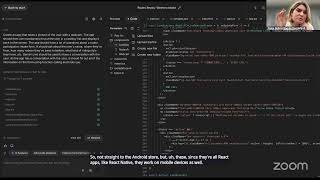
Paige Bailey from Google DeepMind shows how Gemini 3 Flash and Pro models scale to millions of users. The models handle text, images, video, and audio natively, ground answers in Google Search, and can generate full web apps from a text description. Practical examples include logo detection, brand analysis, and multilingual chatbots.
Chapters
Hey, hey, hey.
All right, hello everyone. Let me let everyone in and record. Great. Hello everyone, welcome to our next SaaStr AI Day session. Thanks for joining the first two sessions of the morning. We're excited to guys have you here this morning to talk everything AI, scaling AI to millions of users. And we thought who better to lead this topic than somebody who knows it, who's in the trenches. Paige was just talking about how she's on campus. In Mountain View doing a whole like Gemini basically bootcamp. You can explain for folks if you want, but so excited to have Paige Bailey here with us from Google DeepMind. She'll share a little bit about her background, but we're so thrilled to have her today. She's literally in the thick of this, guys. So ask her a lot of questions, put them in the chat. She's trying to show you a little bit what she's working on and how, you know, Gemini and DeepMind have scaled to millions of users. Obviously a great subject matter expert in this. So Paige, I will let you take it away.
Awesome. Thank you so much for having me. And as mentioned, I am dialing in this morning from the Google DeepMind campus in Mountain View. We have this week our generative AI working week, which means that everybody who's working on the Gemini models as well as all of our generative AI products are on campus all at once, like thousands of people. And it feels a little bit like college orientation. So if you see people like barrel into the conference room inexplicably, like, that's why. Uh, so, uh, but I'm excited to be here today to show you a little bit about what we've been working on, um, and to also help answer any of the questions that y'all might have. Um, so feel free to ask them. This is a safe space. No such thing as a silly question. Um, and with that, I'm gonna go ahead and get started. So, uh, I don't think it's a secret that Google has been a little bit busy. Um, we've been, uh, especially over the last 6 to 9 months, been cranking out new features, new products at a pretty rapid clip. I think we had in our latest town hall, we said something like 750 AI releases last year, which is huge, you know, like on the order of like a couple a day. And 2026 is shaping up to be even more impressive. So it's, it's been really, really wild to kind of see this happen over time. I'm kind of an old hat for the machine learning stuff. I think I started building models around 2009. Um, so it has been wild to see how everything has changed and evolved over the last few years. Um, their latest flagship releases are Gemini 3 Pro and Flash, which we'll take a look at. Uh, Nanobanana, which is great for image editing, including image editing and creation with search. Um, you can also do, uh, uh, image, uh, uh, and context interleaved, which means that you can do fun things like create comic books or create, you know, like children's books in a really easy way. Um, VO for video generation, including video with background audio. Gemma for open models. Genie-3, which is our world model. And then also our computer use API. And we'll see how many of these we can take a look at through the duration of the session. Also, as mentioned, if you have any questions, please add them in the chat and I'll try to monitor it along the way. To, to see if I can help answer. So Gemini is important in a couple of ways, one of which is that it's natively multimodal, so it can understand images and video and audio and text and code and all of the above all at once. But it can also understand and do output modalities. And that means that you can output text, you can output code, but you can also output images. You can edit images. You can output even native audio tokens, which is pretty wild when you think about it. So this model cannot just understand all the things, it can also begin to sort of create all the things. And that makes it really, really unique in kind of this brave new generative AI world. And there's a big long laundry list of what that means. You know, it means that it can do image understanding, things like bounding boxes. Speech-to-text, but I do not like words on a slide. I actually do not like slides at all. And so I think it's a lot more fun to show rather than tell. And for that, I'm going to go over to AI Studio and we're going to take a look at Gemini 3 Flash. So Gemini 3 Flash, if you see it over here to the right, for folks who haven't played with AI Studio before, actually maybe show of emoji, like if we've got emoji turned on, Could people do like a thumbs up emoji if you've seen AI Studio before? Got quite a few. And so for the uninitiated, you can access AI Studio by going to ai.studio or ai.dev. And it's a great playground to interact with DeepMind's models as soon as they're released. You can do it for free. You can sort of generate API keys directly from the AI Studio interface. I see a great question from Joe as to what is the difference between AI Studio and the Gemini app. The Gemini app is intended to be more for kind of non-technical consumers. So as an example, like, I often, like, point my mom towards AI mode or towards the Gemini app, whereas AI Studio is really intended to be a place for people who want to kind of peer under the hood. To change all of the knobs and dials, bells and whistles, and who also want to start building with these models. You can create an API key from AI Studio. You don't need an API key to get started. I will show what it would look like to use it for your work right now. This is ai.dev. If I click plus, you can see some of the different media types that I can upload directly into the AI Studio interface. You can record audio, you can add your camera, you can add YouTube videos, sample media, you can upload other files like PDFs. And if I click sample media and then this one, 'cause I love dinosaurs, I'm going to say something to the effect of, please create a table with timestamps for all of the dinosaurs that you see in this video. "Make sure to include a fun fact about each dinosaur." And then hit enter. You can see the number of tokens associated with this video. So it's around 5 minutes long, 31,000 tokens. There's a thinking trace that gets created. So you can see kind of the thinking process of Gemini as it's trying to walk through what it should do for this video. Then it looks frame by frame at the video itself, identifies each one of the dinosaurs as well as the timestamps in which they appear, and gives me a fun fact about each one. You can expand out the thinking traces to see how it was able to arrive at those decisions. I also quite like that in AI Studio, if you hover over the token count, you can see how much that cost to do. It was around $0.02 to analyze the full video. But you could also ask for things like transcriptions. You could ask for things like, tell me the bounding boxes for each one of these dinosaurs in specific frames, all sorts of stuff. So the video analysis qualities are pretty solid. If you click Get Code, you also get the code that you would need to replicate whatever you just did whatever you just did within the context of the UI. So it gives you the copy and pasteable code snippet in Python or in TypeScript or in Go or in Java, whichever one you would like. So if you can get it working in AI Studio, you can get it working as, as part of your application. And I think I saw another question. So the dataset used to identify each dinosaur and the fun fact. So excellent question. Gemini is trained on pretty much all of the publicly available and, like, approved-to-use data that's found on the internet, in addition to a lot more. And so there are obviously a ton of data about different dinosaurs, what they look like, what they're called, and that's all used to kind of train the model to understand the different dinosaur types. I've also turned on something called grounding with Google Search. Which helps kind of verify the fun facts. So grounding with Google Search kind of does an initial sweep with the Google Search tool to get back information and to ground the model's outputs. I also really quite like in AI Studio that you can do model comparisons. So I'm going to go ahead and go into compare mode. Which you can do with these two little arrows that are pointing at each other. We've got Gemini 3 Flash in each one, and so I'm going to turn the thinking level to minimal for the one on the left-hand side. I'm going to turn on code execution. I'm also going to turn on code execution in the right-hand side, and I'm also going to add maybe like a, sort of Lego bricks and pieces. See if I can find a good image online. I think I also saw a question about company data. And so for company data, if you're a paid tier customer for the AI Studio, for the AI Studio product, all of your company data is kept private. So we can't even see it to help debug. Which is, which is pretty wild when you think about it. So, so the all of your data is kept private, your logs are kept private, and that means that you can kind of add, add information as it makes sense. It also runs on Google Cloud behind the scenes. So AI Studio is leveraging the Gemini APIs otherwise. But I've grabbed, I've grabbed a picture of Lego bricks So you can see them kind of down here. It's around 1,000 tokens. And I'm going to say something like— Say something. It'll rent or switch or— We have somebody that's coming to rent for like 3 weeks, right? Yeah, the house is booked. Yeah, I know. So they can come and complain, oh, this is not working, that's not working. And then— So I hear—
Yeah.
I hear somebody in the background. Please make sure to mute yourself. Unless you would like for your discussion to be recorded for posterity, in which case there might be some post-processing that would need to be done to remove the background audio. But regardless, so we've got this compare mode between Gemini 3 Flash Preview with minimal thinking, Gemini 3 Flash Preview with high thinking. And I can say something like, I can say something like draw bounding boxes or use Python to draw bounding boxes around all of the green Lego bricks that you see in this picture. Display the image to the user after the bounding boxes have been drawn. With Python, and we'll see how well this does. Sometimes you have to be a little bit more clever with the prompt than just what I, what I do at the very beginning, but we'll see how well it does. So that was with minimal thinking. It verified its outputs, so you can see that it was able to draw the bounding boxes around the input image in a pretty rapid clip while the thinking, the thinking mode is still taking its time. Um, and then it was able to do segmentation around the Lego bricks before giving us the final output. And so you can see the, the bounding boxes have been drawn around the two, uh, the two green Lego bricks. Um, for, uh, just to kind of take a step back, uh, and to discuss what happened here, um, this is pretty wild. This Gemini 3 Flash model, our tiny model, the one that's 1/5 of the cost of Gemini 3 Pro, was able to take this input image to look at it, to understand my natural language query of, oh, okay, I need to draw bounding boxes around these different Lego bricks. It defined the coordinates where it would need to do that by using tools. It used Python as a tool, to help analyze the image to figure out where it should place the coordinates, and then it gave me the output response, and all I had to do was just ask, use Python to draw bounding boxes around all of the green Lego bricks that you see in this picture. So it's wild, and when you hover over the, the kind of cost associated for doing this work, it is like the tiniest fraction of a penny that you could imagine. Well, maybe not the tiniest, but like it's a pretty tiny component part of a penny to be able to take this image, to draw bounding boxes, and to do it in a verifiable way with tools, which just boggles my brain. I think this is one of the coolest things that you can do with the Gemini models, especially with code execution turned on. So this is code execution. With Gemini.
Paige, while you're here, there's a question on the livestream. Do you have a, like, for use cases that are more go-to-market, like, what's a good application of this?
Yeah, so a good application for, for code execution for a go-to-market use case might be, you know, being able to spot specific logos or specific kind of characteristics of images. So as an example, if you wanted to say like, hey, I have a directory full of images, tell me all of the brands that are incorporated into these images and kind of the placement of the brands, whether it's positive or negative, and also like the percentage of the image where the logo is showing up. And you should be able to do all of that just by asking in natural language for Gemini.
And could you do something like, um, like if you're on, let's say, like a competitor's website and, you know, they have like their like top logos, can you say, hey, identify these companies and like tell me about them?
Yeah, absolutely. You could do that, uh, with, uh, you could do that with grounding with Google Search. Um, just like, here are the top logos, here are, uh, you know, kind of their market cap over the course of the last however long, um, and here are what their public mission statements might be or their public roadmaps might be for 2026. So huge, huge potential for all of the image understanding. We also have a feature called Gemini Live. Gemini Live gives you the ability to have a conversation with the model in multiple languages. And so we'll take a look at that and what it might mean. This is just a blog post that I have handy. So it's about Genie-3, which is our world model family. It has the ability for a user to describe an environment that they would like to experience and then to play in it basically just by navigating using these arrow keys. You could say, show me a volcanic landscape and I'm in a Land Rover and let me just navigate around it. It creates an open-world exploration game where each frame is generated dynamically pixel by pixel. No physics engine involved. So basically you can ideate or imagine any open world exploration game into being. And it's everything from like these volcanic landscapes to like derping around on a jet ski and like hitting these, hitting these lights along the way and like knocking them into the water or experiencing a hurricane in first person or even like navigating through these these really surreal landscapes deep down underwater where you can experience these, these like hydrothermal vents, which is pretty wild. But the thing that I want to take a look at is this guy. So this is, this is just a table with some information about the Genie-3 model. I'm going to go back to AI Studio. I'm going to share my screen. I'm going to turn on search grounding as well. Hey there, Gemini. Can you tell me what you see on the screen?
I see a comparison table titled Genie-2. It compares GameGen, Genie-2, Vio, and Genie-3 across several metrics: resolution, domain control, interaction horizon, and interaction latency.
Yep. And so hopefully everybody was able to hear the audio come through, but this is kind of taking in the input pixels for this image and answering all of my questions about them. But does anybody speak a language other than English? Just type it into the chat. If not, I'm going to pick one.
And the one said Spanish.
Oh, Punjabi. So let's— yeah, so let's try Punjabi.
And now you're getting a bunch of responses.
Well, it's so— so the— only respond to the user in Punjabi, which I cannot speak. So whoever said that that was a language that they wanted to try, you're going to have to fact-check me. So we're going to— we're going to do this again. Hey there, Gemini, can you tell me what you see on the screen?
Screen take to latmak saranee hai jo char vak vak modela game engine Genie 2 view ate Genie 3D to lagardi hai. Ina nu resolution, domain, control, interaction horizon ate interaction latency de aadhar te parki aagya hai. Genie 3 wala column kaas torte har aarang ya hai.
Whoever said that, was it okay? Or like, did it work? Awesome. So I'm gonna say that as awesome. Cool, cool, cool. So what's happening behind the scenes is we have this video input or this kind of visual input. You can ask Gemini multiple questions about it. And you can either ask via modifying the system instructions in multiple languages, or if I try again, I'm going to remove these system instructions, and I'm going to turn on Google Search Grounding or make sure that it's turned on. I'm going to say, "Hey Gemini, could you tell me in a very professional German what the temperature is like in Mountain View, California today?" Die künftige Temperatur in Mountain View, Kalifornien beträgt aktuell etwa 13 Grad Celsius, was 56 Grad Fahrenheit entspricht.
Es ist überwiegend bewölkt.
And so you can see that it pulled in a tool search, so it was able to ground in different sources, and you can kind of also invoke other tools using the Gemini Live API. What this is doing is it's sort of incorporating a speech-to-text LLM understanding and text-to-speech pipeline just as one API call and at 1/10 of the cost as you would have if you were using some other systems. I also saw Italian, so I'm going to try Italian. I've never tried that before, so let's see how it works. But let's also try a camera source. Hey there, Gemini, could you tell me what you see on the camera?
I see a woman with blonde hair. She's wearing a white shirt and is holding up two fingers in a peace sign.
Could you tell me that same thing, but could you do it in very, very kind of friendly Italian?
Certo, c'è una donna con capelli biondi, indossa una camicia bianca e sta facendo il segno della pace.
And somebody again is going to have to fact-check. Okay, cool, cool. So it sounds like it worked, which is great. And again, if you click Get Code, I'm going to hide the camera, but if you click Get Code, it gives you everything that you would need in order to replicate this. As part of your app. So it defines the model. It tells you how you would do kind of the tools use associated. So it's just a one-liner to ground with Google Search. It has the different configs for importing kind of all of the frames and the audio. And it's pretty, pretty cool to get started. But we have another feature, which is one of my favorite ones, called Build within AI Studio. You can access it through this left-hand nav. So there's this feature that says Build, and you can just describe your idea and have, and have the app get generated. So let's, let's try in this last 8 minutes to build an app together and, and to, to see how far we can get. I also really like to build complex apps because I like to try to see if Gemini can recover if it has mistakes. But I also like to test it on Gemini 3 Flash instead of the others. So let's try Gemini 3 Flash preview and see how well we can do. So, hey there, Gemini. Could you build an app that takes a picture of the user with a webcam? The app should then use Nanobanana to put the user in a cowboy hat and display it back to the screen. The app should have a whole bunch of questions about kind of basically like a rodeo participation intake form. So it should ask about their name, where they're from, how many rodeos they've been to before, what kind of rodeos they've been to before, writing style they have, etc. And it should use Gemini Live to have a conversation with the user. As it has a conversation with the user, it should fill out all of the information on the form using function calling. We'll see how well we can do. So, so this is stitching together a whole bunch of models. So create an app, create an app that takes a picture of the user with the webcam. The app should then use not a banana, but nano banana, to put the user in a cowboy hat and display it back to the screen. The app should have a lot of questions about rodeo, ask about the user's name, where they're from, how many rodeos they've been to before, what kind of riding style— not writing style. They have a Gemini Live as the app has using function calling and tools used. Um, so let's and see how well we can do. I'm gonna click Build, and immediately we're launched into this thing that looks a little bit like an IDE. So you can see the thinking traces off to the left for the different services that need to be added. You can see the code getting written off to the right. So Gemini 3 Flash is pretty speedy, which is why the code is kind of coming in at a pretty rapid clip. I'm going to zoom out a little bit so it might be a little bit easier to see. And you can also see that, like, if it calls any models, it also does kind of the prompting configuration for you as well, so you don't have to think of hyper-customized prompts in order to do the analysis effectively. So it looks like it's got a first iteration. So I've got a camera and a microphone. Let's try. Awesome. So it's like me with a cowboy hat. I also like that it kept my, uh, kept my watch in the background, um, the same. And it's also got an intake form. I'm gonna zoom out a little bit so it might be easier to see. Um, And, uh, let's try. Hey there, how you doing?
Howdy, partner, I'm doing just fine, thank you. I'm here to get you all set up for the rodeo. First things first, what's your full name if you don't mind me asking?
Paige Bailey.
Well, it's a pleasure to meet you, Paige. I'll get that written down. Now, where do you reckon you hail from? What's your hometown?
Ah, Tascosa, Texas.
Tascosa, Texas! Sounds like a right exciting place. How many rodeos have you been to, if you don't mind me askin'?
Definitely over 50.
Over 50? Well, now that's somethin'! You're a seasoned veteran, I reckon. What kinda ridin' style do you prefer?
Uh, Western. Sometimes it gets a little bit slow, but, uh, Western riding.
Western riding sounds like a great choice. And how many years of experience have you got beneath your belt?
About 20.
20 years. My goodness, you've been at this a long time. Now we need an emergency contact for their form, partner. Who should we list?
Uh, you can list my sister Brooke Bailey.
Gotcha, Brooke Bailey. And what's her phone number, please?
I'm not gonna tell you that, sir. Um, 555-5555.
Understood, partner. I'll get that down. Finally, what's your preferred event that you're looking to enter?
Uh, Austin Rodeo.
Austin Rodeo. That's a great one. All right, Paige, that just about completes the form. Your information is all stabled away. Good luck at the rodeo.
Awesome. And so that was created with just one shot, which is pretty miraculous. I was hoping that it would, like, fail in some way so that we could ask the model to go about fixing itself or for something in the UI to not be super great because you can annotate and kind of ask for changes to be created along the way too. You can save to GitHub, so you can save to a public or a private repo by clicking the GitHub button in the upper right, and you can also deploy directly to Google Cloud. So if you click this little rocket ship, it gives you this really nice UI where you can select a cloud project and deploy directly as a Cloud Run service, get a unique URL, test it out, share it with your friends. You can also just share the app in the upper right-hand corner here. You just have to make the assets available to everyone. But this is kind of a breezy walkthrough of a lot of the cool features that we have in AI Studio that you can access and use today for free. I strongly, strongly recommend testing out Gemini 3 Flash, Gemini 3 Pro, AI Studio's build feature, and Nanobanana, and share what you build. There's a lot of cool stuff that's happening. I also want to save this picture just because I do like that hat, and so I might want to try to find it the next time.
It fits your head really well. Related question, if somebody, because I know we're out of time too and I know you got to run. Related question, if somebody wants to do a version of this for like an intake form on their website, right? So like they're collecting, if they want to build a version of this in Gemini to collect leads, right? And kind of like ask these about themselves the same way you, I mean, you did it in 5 minutes. Is there a way people can, because you said you can publish it out to Google, but is there a way they can embed it with their website too?
You can definitely, you can definitely embed it within your website. What I would do is if you look at the code feature, there's a way to upload files. So you can upload files, create new folders, etc. You could just upload the files for your website if it's React TypeScript and make the modifications there, or you could use Antigravity, which is an IDE that we have more or less the same feature set but allows you to work on files that might be local that you git clone the repository to your local machine.
Awesome. Then one last question from the livestream. If they use this to build, can they also publish let's say a mobile app version straight to like the Android store?
So not straight to the Android store, but these, since they're all React apps, like React Native, they work on mobile devices as well. So you can just share the URL with a friend and they would be able to access it via their phone, play with your app. And then if you wanted to, you could package up the React Native app and publish it to the Google App Store.
Awesome. All right. And then I know we're out of time and I know you have to run because you have your campus-wide thing. How can folks reach you if they have more questions?
Yeah. So if you have questions, I'm Dynamic Web Page pretty much everywhere on the internet. So, so feel free to like hunt me down GitHub, Twitter, Bluesky, whatever you like. But I'm also webpage@google.com. Page spelled like my name. So webpage@google.com if you have any questions.
Awesome. Thank you so much, Paige. Thanks for showing everyone. I know a lot of people were like, wow, you know, now I think they're, they're really turning on how to build a go-to-market version of the, um, like a quick app. So thanks for showing everyone. Thanks for being a part of AI Day, and thanks everyone for watching, and we'll see you at the next session.
Thank you.
Thanks, Paige. Bye everyone.
Bye.
More from Jason

Why Your Next Hire Should Report to an AI, Tragedy Apps, and Too Many AI SDRs? | The Agents #004

Our Agents Drove Our Salesforce Bill Up 80%, Marketo Hates Agents, and We Stealth-Churned Off Notion




Managing 20+ AI Agents: Lazy Agents, Our $500K AI Bill, Stealth Churn & the Death of 60% Solutions