SaaStr AI Live: What’s Working Now: AI’s Real Impact on Sales
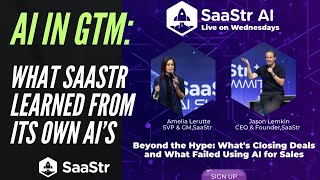
Amelia LaRue and Jason M. Lemkin share SaaStr's two-week test of AI-driven outbound sales: 4,495 personalized messages with response rates beating human SDR averages. Success requires clean data, daily training, and dedicated ops staff to coach the AI like you would a new hire, not a set-it-and-forget-it tool.
Chapters
Welcome back to SaaStr Workshop Wednesday. We also call these SaaStr AI Live on Wednesdays now. If you're here last week with Wiz, welcome back. If you weren't here last week with Wiz on Wednesday, we did a nice one with their CMO. It's up on our YouTube. You can watch it now. It's a good one. It's a good one. We'll put it on the podcast probably next week. I'm letting everybody in. We're live streaming. Cool. Let me go full screen here. Okay. We thought we would do something fun today since we've been using AR ourselves a lot at Dapr. I know you guys have seen Jason's tweets, you've seen some of the content we've been putting out. Seems like you guys have an insatiable appetite for some of this stuff. We thought we'd share a little bit about what's working now. I've been using it a lot. Specifically for sales, outbound calls, a little bit of marketing, which I'll touch on at the end. But we thought we'd share with you some of our results, what we're seeing, some of the pitfalls. Ask us questions, so drop them into the chat. If I can, I'll try— me or Jason M. Lemkin will try and incorporate them as we go. If not, we'll do Q&A at the end. So this is like an amalgamation of a lot of the AIs that we've been using. And just to preface, like, we, even though it's Zaster and we do use a lot of AI, I would still consider us early on our journey. You know, we've used different AIs now probably for a year or so, if not more, in different ways. But I would say specifically in sales, we're still, and marketing, we're still early on, but seeing some good initial results that we thought we would share with you guys. So, cool. With that, we'll go and get started. Uh, let's start with outbound because I feel like this is where, uh, we have— I just got a bad outbound email this morning that was from— that was, I hope, from an AI. Maybe it was actually a person. I assumed it was from an AI because it was so bad. Um, so let's talk about outbound, what's actually working, what's actually closing deals using AI for real. So in the last 2 weeks, and that was At the time, the only time we had been on this platform that we're now using, in just 2 weeks, little old Zaster became the highest response rate on the platform that we use for our AI SDR. We opened pipelines, we booked meetings, we touched lapsed accounts. I mean, all of this, not only in 2 weeks, just, I mean, it both seems fast and slow, but it's better than historical human averages we had with any human SDR we've had, maybe even some of our human AEs that we've had in the mix at Zaster. These are screenshots here, if you can see how many leads it's touched, right? Like, there's no way I could send 4,495 messages myself in 2 weeks. We're fairly busy at Zaster. Jason doesn't have that kind of time either. And to do it at a hyper-personalized, hyper-scale that actually is adding value. So you'll hear me talk about it a lot. Jason will chime in on it a bit too. But I think the overall consensus you'll see in my key takeaways is your AI has to be good enough to also add value if you want to see these kinds of results. Like, if you're doing, you know, AI that's just, hey, name, saw you on our website, you're probably not going to get these types of results we're getting at Zaster, even though it's early on and even though it's already doing better than any historical human averages. There's a lot that goes into that, which I'll talk about next. But just to preface there, it does take one, a lot of tuning. And it does take a lot of data and a lot of conscious effort to get these AIs to work this well and have this good of an overall response rate, positive response rate, and also to make the emails seem like we actually wrote them. Like, there are screenshots in this deck of people asking me it, two things. Like, one, is this a real person? I'm like, yeah, here's my LinkedIn. Like, it's real. I'm real. I'm at Zaster. I'm on this webinar. I'm not an AI avatar. So yes, I'm a real person. But also, half the time they don't care. I think it's just a big learning too. Like, if your AI adds value to the sales cycle, why does it matter if it's an AI versus a human? So I think there is a lot we'll get into. We'll try and cover a good mix here. Let me open up the chat.
Amelia, maybe just add— let me add one context while you're doing this just for folks. This is great. And well, these are good results. A few, a few caveats for folks depending on where you are in your journey. One is we have a pretty big brand.
Okay.
So that helps. People have heard of us. We've been— Saastr has been around since— my God, since 2012. I've been writing content. We've been doing events since 2015. We've sold over 100,000 sponsorships. People know us and these 4,495 messages that Amelia's AI sent. And that is important. It's so many like this. We could never send this many good emails. We could send this many emails. Just, just, just send them. We could never send this many good emails, but we have a brand. And two, this is all to our base. This is all— so these are not that like you have to do a two by two. Do you have a, do you have a brand? So is there some reason people will interact with your email? And two, is this, is this just raw folks you're emailing out of the blue? That have never heard of you, did not opt in, or are these folks that you already have some sort of relationship with? And I think, Amelia, all 449 of these folks are folks in our database that have participated in SaaStr, that have opted in in some scenario. So it's a pretty good set of folks to be hitting up. It's just there's no way we could do this at scale with humans.
Yeah. Right. Some of them are website visitors, right? So there's, and, and there's a lot of AIs that do this now. So there are folks that are on your website. So yeah, they are, but they're already—
they know us, but they know, they know you. So that's the key. So I just think these are some good learnings just to provide the context to you. You know, if no one's ever heard of you and you have no base to email from, you're not going to— no matter how well you do, you're not going to see these results. You may see— you should see results. But I think that's one of the many reasons. There's probably 3 reasons we've done so well, like the— like off the charts well. Brand, our own base, and lots of training and lots of iteration, not just turning on and walking away like most people do. So just, just for just some context, those 3 points. But yeah, keep going.
Nope, super helpful. Well, you talked about it. I want to talk about it a bit more in depth because I have some slides here on how to train it. I already see some comments in the chat like, so if I don't have a brand, does this not work? It works. But yeah, here's— there's a lot of implications here, right? I literally was just dealing with somebody today that was like, I'm coming to the webinar. I have a quick question on like, what can I do that's quick? I'm like, it's not quick. Like that's already one that's maybe like the wrong mindset. Like if you think you're gonna turn on the AI SDR and it's gonna give you the same results that we got on the last slide, it ain't gonna happen, dudes. Like it is a lot of training. I would say I have almost dropped a lot of other things I should have been working on to work on in these 2 weeks. And I think Jason, you were talking about yesterday on Twitter, like you don't spend as much time in some of our AI as you used to. And it's becoming the same now for these, this particular sales tool we're using for outbound, um, for me, but it still does take a lot of time. Like at the very start, you should expect to spend the most, like basically all your time with it. Like these 2 weeks were also the 2 weeks I spent the most time on the AI SDR. I spend less time with it on the outbound now 'cause it got better, right? That's the thing, the AI will get better at the outbound. Uh, but if you don't have 2 weeks to onboard your AI, just like you would spend 2 weeks onboarding a human being, then don't do it. Like, you literally need to spend the same amount of time, maybe more, on training the AI that you would a human being. Like, you gotta train it. You absolutely gotta train it. I would say the upside to that, like, that's one maybe trade-off or nuance people don't realize yet. But I would say the nuance to that being you can do it when you want. Because, because it's not a real person. Like, I would tune my AI first thing in the morning and then last thing in the evening, right? I'd be like, okay, probably 90 minutes in the morning, maybe an hour in the evening, maybe more. And then I would respond throughout the day pretty much in real time if I could to any responses that our AI was getting in real time. But, you know, the, that's the upside of the AI is not a human being. So I don't have to set, you know, 10 to noon Pacific to do the training that I would a human being, but it's still the same amount of time. But yeah, the, the nice upside is, you know, I can do it when I want for my schedule and not theirs. And the AI does remember everything, so that's nice. You don't have to, you know, go back and tell it things you already told it. So pros and cons, but let me get into one of the biggest things is you gotta train it with all your data and this has been, I would say, even for us, a little bit of a hurdle. We have so much data at Saastr. Like, you guys have probably talked to Jason's AI on saastr.com. Maybe you saw it at the annual. Maybe you're on it now asking it for advice. It's got something like 20 million words in it, I think, and counting, right? Because we post new content on Saastr every day. That's one data set. For us, right? Like, if you think about things like a SaaS, or if you have multiple product lines, or if you also produce a lot of content, or if you've been around a while, you're gonna have a lot of data. That's just one set. That's just saster.com. That's not sasterannual.com. That's not Saastr London. That's not every data signal that's in our Marketo, which is millions upon millions upon millions. That's not every data signal that's in our Salesforce, which is probably another couple million. Like, there's so much data you have to train to work with your AI. And so, you know, I think you'll start to see— we threw up a job post. You'll see it at the end of this presentation if we have time. I do think you'll start to see more RevOps people become AI RevOps people, which is maybe a slightly different topic. But I get why now after spending like almost 2 full weeks with our AI. It takes a lot of time and like to do it right, you do need to know the business. Like, don't hire somebody off the street to do this for you. If you hire someone to do this and you don't do it yourself, it's got to be somebody wicked smart that actually knows how to use AI and actually knows your business to feed the right data inputs to the AI. Anything to add there, Jason, before I go?
No, no, I think that I'd love to see the statistics on our, on our AI, our general purpose AI you can chat with on the homepage. You know, it's trained on almost 20 million words of SaaStr content. And to Amelia's point, for the first 2 months up until SaaStr Annual this year, yeah, every morning I would wake up, I'd get my coffee and I'd spend 30 minutes training it. And training can mean different things. Like, I'm not an expert. What— what for our AI, for the base AI, not for sales, which Amelia get into, she can talk about how she trained it for our sort of generic AI, which is pretty good. We've done 100,000 chats on it. It had to ingest 20 million words of Saastr content, all of our Saastr annual sessions, all my tweets, all of our YouTubes, all of our videos, everything. And so what would happen is really there, it's different than sales, which we should spend more time on. But they're like very specific questions were really good because it had ingested all that data where it would hallucinate or make mistakes is where it just wasn't in that, in that data. Like, for example, if you asked, if you asked it about a speaker that we had at Saastr that actually spoke, what does Stuart Butterfield say the two times he came to Saastr? It'd be great, right? Then if you asked what the CEO of Notion said at Saastr, who never came, it would make something up.
It'll make it up. Yeah.
And the worst, the most extreme. So those were a little funny. And the most extreme one was we had not published the dates for Saastr 2026 or Saastr London, AI London this year yet. And so it didn't know the date, so it would make them up. So what I would do is every minute I would just audit the chats, audit the questions for 15 or 30 minutes. And there weren't that many errors, but the ones that were, were egregious like that. Right. And then I would go in and I would manually write the question and manually write the answer. Okay. In the train— in the training section. When I did that, it wouldn't make the mistake again. Unlike a human, like a human would make the mistake the next day. Right. But I had to do it literally for almost half an hour for 2 months. Every morning. Yep. Every morning. And so now it— now I do it once a week. Okay. And, um, but I think that's a metaphor for how, even if you have all your data in, even if you have it all in, you may have to QA it every single day for the first couple months.
Yeah, and I will say there's on every AI SDR tool, I'd name a few of them in the next, I think the next slide. All of them have different rule sets. Like this is trained on most of our data, not all. There's a lot, right? So like some of our AI is trained on more of our data. Some AI is trained on like the core of our data. Doesn't mean you have to train on all your data. Like more context is good. But at the end of the day, you, What your AI is looking for and what you really need to train it on is what do you want it to surface to this person? Like, okay, if you're using it for outbound, which is the premise of these first few slides, but you're using it for, let's say, warm outbound in the way we are, or people who are visiting your website who are already on the website and kind of know at least a little bit about who you are and what you're doing, then basically what you want to tell the AI is, okay, if they're on the website, What are they doing on the website? Okay, great. The AI will tell you that right away. It already knows what it's, what this person's doing on the website. Next, okay, let me go look in maybe your CRM or your marketing automation platform. Maybe I don't necessarily need both to see, okay, has, is this person, let's call it a VIP account. Like, have they been to SaaStr? Have they sponsored with you? Are they already a customer? Like, again, you don't, you don't need to give it every single email you've had with this customer and every like, close loss opportunity. Half the time, let me tell you, the people on the website might not know that. They might be like Joe Schmo employee number 10 at Oracle who doesn't know all the history and context of SaaS and Oracle from back in the day. And like a few words of that context from your AI is nice and handy and it is personalized and it will get them to open and respond to your AI and probably take the call. And that's the level you need. So I think you also need to just think about the mindset of Okay, a lot of data is good, which I'll walk you guys through next. But it doesn't need to be perfect. Like, it does not need to be perfect. It doesn't need to be everything, especially if you have a lot of data like we do. I actually started ripping out some of our data from the outbound part of it because it was too much, right? I'm like, these people don't need to know all this. Like, this is also TMI. Like, there's also a level of this is TMI. I just need to know a few data points. And we started to hyper-segment more and actually like rip out some of the data from this to make it more hyper-segmented and actually a little bit more simple. And that is part of why it's also working so well for us. Okay, so you do just to train your data, if you will, to get this to a working state. There's— I outline like kind of 6 steps you'll need to take in the early days if you're serious about doing this. Right? So one, yes, you're going to need to start with your CRM, your marketing automation platform data. Hopefully that is in a working stage in which you can use it. Even at Little Old Faster, I was like, some shit is missing. We had some AEs were here, they never logged into Salesforce. Those opportunities aren't in there, whether they were close won, close lost, or somebody that was contacted. That shit don't exist. And so if I don't know it, Salesforce don't know it, then your AI don't know it. So just keep that in mind. If it's not already living somewhere, it'd be hard for your AI to adjust it. Each tool kind of has its own way where you can say, okay, make an artifact and say, okay, hey, by the way, you know, IBM was a sponsor this year. It wasn't in Salesforce. And it's like, okay, I've recognized that data kind of like you would in your brain, right? Like the same way a human brain works. You can tell the AI's brain like, hey, this, let me do a brain dump of my human brain to the AI brain of things I know that are in our CRM. You can do that. A lot of these platforms have a way you can do that manually. Probably good to do that at least once, right? And try and get your AIs to talk to each other if you have multiples so that you can do that once, have it documented once, but that will take time, right? Like even doing that for SaaS, we're still doing it like literally every day. I find something that's missing that I'm like, okay, we gotta tell the AI this, or we gotta tell the AI that, otherwise it won't know that. So it won't know what you don't know. So there's that. You know, hook up any of the major— most of the tools hook up to all the major platforms. Some of them are listed there. But yeah, you're gonna need to probably do some data cleanup to a varying degree based on where you are and how much data integrity you've had historically. Not to be, not to say you can't start with zero. It's just to the point Jason was making earlier. It probably won't work as good if you start it from zero. So if you're like, I know I'm behind on AI, I probably need to get started with this, but I don't have a lot of data yet. You might want to spend the next even like, even like 6 weeks of data might be enough for it to get up and running and going with something, right? Like feed it something so it has some historical context to help your open rates. I think otherwise it will start to default to being too generic, and that's where you'll see like lower open rates and like lower positive sentiment scores. The other thing I did as part of this journey with Saastr, and a lot of where we spend our time now that we did an additional data cleanup, is enriching our current data and those warm leads, the warm outbound. So like people on our website, people coming to Saastr events with fresh data, right? So there's different, there's like, I think 20 different vendors that do this. Obviously a good way is to scrape your website itself and see what you have. I mean, our database is pretty good because if you come to SaaStr, you kind of have to fill out a bunch of stuff to come to SaaStr, and thanks for coming. But it does mean we have pretty good data from throughout the year. So you might need to do, maybe in your journey, you might need to do step 2 more than you need to do step 1. To get all the fields you need to work with the AIs. So the other thing I'll just mention is a lot of these different AI SDR tools have certain requirements of fields that you will need to have in order for it to send the really good emails. Again, we got lucky where like step 2 wasn't— we still did it and I'm still doing it ongoing, but became less of a struggle for us than like step 1. You may find though, probably most people, are probably in stage 2 where fresh data or like the certain fields that the AI SDR that you pick needs that you don't have. You know, each of them have kind of weird, quirky, certain fields they need. And that's because it wants to 100% make sure it finds the right person on the internet to say, okay, this is the person that you are trying to prospect. Like beyond a certain of a doubt, you know, that is what the AI is trying to do. So there's a good reason it needs those kind of quirky certain fields to do your prospecting and outbound for you, it wants to make sure it's doing it to the right person. Not like, you know, I typed in Amelia LaRue, disaster. There's only, I think, one of me on LinkedIn. But if I've got a more common name like Joe Smith and there's 10 of them, well, this is why the AI needs all those fields so it can make sure it's like prospecting the right Joe Smith at the right company. Because the last thing you want is for it to send an email to the wrong, like, right person, but wrong data points of, oh, hey, I saw you're at Fox, and actually that person works at Dropbox. Like, that's what the AI is actually trying to avoid. So that's part 2. Again, I've listed some vendors there you can use for that if you don't know any of it. And then, yeah, step 3 would be actually thinking through before you start a structure for the AI. So I kind of touched upon this in 2, but really 2 and 3 go hand in hand, right? You, you may need to even take it a step further to structure your AISDR. I'd also start small. So it's not something where, you know, you want to necessarily start blasting everybody that comes to your website in real time because you can. Doesn't mean you should. Because again, doesn't mean you should. We ended up getting hyper cyber intruded with it. I did run that campaign for a little bit just because I wanted to see what happened. It didn't do great. Obviously, it didn't do great. But other things worked better. I was more so just curious. You know, okay, what are some of the things that perform the best is yes, what do they do on our website? What are they doing on SaaS or have they been to an annual? Have they been to Europa? Have they been to all these workshops? You know, what stage are they in? All those things like that. Recent funding news, job title changes, pain points, like, Some of this it will scrape for you automatically. Some of this you'll put in. But like, eventually you're trying to get it to a point. All this to say on points 1 through 3, you're trying to get your AI to a point where it knows enough about the exact person you are trying to reach that it will write a really good email that you would have otherwise had to spend probably, let's say, 10 to 15 minutes writing yourself. That is the whole point of training the data, and getting the structure right is to write the email good or better than you would have yourself, obviously at a much faster rate, at a much higher scale, right? Like I couldn't email those 4,000 people myself in 2 weeks. So we talked about it a bit, so I'll keep going. But yeah, just for hyper-segmentation, you know, it's been true of marketing since before I was born and it's still true now of the AI SDRs. The more you can hyper-segment it, the better it will work. You know, ask yourself, what have you— ask yourself, what has this person done with our company lately? What have they— have they been to a customer dinner? Did they go to the website? What did they read on the website? Like, okay, if they just looked at, you know, advice for, I don't know, something on sash.com around hiring, then they're probably just hiring, right? Like, they might not have an intent to, let's say, buy a sponsorship to Saastr. They're probably just reading saastr.com. So ask yourself, what have they done with you lately? And how does that tie to them maybe showing intent to buy? Or could you get them, you know, down a path where they have an intent to buy? Jason M. Lemkin mentioned it as one of the caveats. I have it here as number 5. Prioritizing what I call, what we call warm outbound. Always works, right? This is always gonna work better than any like old list you could scrape off the internet or buy off the internet and say, hey, AI SDR, I just got this list of 100 companies that are, or I made an ABM list of these 100 companies that are the top 100 companies, start emailing them. That's probably gonna work as good as, you know, you giving that list to an SDR that's a human and say, hey, start emailing them, which is probably not that good if they don't know you or you haven't added value to their company. Again, at the end of the day, you want your AI SDR to know exactly who you're targeting, have some context with all your data of what they've maybe done with you and what your value add to them is so that it can write an email that will start to add value to the person. You can call them a prospect, you can call them an account, call them whatever you want. At the end of the day, if your AI is adding value, people will not care it's an AI.
Emilia, maybe a question on this. With your AI, you're basically trying to do two things today if I have it right. One is reengage folks to buy a ticket and come to our SaaStr events, right? In London in December and May next year, right? I think. And two, reactivate folks to buy sponsorships, right? I think we're running, are we running both?
We're running both. Yeah.
How do you do both at the same time? Is it two different instances, two different orgs, two different iterations? And so like how many variants of this AI SGR are multitasking, are running in parallel?
Yeah, it's a good question. I would say in the first iterations, right? Because this was an experiment for us. I know we're all, you're all in on AI, I'm all in. We all agreed we should try this. Before this webinar, listen, there's not a lot of content out there on how to do this for real. So I just started it. I was like, okay, let me use the marketing principles and sales principles I know since the dawn of time. But also let me just try different things. So I started it on 3 different experiments, one for each bucket, one which was a totally cold outbound, literally to a list of people. It was a mix. Some people knew SaaStr, some people did not know of SaaStr, because I wanted to see how the AI would do. Then I did lapsed accounts, right? So these are folks that have known SaaStr, but maybe haven't engaged with us in a while for sponsorships. And then I did one that was— actually, I did 4. Then I did one for tickets of people who have been to a previous SaaStr event, haven't been to one in a while, see if that would convert. And then 4th was, yes, I had the website one on. In a version that I don't have on anymore, but it was like basically doing some light qualifications of folks on the website to see what would happen with the AI. Yeah, I would say across the board results are better or worse in each of those 4 buckets. Obviously the cold outbound actually didn't fail but didn't do as good. So that one I would say would— I would rank 4 out of 1 through 4. The third one, I would say website visitors. I would say hit or miss, like, because I didn't have to do it. Is it worth it? Yeah. Like, it's worth it to leave the AI on, and it's getting better at the website traffic. But it's one where I'm like, I'm actually gonna move it to a different AI and build something else because I think it could do better. So that was like our experiment on the website visitors. I'd say the ones where it did the best was, yeah, reactivating renewal accounts. It's done really good at that. So we have meetings booked now. Literally somebody's emailed this morning and I was like, oh, I have to step in here because this was the conversation our AI was having and now they're asking questions the AI won't answer because it's 2026 and it doesn't know our current inventory. Again, it could know that, it just doesn't know that because I didn't put that into the AI. So there's that. And then yeah, I would say number 1 is, is yeah, reactivating folks who have come to a previous SaaS or event to come to an upcoming SaaS or event. So if you're one of those folks on this call, You, and you got an email from me. It was maybe me, maybe my AI. But that one's working the best. So all that to say is if you think about that, probably most relevant for folks on this call as different product lines, you do have to kind of force rank what product lines and different campaigns you want to run with your AI because already, like, my inbox is out of sense. Like, I have, you know, I think there's like 30 personas I have. On our tool and I'm already like maxed out. And so I literally have David from our team joining now who is now— I'm segmenting some of the sends through his inboxes because I'm like, okay, I'm gonna use mine for certain campaigns. I'm gonna use his for certain other campaigns to work because even the AI is as fast as it is, as much as it can send, even for us was not enough. I was like, I already need more. I need more. So there's that. I think, you know, for before we move on to things like I, I just have a few slides on where to use it, maybe, maybe other ways in the sales cycle than, than pure outbound, which is the bulk of this is, you know, we've covered a lot of this already, but yes, if you have less data, it's not that it's not gonna work perfectly, it's just, it's gonna be less personalized, right? So like the less it knows about this pinpoint person you're trying to reach out to and get to take an action and add value to them. If you don't have as much context, it's probably not gonna work as well. I say this to everybody starting on this journey now, your data is probably not as good as you think it is. Ours wasn't as good. Maybe yours is better. Maybe you've had a, you know, RevOps or SalesOps person since the, since your inception. But you probably didn't. So it's probably not as good. As you thought it would be. And AI can definitely help fill in those gaps, right? Like, if it's scraping all of saster.com, if it knows people on the website, yes, it can help fill in those gaps, but it's not everything. So you still want to ideally plug in some of your data. You may need somebody now to help you do this. I know some people have already been asking me before this webinar started, hey, do you know of a robots person to do this? I do not. Okay. Like, I, started doing this myself. I think this is a job that will now be coming to market, but it's not one that has previously existed in the same way. So I don't know if this was— sorry. But yes, try and find one. The other, I would say, learnings on the flip side is don't expect the AI to do it all for you. I think when folks turn on think, or even if they make a conscious decision to buy something like an Artisan or something similar, they're like, okay, I'm going to buy this, I'm going to use this. I'm all in on AI. Like, it's going to work magic for us. Even at that stage, I would say don't expect it to do everything right. Like, everybody has a different journey. Everybody has different data signals. You have different campaigns you're trying to run maybe than Zaster. It doesn't mean it's a genie and it's going to grant your wish right away of like, more pipeline, more close one deals, more reactivated accounts, more sales in the way it has for us. Like, it may not work that way. So just know that going into it. It will require a lot of tuning and training. The other learning was once we turned this on and people started responding to our AI and we had a human in the loop, which was me, and it for, for a while, and, and it worked the best. Um, you have to respond instantly.
I was like, okay, this is a top learning, right?
This is a top learning. I was like, oh, because the AI is so good, the expectation is that you literally respond. Like, if you're gonna be the human in the loop and respond, you got to do it one, right away, and it's got to be good. Like, it's got to be at the same level as the AI, or they're going to be like, oh, was this just a bad AI email that I got. It's gotta be so good. So I have it hooked up to Slack. You can get yours to text you probably if you wanted to, if that's the way that you would respond in real time. Slack is fine for me. So, so, so that methodology works. But yeah, I do first respond instantly. And honestly, SaaS is global, right? So some of these people are in Europe. I'm like, dude, it's like, well, at night my Slack and phone is going off and I'm like, okay, send. Yeah. It's just, you have to think about it constantly now. So yeah, that's, that's a big learning. I think that's something where like mentally you might want to prepare yourself for because it's a lot, right? It's on top of everything else, on top of the humans on your team slacking you, the actual emails you get from other human beings. Now your AI is like, hey, you should probably respond to this person because they, they need info that maybe I don't have, or you could send a better response than I could, right? So. There's that. The other thing I— Jason, you've talked about this a bit, but, you know, I think some people are like, oh, I don't want to use an AI SDR because the message is going to be so bad. And we've all been victim to getting a bad AI SDR message. I have one on the next slide. You've probably gotten— everybody at this webinar probably got one this morning or in the last 24 to 48 hours. I think folks are like, I don't really want to use something like a tool because I'm just going to get that. Like, that is the flip side expectation of like, okay, maybe I won't get as good, or maybe I think there's weird like two camps I've kind of seen lately. Either this bucket of the AI's gonna do magic for me instantly, which, hello, it won't. It can if you train it, or the AI's gonna suck. Like gonna send super stupid, super generic emails. Hey, have you heard of SaaStr? Barf. Like, I would never send that email. And so I think there's kind of like these two camps. But if you do it the right way and maybe follow some of these steps I've hopefully helped outline, people will get over it. I have noticed, like, I can't tell you, I put some of the screenshots in this deck, but I have many more on my computer in my inbox of people being like, I actually don't care if this was an AI or if this was you or if it was a mix of both, but because it added value, It doesn't even matter. So like, again, if you can get your AI to be decent to the level of you yourself, or, you know, that's, that's probably the quality you should aim for. They will prefer that to, you know, an AE or SDR that is one day in at your company sending, hey, have you heard of SaaStr? Like, I'd rather get— I myself would rather get an email from really good AI or me AI that knows SaaStr, has been a SaaStr than someone brand new that actually doesn't know the product. Like Jason talked about this a lot. The AI knows the product cold, right? Like it knows the product. That is something it will not hallucinate on. Like it knows your products. You're telling it your product, you're hooking it up to your product, your pain points, your websites. We've hooked it up to all the 20 million words of saastr.com. Like I'd rather get that email if it's really good. I'd rather get that email. Then, hey, have you heard of SaaStr? The maybe other biggest learning is the AI alone is not enough. So I put it here 3 times, hopefully to drive the point home clear. Hopefully it's clear by now, 30 minutes in, this requires a lot of human in the loop. I know a lot of the CEOs from the different AI companies will say that too. Like, yes, we, we're even at AI companies, But we know like some of this you can't automate away in 2025 on July 9th, maybe in a year or so we can. But right now, like still at the end of the day, if you're on the exec team, if you're the CEO founder, you will still know the product the best and you can tune the AI to get pretty good at it. You know, our AI across the board and how we've used it in different spaces on the website for outbound, inbound, whatever. Like it's gotten pretty good. But it's 'cause we spent the time to do it. But also we're intervening. Like Jason just shared how he was training our AI that's on the website every day. I'm still training our sales AI every day. I've spent time with, like, it's not enough. And sometimes the human response that I give it is better than what the AI response would have been. And so I override it. Like, you know, the AI will tell you, hey, do you wanna send this response? I'm like, and that, or you could send this, like, and I just send it. So the AI alone is, is, is definitely not enough. You need a human in the loop. Which does take some time. So again, lots of things to think about here as you're implementing this. Not to say don't do it, just keep this in mind, like, take it seriously. Like, if you're gonna do this, you gotta take it all seriously. You gotta commit just like you would a brand new hire. Like, it takes time. Like, you, you know, if you're gonna invest in a human, you gotta invest that time in the AI. Just because it's an AI, doesn't mean it doesn't require the same training, respect, and level you would give a human being. Maybe it even needs a little bit more respect because it knows everything. So there's that. Just keep that in mind on the AIs. Okay, a few examples here that I redacted. So yes, don't send this email on the left. This is literally one we got today to our AEs. How's it going at SaaSer? I did a bit of research. I thought you might be familiar with blank, our company. This person worked at that company. This, this is an example of bad, bad, the worst. Hey, have you heard of SaaSer? Hey, have you heard of my company? Don't let your AI do this. All right. If you, if this is the output your AI gives you, dump it and find another tool. Like even with only a little bit of data, it should not be sending this. It should never in a million years send this. Again, I assumed that was an AI SDR email. Hopefully not. I, I shudder to think this guy actually wrote this email because I don't think he read it. So I shudder to think, but don't let your AI send the email on the left. These are screenshots of emails my AI SDR sent on the right. I did 3 different ones. They're kind of across the 3 different, like 3 or 4 different buckets I mentioned earlier that we're using the AISDR for a few different things here. You can see it is, is customizing it based on them and our data. It's saying, okay, this person went to a Saastr annual or Saastr London event. In this case, we're coming back to London. One of them's a VC. It talks about the VC programs we're gonna have this year. I don't have time to write that email to that dude. Or the second one, hey, congrats on your new role. It saw that on LinkedIn. It also saw from us. That they had already been to SaaS before, but they moved on to a new role and I didn't have their new email, but it found it for me and sent them this email about SaaS in London. Again, these are pretty good. Like, don't send the email on the left. Train your AI so it sends the emails on the right. That's what you want. You don't want the left. You want the right. And then from here, we did a mix of automated responses and then human responses. Again, I just kind of gauged it. Like, You can gauge it yourself. You can go full autopilot if you want. I still think having a human in the loop is better. The other caveat being, I think it's here. Yeah. The, some of this also works really well because we also still did marketing air cover. So like this is all to say, don't just turn on the AI SDR for, you know, outbound accounts or reactivating. Lapsed accounts. A lot of this was a mix. Like I would go in and say, okay, reactivate these lapsed renewal accounts. But I also still sent an email from me personally to some of these folks. And then I also still sent an email from, you know, Marketo to some of these folks. That was a little bit less tailored, but it didn't need to be as tailored because I was like, I already know I have emailed to them. My AI has emailed them. And this is a third additional touchpoint. So the other thing to bear in mind here is like, don't dump this for everything. Like, don't— again, it's not a magic wand. It's not a genie. Don't say I'm gonna turn on the AI SDR and I could dump everything else I'm doing in marketing or fire my whole marketing or fire all my SDRs. It doesn't work that way. Like, you use it for these instances. These are just 6 kind of combined touchpoints. 3 to 6 for us right now has been the right mix. It may end up being less, I think, as the AI gets better. So I'll do a check-in with you guys in maybe another 6 weeks or so of how it's going because maybe the touch— the amount of touchpoints will go down. But for now, 3 to 6, very much human in the loop, very much continuing. This is just additive. Like, this has been additive to our journey and what we've done at Zaster and a good addition, but we didn't dump anything. So there's that. All right. Before we run out of time, using it for other things. So just a few other touchpoints I, in also this AI journey of, you know, our AI did book calls for us. And I was like, okay, where else could I plug in the AI? Because now I have these meetings booked. I have literally, I sometimes I wake up and I'm like, what are these seemingly random calls on the calendar? It's just, you know, calls that our AI has set up and booked and sent my calendar link. And I'm like, oh, what's this one? Okay, let me go figure out who this person is and the conversation my AI had with them because they might not have known I was an AI. So yes, go way beyond the note taker. I know all of you have your note takers here. If you're only using AI to take notes or you're only using it on ChatGPT for recipes, you might be a bit behind. One of the ways I want to go beyond the note taker is something I've seen, and we've personally used AI a lot for, as to answer is going beyond, you know, a discovery call. I also been on the other end a lot lately of discovery calls, which I always personally hate. I'm like, okay, how long does it take to type into the AI Zaster and my name and get at least a working theory of why I might be interested in your product. I don't know, it might take OpenAI 13 seconds to think about it. It doesn't take long. So if you're still doing it the old way, which I know a lot of people are, because I've been on the other side of this, guys, it's July 9th, 2025. Come on. Much better ways to do this. And I think if you wanna really go all in on AI in your sales process, you gotta do it for more than just outbound too. So like, I know I spent a lot of time on outbound right now, but like you can go way beyond it and use it in so many ways that I think will just, you know, keep up with, okay, you've sent all these really great emails. Let's say your, your AI got you the call as it has for us. What do you do now? Right? As the humans in the loop, because I mean, we don't have an AI avatar selling sponsorships yet, so we still have to get on the call with them. And you want to basically know everything your AI knows. And the AI knows everything because it's hooked up to the internet. So I've come up with this phrase. You don't have to use it if you want, but I call it— instead of discovery, I call it a working theory. So instead of coming to a a call to do discovery, you come with a working theory, right? You've— before the call with your team, you can do this internally. I literally just did this with David before a call we had this morning. We pre-researched them using AI. We made a working assumption on, you know, their— let me switch slides here so you can see it— on who they are and what they do and why they might be interested in you, right? You will need to do this working theory more and more. The more the AI sets up these calls and meetings for you because you yourself may not know, may not know as much about this company as your AI does. But if it got the meeting for you, the person who comes to the Zoom will assume you know what your AI knows. And so to match that, you do need a working theory. So I called it the 4 C's. It's to do your research before the call. Not, I mean, you could do it during the call with Cluely, You can use Clue.ly during the call to cheat a little bit. But yeah, I call it a MIT, like the 4 Cs, right? Like, okay, in chat, like, did they inbound? Did they chat with our AI? Like, what is the discussion then? That's the first C. Claude, use Claude, use ChatGPT, whichever one you want. Figure out as much as you can about this company. Literally ask Claude or ask ChatGPT right now, like, Hey, I've got a meeting upcoming with XYZ Company. Why should they buy my product? It will tell you. It will tell you in 20 seconds. Great. Now go to your CRM. If you can talk to your CRM, great. If you can't, go find it. But like, look in your CRM and say, okay, what has this person done with us previously? If it's nothing, then there's no additional context you need there. If there's something, you can surface that on the call. You can use Cluely if, you know, some of your sales team doesn't know everything in real time, that's okay. You know, it's— I think the benefit of using something like that is it's invisible. So, you know, there's a reason it exists in its invisibility state of you can look up a company while you're on the call with them. Maybe you've had, you know, let's say your VP of sales, you paid to join late and they don't know as much about the company yet, but they've got that tool on and they could just pop it in and say, hey, Why should this person buy our product? They'll get all those insights in real time and now they're caught up, right? So just a, it just is a way to have better calls, but also it's a way to just keep up with your AI. Like if it's booking the meetings and it already knows all this about the company, but you don't, you might have to do a little bit of human catch up. If you also come to the call with a working theory, you will need to validate or refine that, right? Like you're gonna have a working theory about why they maybe wanna buy your product and what they might need it for and Maybe, you know, some of their competitors that are already using it. Maybe your AI knows that. But obviously you need to validate those, right? Like, no company ever is gonna be like, oh man, so like you came to this call like knowing too much about our company. No, no one's gonna say that. Your AI already knows everything. You should know everything. Like, have a working theory. Think about why they might wanna use your product. And also you can ask chat, you know, you may need to use things like Apollo or Seamless or ZoomInfo to say, hey, also, who's on their buyer committee? Who's on the call? Let me do, you know, 5 minutes of research on them, ask a few questions and understand all that before they get to the call and then validate with it. It's so much more productive, even in the calls we've had recently in the last like 2 weeks, to do a working theory and just validate those points versus waste 10 to 20 minutes on asking the human beings questions that, one, your AI already knows, or two, they don't wanna answer because they're like, you should already know this. So catch up to the AI. It's so good. It's so good. Okay. Last couple other things you can use it for. Maybe you guys are like overwhelmed because I spent so much time talking about data and you're like, okay, but now each new call I have, each new, like, interaction the AI has. What do I do with that? Push it, push it somewhere, duh. Like, push it either back to your AI, push it into your CRM. There's a lot of different tools that do this. I listed them here. You can see them here. There's more than that. There's a lot of them. There's more than that on the list. But I listed some of them there. Some of them do it automatically. We use some of these tools. I will say each incremental tool needs its own training. So the more you like start with one, do one thing at a time. If you're like, okay, um, maybe I'm not ready to go outbound, but I'll start using, like, if you wanna start small, you could be like, all right, I'm gonna start to use the 4 C's on any calls we have upcoming. I'm gonna make sure we have it recorded. And at the very least, I'm gonna start using the AI to do research on this person before they come into the call. Like, that's a good little baby stepping stone if you need to start small. Then maybe push that into your CRM. Like, that could be the next stepping stone for you before you go fully, fully automated AI sales cycle. I would say too, the AI is pretty good at following up because not only does it know your product goals, it will not forget anything. These AI, they're so good. I'll be like, hey, write me an email. Like, the ones we use do it automatically, but you could also do it manually if you need to, if you're starting small and say, hey, Listen to this call, write me an email to this prospect. It will do it for you. Even if, if you're like, okay, I'm a ChatGPT stan. If you use the record mode, which is on the desktop, right? So it's not on the web. If you use the desktop version of ChatGPT to listen to your calls, one, make sure you have a present recorder just 'cause that one is invisible. So you might wanna tell or, and or tell the person you're recording them. So It's not weird. Don't make it weird. Don't make it weird. But then at the end of that, you can ask ChatGPT. Like, again, this would be a really easy step to take. You say, hey, ChatGPT, you just listened to that call. What should the follow-up email be? It will write you a really good one. It like, sometimes they're too long. I've always noticed like Claude's are too long, ChatGPT's are too long. Some of the ones we use in our tools are too long. And I'm like, be shorter. Like, that is an essay. Like, I know the AI wrote it when it's either too like it's too long or it's too weird. I'm like, make it shorter, make it sound like me. Here's how I write my emails. And then I got better. So anyways, you can have the AI do that for you. The other thing we've started doing is I don't send people a generic, like, prospectus. You might have a sales proposal you send at the end of each call. They might ask you for a proposal and pricing at the end of each call. You're probably like, oh yeah, here's the slide. I'll send you the slide. I don't do that anymore. Now I have AI and I'm like, okay, this is the company I just talked to. This is the pricing I wanna give them. Make me a customized proposal. What it could be a one-sheeter, it could be a full-on slide deck. I'll show you two examples we've used recently. I've been using Gamma and GenSpark for these kind of as a mix with other things, like with other things we have here too. But this is what— this is my level expectation of like, if I were being sold to, this is what I would want at the end of my call. Like, AI can make you a fully custom Boost meeting sales deck to send to this person literally in minutes. It does take a little bit longer than like ChatGPT to answer a question, but it does just take a couple minutes. Literally in minutes, it can make you this. I send it to them. They're like, oh, this is great. I'm gonna use this with my internal team. I'm like, Yeah, why wouldn't you? It's literally a fully custom deck that I did not have to go ask our designer for and wait 2 weeks to get back. A fully custom deck on what we just talked about today. Who wouldn't want this? It's so much better. It's so much better. Literally, this person on the right was somebody who's known to SaaStr, had some interactions with our AI. I did a human meeting with them and then asked me, for like custom booth options. I didn't want to, I was like, uh, I have to go through like my photos, ask for a designer. I was like, nope, I'm just gonna ask the AI. I'm gonna, I literally uploaded a few photos, which took a couple minutes. I uploaded our current options of sponsorships and then I said, hey, this is what this person is trying to achieve. Can you make them a custom slide deck of each of the different levels, the pros, the cons, the design element. It did this. I didn't write design elements, natural element. Like I uploaded the, the image to Google Cloud and that was it. And I told it what company was interested in custom sponsorships. That was all I did.
Now Amelia, this is great. In, in, in a bigger organization, your average sales rep is just gonna download whatever piece of collateral they get.
I know.
Sometimes months old if there's no controls. How would you, if you want to make that collateral literally an order of magnitude better using your workflow, how would you scale it? Would you have a process break where I can't imagine most sales reps can do this that I've worked with. So how would you implement it with some sort of marketing ops or sales ops support? Because this could be, this does, like you just generated this with AI, but you have the assets and you have the domain expertise to QA it and make it correct, right? Even if it took you 10 minutes.
Sure. Yeah.
But how do you prod it? Maybe you don't have the answers today because we're learning, but how would you roll this out if we had 20 reps?
Yeah, I would, I mean, in the same way, I don't know if it's the same person today, but yeah, if we had 20 reps and not 3, I'd probably make a Slack channel and say, hey, you know, invite whatever tool you're using to all your meetings because that way it will record automatically. It'll get sent to the deal desk or if you have an equivalent deal desk. And I mean, for us, I get a Slack every time now anybody on our sales team has had a call. So if you wanna scale this and you're like, I don't trust the AE to make this type of slide deck. Yeah. There are certain AIs you can use now to Slack you every time you've had a sales call. It will give you the insights, it'll give you what they talked about, it'll give you what they asked like if they ask for pricing, if they ask for custom booth options, and then I would just make it for them. Like I would just take all those notes from the AI, right? Pop it into either Gamma or Genspark and do it with your own thing and send it back to the AE in that same Slack thread so that they have it.
Okay, but this might take you 15 minutes to do a good job of today. Would that be accurate? Okay, so if, if your sales team is sending out 50 of these a day at scale, That's a lot, right? So it's a person. So I think you do need an AI marketing ops person to do this, right? And I also think the other learning, I think, um, yeah, from David, I don't think a library is good enough because a library is static. That's the problem. Today everyone has libraries and there's ways to control it. No, the point Mimi's making is every single prospectus is dynamic and customized to that human. So, I don't know, maybe we're at— I don't know, I'm sure people will challenge this, but in our experience, I don't think in July of 2025 we're at the point where if you want to have super controlled, high quality communication with prospects, you can just let sales reps go free and wild here. I don't believe that exists today. So an interesting thing from all of these things, whether it's slides, whether it's QA on the SDR, which now can do 5,000 interactions instead of 50. But if you add it all up, it's more work for your overall GTM team. It's more work. It's more work. So I think what a lot of folks, especially CMOs that I talk to, or sometimes CROs that don't really want to get in the weeds, they're looking for solutions that are less work. They want AI to be less work for them, right? Why can't I just turn this on?
Yeah.
Even if I need a, a, a day, a couple hours of training that I hire an agency for, they think it's less work, maybe. But our experience is it's, it's 10 times better, right? It's more, maybe 10 times the product, the output, quality output, not just crappy output, quality output, but it's more work. It's more work managing these AIs, right? You get higher output, you get higher quality, but you, but there's no less work trade-off here. That does not seem to exist in high-quality GTM AI today. More work for, for better output. Right? You might need less humans, so you could have less humans, but the ones that you do have are gonna be working harder.
They're gonna be working harder. They're gonna be working more so in the AI. You know, some people in the chat are like, oh, just upload components if you have a bigger sales team. But you can do that, yes. But I would say if you want to be actually custom, you're still gonna need somebody to do that. Like, this AI.
Mediocre components are okay, but if you want, really want to dig in and how other similar play competitors or, or partners use your product, the ROI they've gotten, the implementation, what they've seen, components aren't gonna do that.
Yeah.
It's like, I'm not saying you can't get 30% or 40% of the way there. Like, and maybe that's good enough. Right? I'd much rather have something that's customized today with a little AI than a crappy piece of sales collateral that hasn't been updated since 22. This still says copyright 2022. 24 on, right? That's much better. But if you wanna do what, what I think we're doing, which is S tier, everything's gonna be hyper-customized. And I don't know that the component approach is gonna get it to that level of excellence. Um, but it certainly could improve it from a static level, right? It's classic static, static content. It's just a challenge. It's just a learning, like it's pretty good, but it's hyper-customized and sales reps grabbing components in Notion or some note taker, it's not gonna get you there.
Yep.
It's not gonna get you there.
I could, I think the AI can get you most of the way there. Um, but that's why you still need, it's not enough, right? Like it is good, but you still need humans in the loop to just do even that better of a job with it.
Um, I don't think it's humans in the loop. I know we're all using these buzzwords. I don't think it's humans in the loop.
I know.
That would still be, I think it's, and I used to hate this term, but now I'm, now I'm digging it. It's human orchestration. This requires human orchestration. It does not require some crappy human or agency that reviews the deck in for 5 seconds and says, great, and they flip through it and don't even pay any attention. It requires orchestration, high-quality human inter— orchestration, even with no other humans in the process to create S-tier output. You need S-tier orchestration to create S-tier output. That's the learning. So ask yourself, if you're not happy with your AI, do you have top-tier S-tier human orchestration? I bet you don't. I bet you don't have top-tier orchestration. That's what we've learned. You need top-tier orchestration. Then pick a tool that you like. At some level, I don't think it matters. Like, there are— we love the tools we use, but honestly, you could pick a slightly worse tool. But if you invest the time and effort, it's going to be dramatically better than what you have today, right? The key is investing in the orchestration and the QA, right?
Yeah.
And no, no grab-and-go libraries handed off to sales reps that don't know how to spell product. It's not going to get you there. It's just not going to get you there.
Right?
I mean, literally, I was on a demo the other day with the head of revenue at an AI leader coming up on $100 million in revenue who did not know what cloud was and do not know what MCP was. Okay? I don't care what sort of, like, dynamic content you create for this, for him and/or his team. They're not going to know anything. You have to actually go further and do it for them with this orchestration so that the presentation is great.
I am going through the chat real quick to see if there's any rapid-fire questions we can answer in our last few minutes. How do you train your AIs? Yeah, I mean, hook it up to everything. Yeah, so how do I train our AIs? I can talk for 30 seconds. One, yes, hook it up to everything. Had the slides earlier on in how to train your data. But what I also mean by that is like what we've done with all of our AIs across the board. So the ones we've been using longer plus the new ones is I see what it's saying, right? And I'll coach it like, hey, don't say that when you're outbounding somebody who's been on the website, say this instead. It needs coaching, it needs those inputs. And there's different settings you can do on your AI, like full, it can do fully automated. You can do a queue where it's like, okay, I'm gonna customize these messages, but I won't send them until you approve them, right? So you can do that version too if you're really worried about it. I think I had that on for a day and then I was like, nah, these are pretty good. So I just started sending and I spent more time, like less time queuing it and more time just training it on. I would just see what it was saying and I would just give it more and more coaching points. So like we started with just probably like this much coaching points. And now it's like, you know, it's gone pretty long. But that's what I mean by training it. So it's a mix of data and also just literally tell the AI, like, it's smart, like, hey, say this when you have this scenario and you'll have more and more scenarios. But then it gets better at it. So that's what I mean by training it every day. Some people ask us about our tools. They are— I'll share these, these slides will go on saster.com. I can figure out how to exit full screen. I'll send them to you guys now. Hold on. I'll get on faster, but we'll send it to you now. So if your note taker is still here, I will— well, now I lost the Zoom chat. Come on, Zoom. Chat, here we go. Okay. Yes, I— Subtly or not so subtly put the names of most of the tools, I think, in the bottom. See, you're all here now. So if you go, you'll see it's at the bottom, and then some of it is embedded on like each of these like little graphics that Claude helped me make. So there's a bunch of different tools on here. Use, you know, there's other ones too, but those are some of the ones. Some of them we use, some of them we know, some of them we've worked with. So those are those dudes. Think what else? We're at time. If there's one last like rapid fire question I can answer, but anything, any last things you wanna wrap on, Jason? I know I, I had a whole section here where I tied this into some of your like working theories when going into SaaStr Annual to now.
Yeah.
Which we didn't quite have time for, but maybe we can hit on next time.
I think you hit it. I just, my, I think if I summarize all the learnings from our own AI for chat to SDR to, to collateral generation to BDR and other things we're adding now is pick a platform, right? Um, and then the first, like, you got, you gotta make sure you trained it properly and at the most basic level, audit it. Like I say QA, but audit it. Like don't get frustrated or say it doesn't work. Like every day spend an hour and read the email, look at the collateral. And then sometimes it can be frustrating, but slow down. Why is it not working? Why is it not working? Like we had an issue on our little team. One person on our team just did not hook up their SSO to one of the apps, no matter how many times we asked. Every day said it was working. And then I made him do it live on a Zoom and it finally worked. But like, that's a QA thing. Like, why, why is it not flowing in? Well, he actually never actually hooked it— said he hooked it up, never really hooked it up. So like every day, but read these emails. Like the— when we started at the, at the beginning, um, Amelia showed a really dumb AI-generated email. Um, you read them and you don't have to read every one, but just do a statistical sample, do what you can get through in 30 to 45 minutes each day, and then take a pause and figure out how to fix it. Learn whatever tool you're using. It's early. All these tools have limitations, right? So they can't work on multiple domains. They can't work on multiple platforms. Almost all of them can only do one or two workflows. They can't do everything you want. You might hack it, but learn your tool's limitations and figure out the next day how to make that workflow better. What was wrong? What was wrong with— why was that communication dumb? Right? And then just research it. You may not want to. You thought, maybe you thought AI would do it all for you. AI is magic, but it doesn't do all the work for you. And then every day make your AI better. If you do that after 60 days, you're gonna be happy with what you have. Every day make it better. Right? But you can't, you can't just assume it's gonna do it on your own or assume you can hire an AI dude to do it for you. That's my summary.
I like it. Okay. Um, sorry, we're outta time, folks. Hopefully this is helpful from our team's learnings.
Good job, Amelia. Thank you.
No, thanks. I know we're out of time for, like, more questions. I'm— you can ask actual me on LinkedIn. You can email me. I'm actually ai@taskstream.com. So if you email that, it goes to me. That's me. That's where it goes. Last but certainly not least, if you're still hanging around or watching, which there's still a bunch of you on the livestream, we are hiring. AI.
Just on to manage your AIs. Yeah.
I copied your post here. So in the same vein, if you know someone good, reach out to me. You can find us on LinkedIn. We'll be back again next week. Not with us, with another AI expert that's not us. But hopefully this was helpful. We'll check in with you guys again soon. There's more we're gonna be doing on AI. I touched on it here. There's a lot more we're still adding. I'm literally onboarding like 2 more tools this week that are AI sales tools. I wanna find a really good marketing one, a really good one. Like I haven't seen a really good one. So if you know a really good one, you hit me up. And we'll see you guys next week at SaaStr Workshop Wednesday, SaaStr AI Live. Thanks for coming. Thanks for watching. Hi everyone.
More from Jason
Why Your Next Hire Should Report to an AI, Tragedy Apps, and Too Many AI SDRs? | The Agents #004
Our Agents Drove Our Salesforce Bill Up 80%, Marketo Hates Agents, and We Stealth-Churned Off Notion


Managing 20+ AI Agents: Lazy Agents, Our $500K AI Bill, Stealth Churn & the Death of 60% Solutions