SaaStr AI London: Everything You Need to Know for Dec 1-2!
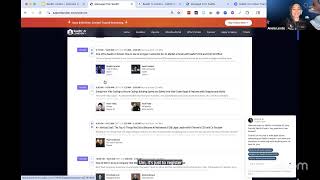
Amelia walks through everything for SaaStr AI London (Dec 1-2 at Park Plaza Westminster Bridge): how to use the networking app to schedule meetings, where to pick up your badge, the floor layout, and the agenda including a Monday VIP reception and Jason M. Lemkin AMA.
Chapters
Very cool. Okay, screen share is pending. All right, I'm gonna go back and forth between a few things, but let me go full screen. All right, cool. As we're going along, feel free to drop any questions into the chat or the Q&A. We'll have time for questions at the end, but hopefully it's covered most of things that you might be inquiring about before you can even ask it. So without further ado, welcome everyone to our SAS/RAI London official SAS/RAI attendee know before you go webinar. So whether you are attending next week or maybe thinking about coming last minute, or if you're a sponsor watching, we're excited to have you here today. We're going to cover a few things just to help prep everyone for next week, especially since like half of you are traveling in. So this will be exciting times. This is our— I want to say 6th, time we've done London. Um, so this will be the third time, I guess, sixth time we've done Europa. This is the third time in London. We did two originally in Paris, one in Barcelona, and yeah, now this is the third edition in London. Um, we moved to Christmas time, which it's actually a very busy time of year to be here. Who knew? Um, so cool. For those coming in next week, our event dates are December 1st and 2nd. 2025. So next Monday and Tuesday, December 1st and 2nd, we are located at the Park Plaza Westminster Bridge. So I'll show you guys that next. Make sure I have the right— yeah, slides on. Lost my full screen. Let's see. There we go. Cool. Okay, so we will be at the Park Plaza Westminster Bridge next week. It's fairly central. It's— I can literally see Big Ben from here being here now. So it's 200 Westminster Bridge Road. You'll, you know, easily accessible via Uber or via tube. You could take the tube to Waterloo. It's literally 2 blocks away, I want to say. So super handy if you want to take the tube over here. It's very easy to get to, very walkable from the station. Probably take you less than 5 minutes. So super handy, very central location. And here, if you haven't yet and you're still thinking of coming last minute or getting a room last minute, I think there's a few rooms left so you can still get into the room block. I just checked it and they said they have a few left. But I know the hotel at this point is at like, I wanna say 90% occupancy. So there's just a few rooms left. If that's something you're looking to do, I would do it sooner rather than later. And then in terms of the core event dates, there is an optional badge pickup on Sunday. So if you're coming into town early because you're traveling in like we have and you want to come get your badge early before the rush on Monday or Tuesday, you can come on Sunday. We'll be loading in, but we're going to open up Reg for a few hours from 3 to 5 in the afternoon. You can come say hi, get your badge. It'll be really easy to speed back in directly to— you can go directly to where the conference is taking place on the floors versus coming back to registration the other days. So if that's something you want to do Sunday, we'll see you here. Otherwise, on Monday, registration and the event will take place from 3 to 6, and then on Tuesday from 8 to 6. So some jam-packed days there. So yeah, if you want to beat the rush, either come Sunday to get your badge or come like first thing Monday. We'll open a little bit early on both of these days for badge pickup. If you need help in between getting here and Sunday, which is when we load in and have our registration and help desk open, if you need help virtually between now and Sunday, you can email us events@saastrink.com. Otherwise, you can come here starting Sunday. Just walk into the lobby. We're right there on the ground floor. You'll see it's all gonna be branded by the time you get here Sunday. It'll be all Saastr, and that'll be, that'll be us. So just look for the Saastr stuff. It'll be all blue, Saastr logos. Can't miss it when you walk in. Okay, for things like registration, these, as I've said, are the badge pickup times. What you need to pick up your badge, more importantly, would be two things. One, you do need a valid photo ID, so that can either be your passport, your driver's license, um, of your country, of your issuing country. And then I've had some folks in the past ask, can it be a photo of my, like, passport or ID that I have on my phone because I don't want to carry my stuff around with me? That's totally fine. It just does have to be you. So it does have to match that, like, your valid photo ID does match you. You can show us a digital copy of it. Again, as long as you are you and it's not expired, so it does have to be valid. Um, second thing you'll need is going to be your QR code for check-in. This is really to get— if you've already downloaded the SASTR Who Do You Want to Meet app, it's right there in the app. You'll see a tab for it. I'll show you guys in a little bit, um, that says check-in QR code. That's the one you need for check-in. So if you've already downloaded the app, or if you haven't yet, now's a good time to download it. It will have your QR code, and basically what you'll do when you come up, you'll just scan it, and then it will prefill your information. You'll just do a 5-second check and we'll print out your badge. It makes it super easy. You don't have to find yourself. Also, if you have additional team members and you're now downloading the app and realize maybe you have all the tickets in your name but you need to transfer to like sub-team members, now's a good time to do that because that will speed up your on-site badge check-in and registration process. So yeah, do keep that in mind if you've got multiple tickets. I know we're starting to send some reminder emails, but every ticket badge should be to a unique email address and attendee. The other thing to note is badges and tickets are not transferable after you check in. So if for some reason you can't make it, but you haven't checked in, you can still transfer your ticket by emailing us, or they can just come directly to the help desk with like an email or proof that you're transferring it to them, and we can transfer it on site. But after you check in, they're not transferable. So if some— if you're like, oh, I'm gonna come day 1 and someone else is gonna come day 2, they're not transferable in that way. Please don't do that. And then just for our international folks, 'cause I know that's about half of you, you may need what they call now a UK ETA. So this is fairly new. This was added, I wanna say at the beginning of the year. You do need to travel to the UK like many of us who came from the States needed to do this. It's fairly easy, but I will say like when I landed in London, like they have like the automated like customs gates here and a bunch of people were getting kicked and they didn't, it's because they did not do this ETA thing. So, I had no issues just breezing through, but that's because I did my UK ETA. So if you haven't done this yet, I recommend you do it now because sometimes the processing time can take a hot minute. It's— there's the link is on our staffster website. So I'll show you where to find it in case you're like, this is the first time I've ever heard of this and I have no idea. And like for most of you, when you book your airline ticket, I think it does say, but I just wanted to remind everyone. J-I-C. So yeah, if you come here to the SAS or London website and then go to the attendee portal, that's this guy here on the top nav, you'll see this section here. It says, you know, FYI for international travelers, you may need a UK ETA. You click this link, it'll take you there. There's also an app version where you can do it. So it's called UK ETA. That's what I did. That's what all of our team did. I find the app to be actually a lot faster to do than doing it online. But if for some reason you can't get the app, you can do it online. And then like for me, for instance, it took a couple hours to process, but it does say disclaimer, it might take a couple days. I don't think that's the case. Again, I think they just say that just in case there's issues to CYA. But again, if you are traveling internationally, recommend you do that so that you can speed through. This is not an us thing. This is just a UK thing. That way you can speed through customs at Heathrow or wherever you're coming in. So that you don't get kicked because like half the people I saw were getting kicked. I was like, they did not do the thing. So, and there's like no signs when you get to the airport. It's just like, oh, I needed the CT, I don't have. Okay, so that's for traveling in. Hopefully you all have done that or can do that now as a reminder. The Who Do You Want to Meet app, so I just mentioned it. If you haven't downloaded it yet, just go into your app store. It's called Faster. Who Do You Wanna Meet? And it is, it has the white SaaStr icon. So if you have like previous versions of our app, it's gonna be this one. That's why we've put a screenshot here. It's called SaaStr Who Do You Wanna Meet? It'll have the white icon. So that's how you'll know it's the right one. That is the official app. If you had it still from SaaStr Annual, you could just refresh and it'll have the London stuff in there. So beyond networking, which we'll talk about, which is in the app, There is also a few other things in there, like your onsite QR check-in code for check-in, as I just mentioned. The agenda and the speakers are on there if you want to add your sessions. There's kind of like multiple ways you can do that. You can do it in the app if you want. The who do you want to meet networking is of course in there. And then everything that's like on the website is also in there. And then we also do like push notifications and stuff for like any high traffic things slash important things to know. So always good to have the app. I think a lot of folks are just— I'm starting to see folks joining now on the app mainly for networking, but just know too, it's got like your onsite QR code. So you should download it even if you wanna opt out of networking. That is something you could do. So just a good point to download it regardless. So there's a few different ways you can access it. So the links are here. They're also in our attendee portal. So if you scroll down, you'll see the Who Do You Want to Meet app section, and this will give you the links for desktop and then, you know, Apple or Google Play if you're on Android, and then that's how you can access it on your phone as well. Okay, we'll come back to networking as a deep dive, but let's go through our Faster London campus as a whole. So we are split across a few floors of the Park Plaza, just kind of typical of venues in Europe. You're kind of spread out in floors versus like spread out on one very long one floor. So just keep that in mind. So when you enter, there's really only one entrance to the hotel. So there's like a backside, but that's a loading dock, so you can't really enter there. So when you enter, and most cabs and Ubers will drop you at the main entrance, there's one entrance. It's on the ground floor. It's what I call the hotel main entrance here on this map. So Once you enter, you're basically gonna go straight. Like, that will be registration and badge pickup. That's where you'll always go first, unless you already have your badge. Let's just say, you know, Tuesday, for instance, like if you already have your badge Monday, then Tuesday you can just go down the stairs or the elevator directly into the conference versus going back to reg. So reg is there for first-time badge pickup, and then coat check is there, slash the cloakroom if you need to like store anything. That's there too. So you may need to go back for that reason, but otherwise you're gonna walk in, there'll be tons of staff there and signage. So that'll be the first thing you'll do when you walk in. Then when you come into this lobby level, as we call it, you'll notice when you walk in, there's like this really big set of stairs that will go up to guest check-in. So if you are staying at the hotel, you'll go up the escalators. If not, it'll just stay on this ground floor of the lobby of the hotel. And again, we'll be directing folks around. The other things on this level in addition to like the cloakroom, if you need to store anything, is like luggage storage if you're coming and going like Sunday, Monday, Tuesday. If you store coats because it's cold outside but it's warm inside. And then the round tables are here. So that's the other thing to notice. Like if you've got round table sessions that are listed in the agenda, which the locations are will be in there. This is where they would be in the Park Suites. But other than that, you're mostly gonna come into the lobby, get your badge, and then go down. So we've got the lifts and the stairs noted. Obviously the elevators would take a little bit longer, so the stairs are a lot faster. So if you wanna go down quickly or back up quickly, take the stairs. And then, so the next floor down will be the, what they call the lower ground floor. So on -1, this is where the main things of Viscountess of London are. So you'll basically get your badge, come down, and this is where the, who do you wanna Who Do You Want to Meet networking lounges. So if you do already have any meetings set in the networking app or you do book some, this is where you'll come on site to check in for your networking meeting. This is where you go. The Who Do You Want to Meet lounge is on this floor. So this plus all of the exhibitors you see here. So these are all of our SAS or AI sponsor expo. These are all in this space as well as, yeah, the bar is here for happy hours and then the drinks reception. It does have coffee too. And then things like lunch are here. Snackies, yeah, snackies are here. So like this is basically your hub, like the sponsor expo, the networking lounge, and then our AI School Academy agent stage is here too. So this is all on this level. So you'll be on this level a lot for a lot of the day. And then you'll also be down one too. If you wanna find a certain exhibitor, we've also included the exhibitor listings here, and I'll put this deck into the chat. Um, let me do that now real quick so that if you're watching in the livestream, you can follow along. I'll hit share. Anyone— and also, if you have to drop off early, um, this will have a lot of really great things. We are also livestreaming, so we'll be sending the recording and deck to everyone after we wrap later on today. But this is also our sponsor directory. So if you need to find a particular sponsor that you're looking for, or if, you know, this version of the map is a little bit small, this one's a little bit bigger. So you can find certain sponsors. Again, they're all on the same level. So like once you walk it, you'll see where everybody is visually as well. So yeah, lots of great folks here to check out and talk to. In our exhibitors. And then you'll go down one more floor for the other stages that we have. So there's a GTM stage, an AI School stage, and then we've also got some things like the swag booth is down here. So everybody at registration will get what we call Sasterbucks. You can redeem these at the swag booth for swag, of course. We also have some of our AI agents demos down here, and then like the lounge is down here if you need a space to go to, to take a quick call, do a quick email. That's like a better space to go. So yeah, that's the layout that we have for you guys. You'll get to know the space. And then a few things on the agenda I wanna call out. Again, I've called out Sundays. If you wanna come get your badge early, you may. It's always usually calm. Like we usually only get like, I don't know, maybe like 50 to 100 people who do this. And I'm like, it's just so calm on Sunday to come do this. So if you're around, Go for it. If not, Monday, we're open from 3 to 6. So, we have the sponsor expo will be open, registration and badge pickup will be open, networking will be open. Some of you, I know, already have meetings booked during this time. And then we also have our Monday, what we call the VIP opening reception. It is open to all attendees, so anyone can come to this opening reception. It just means come network. Have a drink, have some appetizers. And then Jason M. Lemkin, our CEO and founder, is going to be doing an AMA at 4:30-ish. Let's just say 4:30, um, in that stage you guys saw it by the expo hall. So just come, you can ask a question, we can talk about agents, um, whatever you guys want to dive into, because Tuesday is a full day. So if you want to come ask a question as well, that's a good time to do so. We blocked an hour, but usually these things go a little bit longer. So come do that Monday for the kickoff. That'll be fun between the AMA and the reception. And then Tuesday is a full day. So if you go to sasteralondon.com and you haven't yet, you can come to this portion here that says agenda, scroll down because there's like this stuff at the top. But if you scroll down, this is the full agenda. So you'll see the things I just mentioned. I'll scroll over to Tuesday, but you can see there's like a bunch of content on Tuesday. So you can pick your content to your heart's desire, what you're most interested in for Tuesday. So Tuesday is a full day. Plan— if this is your first time you're coming in and you're only coming Tuesday, do plan to come early to get your badge so that you don't miss any of these kickoff sessions. So we've got a few kickoff sessions that start at 9:00 and 9:30. Some really good ones. So yeah, make sure you come early Tuesday if this is your first day coming in. Can't recommend that enough. But also if you're like, I don't know, my train gets in at like 11 and that's the time it gets in, then that's the time it gets in. But we do have some really great kickoffs. Some other highlights, Jason's got like his big B2B in the AI era. Presentation he's going to do and do like a deep dive on. The one with OpenAI and Harry Stebbings has been super popular. That one's right after. So those are back to back. And of course, it's Tuesday. I know it comes out every Thursday, but they record every Tuesday. So we're going to do 20 BC live from London. Carrie Chase and Rory will record live. Well, Rory, we're going to beam in, but we're going to record the pod live from London. So that'll be fun. You can like grab a drink because happy hour will also have been started in the closing reception. So you can grab a drink, come in, watch the pod, and just like hang out. And that'll be like our kind of like farewell toast will be the pod. So yeah, it's a full day Tuesday. I recommend going through the full agenda because there's a lot there. The other thing you'll see in our agenda are what we call our Meet With sessions. So you'll see things that look exactly like this. These are little meet— like what we call VIP meet and greets. So you can meet specific folks here at these times. And, and yeah, we recommend signing up for a few of these so you can talk to different folks, lots of like CEOs, founders, really great leaders of like AI-first and AI-native companies. You can pick their brain, meet with them, etc. So you'll see these in the agenda too if you haven't yet. The other meet is the Meet a VC program. So you can go to the same place I mentioned earlier. So I'll just navigate back There now. So if you come to this attendee portal, you'll see it's got a few different tabs, but there is one for Meet a VC. Um, this is where you can apply for the Founder VC matchmaking for either party. So either as a VC or as a founder, you can apply there. That's in addition to the app matchmaking as well. Um, so just to touch on networking a little bit more. And then we'll also answer any questions. The SAS for Who Do You Want to Meet app, so maybe you were downloading it as I was yapping away here, but this is a great way to have one-on-one meetings with peers that are attending SAS for London. Keep in mind a few things if this is your first time doing our Who Do You Want to Meet program. It does differ from a lot of other networking programs and a lot of, like, maybe very similar programs, it's a bit different too. So just keep that in mind, even if it looks like kind of familiar from a backend standpoint. We have a lot of customizations in this, so it's really not the same as other ones. So do keep that in mind. Keep in mind it is a pretty much a VIP double opt-in platform where you can book meetings with your peers. There is a limit on how many meetings you can book. So obviously that way you don't like just spam everybody in the app that you wanna meet with them. So in that way we're already more different than other platforms like this. But yeah, we restrict it so that you can only book meetings with those who confirm with you and it's strictly double opt-in. So if Amelia requests a meeting to someone else, that's someone else has to opt in and then the meeting would get booked when both parties say yes to the meeting. I'll show you what to look for in the app. So I'll come on over here to where it is. Who do you wanna meet? Okay, cool. So this is one where I don't think I've filled it out. So I'm gonna try and do this. Yeah, perfect. Okay, so this would be your experience if you haven't logged in yet. I try to do a fresh one versus my profile that's already in there. So this is what you'll see. Who do you wanna meet presented by Replit. This is the one, SaaS AI London. And then a few things to note as you are getting started. Some people blow by like putting in a cover image or a photo. I'm gonna say most people don't wanna network if you're just an like somewhat shallow of a profile. So I would not blow by these two, like at the very least put in your profile photo and then put a cover image. If you have a cover image on LinkedIn, you can use the same one. A lot of people have put them in. It honestly just looks a lot better. So you'll see what I mean in a second, but it does look better when you have your full profile filled in. And also from the matchmaking perspective, it works a lot better when you have your profile fully filled in. And that includes everything like the description, which I'll show you. But it doesn't work as good if you just like fill this out the way I'm about to fill it out really quickly. It just doesn't work as good. Like your matches will not be as good as people who take the time to do like details in their profiles, actually take the time to like read things versus just trying to speed through. So in that, like much like AI agents, the time you put in will maybe also equate what you get out of it. So set aside some time to do this. It's a maybe veteran recommendation, but I would say folks who take more time to do this and actually are thoughtful about their meetings typically tend to have higher quality meetings on site through the app. So with that, I'll just do a speed run, which is not what you should do, but you would, you know, upload your info here. I'm just gonna use my dog's name for this because I'm in here a lot. So I'll say Ginger Inc. And I'll put my title. Okay, and then set up your event profile. It will, it will give you an option to skip, but if you do skip it, it means you actually can't network. So if you skip this, it will force you to fill this out later anyway in order to do your matches. So you might as well do this at a time where, like, not right now during this webinar, but at a time where you have dedicated to fill this out. So when you're ready to do it, it says 1 to 2 minutes. I think it takes a little longer. You'll start to fill out your profile. So you're going to do a few things first. This is like the backbone. So first, what best describes you? So if you are a VP of sales, marketing, CRO, CMO, you'd be like a go-to-market leader. Founder, that's self-explanatory. Um, go-to-market leader can also be CEO. You're a startup if you're like, okay, we don't really have titles, which some people don't have anymore. You could just say you're a startup. Or if you feel like, you know, you are maybe earlier on in your career, this is usually where we see a lot of rising stars. Um, so you can pick a core category here. So for me, I'll put go-to-market leader. Then you'll pick an industry. These are fairly, you know, high level. So for this example, I'll just say go to Market AI, and then you'll pick your primary function here. So again, just in this sample, I'll just say leadership for now because it's right there, and then I'll hit continue. So that's the first category. Then there's a few more here. So these are important, and then the next one's super important too. So This is where you're gonna select your interest of who do you wanna meet. Now, this is super important cuz the app will not show you everybody. It will never show you everybody at once. We don't do that. So, um, if you were thinking you could like, I can see all the attendees in London, you physically cannot. So this is where picking your interest is actually super important because this will qualify who you get matched with in the app. So the first question seems straightforward. Who do you wanna meet? So this could be anything like fellow VPs, let's just say. If you're hiring, this is a good way to do it. So you could say, I'm hiring. You can either find a job or offer a job in these like hiring categories. If you are buying new SaaS tools or new AI tools, you can say that. If you're a founder, you could say that. I want to network with other founders. Sort of in there twice, but that's okay. You could also, again, offer a job in some of these categories. So this is the core of the matchmaking. Like, this is weighted more of who do you want to meet? So answer that question first. As you can see, as I did, you can put multiples. Do not pick them all. I've seen people who are like, I'm gonna pick them all so that I get all the attendees and I get all the matches. Again, it does not work that way. You cannot see everybody even if you picked every single category. It's— this is how it's weighting your top matches at the event to again surface like people who would be most interested in meeting each other and then for them to suggest meetings with one another and then opt into meeting with each other. So I don't recommend picking each one. It's also very confusing for it if you pick like I am, you know, offering a job as a CMO, but also trying to find a job as a CRO. Like, it's not gonna be sure how to weight those two things of like one versus the other. So I would make sure you pick things that are your core interests. I wouldn't pick more than 4 or 5, to be honest. Like this one has 5. It's probably actually enough. but I wouldn't pick more than that. Like for this one, I would just say that, cool. Now I'm down to 4, that feels better. Okay. Leave those categories to 4, no more than 5. Do not pick them all. Next would be if you're doing, if you wanna do Meet a VC in the app as well, this is important if you are either the founder or CEO doing this or the investor. So this is where you'll say, you'll know, if you're the, you know, on the VC side, you'd say I invest in early stage, or I'm funding Series B. And then on the inverse, if you are a founder and you're saying I'm early stage, but I want to get investment, this is where you hit that Get Investment category. So in each of these, you'll see most of them have a subcategory like that where you can pick which one is your, your side of the coin, basically. Like, are you offering this or are you seeking this? Then you'll pick your functional areas. Yeah, do pick one of these, just one of these. I'll say leadership for me because it's more all-encompassing. Pick your company stage. Again, pick one of these. Don't say you're all of these, just pick one. So let's pick, I don't know, in this example I'm just gonna go 1 to 5 for this example. So I'm gonna say network about this. And then company focus, you can again I know some of you are like, we do all these things. Pick one. So I'm gonna say, I'll say go to market for the sample, and then I'll hit continue. All right, so like I said, I know this is like 1 to 2 minutes. I'm like, that literally took more than 2 minutes. Okay, this is last, maybe slash the most important thing. A lot of people, this is the default text it gives you for the introduction. I see a lot of people on the app where it literally still says this. That's bad for a few reasons because this is also part of the matchmaking. So depending on what you write in here will also influence your matches. So if you literally write or leave this, hi, I would like to meet new people at this event, that doesn't really say anything about you. Like, sure, people can see your company, your title, all your, you know, your personas will show up here like mine just did, and then your interests will show appear. But if that's all that says, think about it because it's a double opt-in. Just remember other attendees see this and that's just not super interesting to like leave it like this. So, one thing you could do if you're like, I don't wanna write a whole lot about myself, or I'm not sure what to write, literally you could stick it into Claude, like put your LinkedIn profile into Claude or OpenAI, whichever one you prefer, have it write up a little like networking blurb about you. Keep it under this character account and put it here. But write something good, like write something about yourself, um, your experiences maybe with AI, what you're— I've seen people write like what they're focused on, um, I've seen people write who they're hiring for, which again, you don't necessarily need to do because you can do that in the categories. So you're kind of using up some characters to do that. I would do more so like quick intro about yourself. Again, you don't need to put, hi, I'm Amelia, I'm the Chief AI Officer at Zaster. That's in your profile. Like, that's literally here. You don't need to repeat that. So that's a common mistake I see a lot is like people will repeat things that you've literally just taken the time to do the categories on, or they'll repeat their company information, which I'm like, literally, it's on your profile. So it's also kind of a waste of the character. It's like, I would put, again, what you're focused on, what you wanna network in, what you're curious to learn more about, or like, What you're curious to, even I've seen some pro people be like, you know, okay, I'm, I'm focused on go-to-market AI tools for next year. I've used whatever, like 10 different tools. Like, let's talk about your tech stack and like, swap notes on like what's working and what's not. Or like some people will be like, you know, I'm super interested in talking to other founders on pricing going into 2026. Like things like that that are more descriptive. That are not things you can pick off a category, that would be things that I would put into this introduction. So that's just a pro tip there. The last thing you'll do is you'll wanna put where you operate. So you can do more than one. So if you're like, we're US and we're UK, I'll pick those. Again, you don't have to put them all. Like if you're someone like a Salesforce, it's just event, you don't have to put every single country you operate in. I would put the core ones. That you can speak to, like, especially if you are coming with multiple people from your company, but you're like, you know, okay, I've got like somebody from North America team and somebody from the EMEA team. I would have them pick their country, not just like every single company, every single country that you operate in. So I'll hit continue for now. The last thing you'll do is you'll pick which days you wanna network. So let's just say if you're only coming Tuesday, you would unclick Monday. The specific time slots you can do later. So this is just to pick your day. If you leave it, then it'll leave you for the entirety of the event. If you are coming for the entirety event, which I do recommend, then don't change this. But this will look what it looks like when you come in. You can see it's already telling me like upload a photo, change my creative assets, which it should be doing. So one thing I'll note here, this is obviously the web version. It functions the same way in the app. This is where that check-in QR code is. So this will be really important. Why did I get stuck in a boot loop? This will be important for the day of to get your QR code. I think that— oh, this is not a real ticket. That's why. This is not a real ticket. I'll show you on my real ticket in a second, but that's where you'll get your QR code. I made this one just for this webinar. And then this is where you'll see your matches. So this is where you can start networking with folks. So you'll see there's a few people here who've like filled out their things. Like Johan's an investor, so obviously he's putting like what he, I'll click his for a second. He has a cover image and he's putting like what they focus on in terms of investment. So this is an example of like a good profile. He did put a lot of his countries he operates in, but that's good to know for him. He's a VC, right? So he's got like a specific goal on site. But you can see here, like, he doesn't operate in the US. So if you're like, oh, I'm a US founder, and actually this guy only invests seemingly in Europe, then I shouldn't, you know, I shouldn't try and book a meeting with him or try and pitch him as a founder because he's not going to invest in a North American company. He also has, like, limits here, right, of, like, which stages of company he invests in. So his is a good one. This is a great example of a profile And also good match, I would say, for what I put in. Here's another like head of ops. You can see this one, they filled out like the images, but not really who they wanted to meet. So like, again, all right, he's a venture capitalist at Backbone, but he should have filled out what Johan did because now I'm like, I don't actually know who you— okay, so you operate in these countries, not North America, but I really don't know too much about you. So like if I had to pick between the two, right, you're gonna naturally pick one versus the other. Which is why it's so important to fill out your profile. The other thing you'll notice is like some of these have turned purple versus gray. That's where it's matching you. So if you're ever like, why is it showing me these people? Um, it's showing you based on those matches. Now you'll see there's a few people here and then there's a cap. So like once you reach the end of this, that's the end of your top matches. Um, as more people come into the app, it will refresh your matches. Keep in mind, most people are literally— so I can see people signing up during this webinar or right after, which is totally fine. And most people sign up last minute. So I would recommend, you know, there's not that many days since after London. I would just take a look at your app, you know, fill it out the first time really well, and then maybe just refresh your app once a day, every day and a half-ish, see who your new matches are, and then go from there to book meetings. But Let's just say I wanted to meet with Johan. I would hit this connect button and then you will suggest a meeting again because it's double opt-in. You're never gonna be able to just book right away. It's gonna suggest a time automatically for both of you. So this is where you can change it if you're like, okay, that time doesn't work for me, or there's like a session I really wanna go to at that time. Then you can pick a different time, but it's gonna pick like your available time for both of you. The other pro tip I would say is I— so many people leave this as like the default message for the meeting, and most of those get rejected. Like, again, take the time to say why you wanna meet with this person. Also, don't write them an essay. I've seen people either write really long ones or leave it as the default, and those either get rejected or never responded to. So that's the other thing to keep in mind. And then you can see here, like, it's I've got my quota here for how many meetings I have left. So I'm not gonna send it to him because this is my fake profile, but this is where you would book those meetings. I'm gonna pop over to my other account real quick so I can show you guys the QR code. We're just gonna pause my screen and relog in. Okay, let me log in as me, me, me. Okay, so now that I am Mimi and not stuck in a boot loop. All right, so now that I'm me, again, I was just in the people tab on my other ticket. So you could see I've got different matches here as Mimi. You'll see I've got different people here. So that's where you'll see your matches be able to schedule meetings. You can go into the schedule and build your schedule here if you want to. You can also do it on the web app that I just showed you guys. Either way is fine. I kind of just prefer the web app because I can see it a bit more, but you can do either one. It's reloading. Oh, that was my fault. Okay, so yeah, I kind of prefer this one, but you can do it the other way too. It does not matter. We collate all the information. You can check out our sponsors here. This is actually where you can see more of these folks. So if you're like, oh, I've heard a lot about Artisan, I wanna, you know, book a meeting with someone on their team, you can do that beforehand here. And then yeah, this is your check-in QR code. So on this tab slash in this tab on the mobile app, this is where your check-in QR code will live. And then yeah, you just hold this up at reg. You scan it on the iPad and then you'll be automatically checked in. Super easy. So I recommend downloading this app. Let's see if I have anything else here. Okay, I think that should cover us and then I'll answer the questions that are in the Q&A. Someone said, is there going to— can I pick up badges on behalf of other colleagues? No, everybody needs to pick up their own badge. Um, everybody needs to pick up their own badge regardless of who they are or where they're coming in from. Um, they need to pick up their own badge, so you should be— make sure that they're able to do that, meaning they have their ID, Everyone on your team does need to pick up your own badge. It's a good question, but we do this honestly for security and safety just so that everybody is who they are. Another question is, if we're only coming Tuesday, can I still pick up my badge? So yeah, badge registration is open on Tuesday at these times. It's open literally the whole day. It just means that if you are coming Tuesday, then same thing, you'll still need like your QR code and your ID on Tuesday. Another question is, are there plant-based milks? Yes, because I can't have normal milk. So yeah, there is plant-based milk and like vegetarian options. There's another question. Are sessions recorded? Oh, if you can't make it to another session at the same time. So that's a really good question. We do record and livestream all the sessions. So if you're like, I'm looking at the Tuesday agenda and there's like 2 things I wanna go to, my recommendation is, so, because I actually use the event app versus the web app on the day of, right? My recommendation is to just sign up for both of them if you're like, okay, I either wanna go to, let me go to Tuesday. All right, so like Tuesday morning for like, okay, I either wanna see, if you're like, I've had enough of Jason M. Lemkin on Fast.ai, like maybe I'll go to the session, so I'll save a seat here. But maybe I'll go to this one from Filevine 'cause I'm in a vertical SaaS company and that's like more important. You can You can see it lets you register for overlapping sessions for this reason of you can decide when you get on site, but this way it will build your custom agenda that is not the whole thing and just the ones that you've registered for. So I always find that kind of helpful. It's just to register for the ones you do want to see, even if they're overlapping times. And then if you miss one or the other, or if you're like, oh, one of the rooms is full, so I'll go to the other one, or it's just calmer in the other room than the other one. Then the other one at the same time you could watch on YouTube. So if you go to the SAS for YouTube, come into the live, you'll see I'm streaming live here. It will be in the same place. And then you can— you don't have to watch it day of. You can watch it like the next day. They just live here in our live streams. So you'll see if I scroll back a little bit, these are the live streams from like SAS for Annual this last May. If I go back more, London is here somewhere. The other South Korean. But you'll see, yeah, here's the other legend from last— if you want to watch the sessions from last year, you can watch them here too. So yeah, just, they are there anytime after the content has happened, obviously not before, but anytime after you can watch them there. You can also watch them there in real time if you want to send it to your team that's maybe not attending physically, they can watch the live streams there. And then post-event, we'll start to write everything up and put it on sastre.com, um, for everyone too. But it's there in real time if you want to just get it off the bat. Okay, let's see if there's any other questions I missed. There is one last question on how do I get my join code for the app. So yeah, when you are joining the app, everyone has a unique code to join. It should be in your email. It comes from Saastr, who do you want to meet? If it's not there or you can't find it, you can email us. So just events@saastrinc.com. We can send you your code. If you're coming in real time and you're like, I can't find my code and I'm on the way to the venue, you can also just come to the lounge. So like if you're doing it Monday and you're like, I'm going to book my Tuesday meetings, you can also just come to the lounge and they can help you get signed up. So that's another way to do it too. Any other questions? Let's see. I think we got them all. We got this one. Great. Fantastic. OK. Well, I think I've answered all the questions. But if you think of anything else, events@sasrank.com till Sunday. Sunday, we'll have our reg and help desk set up. So you can still email us. But you can also just come here starting Sunday. Park Plaza Westminster Bridge. We'll see you here. If you can, don't miss any of like the cool Monday stuff that's happening. Come ask your questions, get your questions ready for Jason M. Lemkin on Monday. Yeah, Tuesday is like a jam-packed day. I should know. I got roped into a lot of sessions myself. But honestly, like I've been reviewing all the slides and they're very tactical. So I do think you guys will learn a lot on Tuesday, especially about AI and go-to-market. That's a lot of the core focus of Tuesday. So it's going to be a lot like, you know, take notes. Like I said, if you miss anything, it's on the livestream, so you can always go back to it. But it's going to be super tactical. It's going to be great between that, the networking, and all like the receptions and stuff. So it'll be a lot of fun. I'm watching tickets closely because we're about to sell out. So it'll be jammed as all of London is, but it'll be such a good time. So we will see you guys here very soon. If I don't see you Sunday, I'll see you Monday or Tuesday, um, and we'll see you here. So we'll see you guys here very soon, and, uh, yeah, safe
More from Jason
Why Your Next Hire Should Report to an AI, Tragedy Apps, and Too Many AI SDRs? | The Agents #004

Our Agents Drove Our Salesforce Bill Up 80%, Marketo Hates Agents, and We Stealth-Churned Off Notion

Managing 20+ AI Agents: Lazy Agents, Our $500K AI Bill, Stealth Churn & the Death of 60% Solutions