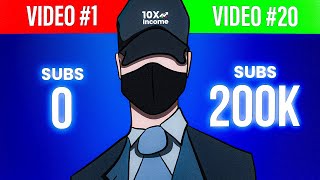
LARRUZ built a faceless YouTube channel to 200,000 subscribers in about 20 videos by picking a niche with proven demand, optimizing channel branding, and following a tight four-step production process. Timing helped: the channel launched during peak AI interest. Consistent quality and commitment mattered more than upload frequency.
Questions this video answers
December 2022.
Over 200,000 subscribers.
22 videos.
1280 by 720 pixels.
Chapters
On December 2022, I started this YouTube channel and I've managed to get over 200,000 subscribers by uploading only 20 videos. So in today's video, I'll show you how to start a faceless YouTube channel by walking you through my video creation process and giving you some tips that will speed up your success. Let's get started. So I decided to start a YouTube channel as a side hustle and because I really enjoy making videos. And in a very short period of time, we were able to build a supportive community with over 200,000 subscribers. And as you can see, we've only uploaded 22 videos. But I must admit that the time when people were obsessed with ChatGPT and AI has played a massive part in our success. But unlike others, and thanks to you guys, we've managed to maintain this success. That's why I decided to create this video to share with you some of the things I've learned through my journey and what I'll do if I had to start all over again. So the first thing to do is pick a niche for your YouTube channel, which means the topics that you'll create your videos about. When you choose a niche, you gotta ensure that there's demand for it and that there are videos getting at least 100,000 views regularly. If you don't know which niche to choose, simply go to Wikipedia and search for list of hobbies. As you can see, you'll get hundreds of ideas and you'll definitely find something you'll like. And here on the screen, in my opinion, are the best niches to start with. Also right here are high CPM niches, meaning that these can make you more money per thousand views. I know picking a niche might be overwhelming because there are literally thousands of options. So I recommend that you don't overthink it and choose something you enjoy or are familiar with. So let's say you pick the make money online niche and you want to check if it's a good niche or not. Simply go to YouTube and type your niche in the search bar. After that, click click on filters and apply the following. First, set the upload date to this month, then the video duration to 4:20 minutes, and finally set the sort by filter to view count. By applying these filters, you'll see all recently uploaded videos with a high amount of views. Just ensure that videos in your selected niche get at least 100,000 views regularly. And that brings us to step number two, which is setting up your YouTube channel. I always start with the branding and that includes your channel Name, channel logo and Banner. Starting with the channel name, you have different options. The first is to use keywords related to your niche and combine them together. Or now with the help of AI, you can simply ask ChatGPT to generate channel names and then just pick the one you like. Or you can use websites like namelix to come up with ideas. I also suggest making sure there are no big channels that already have that name. Also go to a website called Global Brand Database to check if there are any copyright issues. Once you pick your channel name, you'll need to create your channel logo and banner. And if you don't know this is the channel logo and this is the banner, I recommend using Canva because it's beginner friendly and has tons of pre built templates that you can use for free. Once you're done, you'll be ready to move to the next step which is creating the channel. Creating a channel on YouTube is very easy. All you need is a Gmail account and if you don't already have one, you can create one for free with a few clicks. After that, head to YouTube and click on Create a Channel. Here you can type your channel name and also add a username if you want. After that, click on Create Channel. And from here you now have a YouTube channel, but it's not optimized yet to start getting views. And that leads us to the next step which is optimizing your channel. And there are a few key things I recommend doing. Start by clicking on Customize Channel, which will bring you to this page where you'll have different customization options. Click on Branding and then add your picture and banner. You can also add a video watermark, which is the icon that appears at the bottom of the video. Once you're done with that, go to the left hand and click on Settings. After that, click on Channel and then go over to Feature Eligibility. From here you'll need to verify your phone number to enable the intermediate features that will allow you to upload videos longer than 15 minutes and add custom thumbnails or go live. And of course there's more stuff you can do such as adding a description or your social links, but these are not that important at the beginning. So at this point you should be done with your channel and ready to start uploading videos. But remember that we don't want to just upload videos for the sake of uploading videos. We also need to make sure that our videos are at least as good as the competition, if not better. And that brings us to the next stage. Which is video production. And I usually split the production process into four different steps. The idea creation, thumbnail and title, upload and repeat. Let's start with finding good video ideas. So you start by writing down keywords or topics related to your niche. So if my niche is about making money online, the related topics could be Etsy, dropshipping, print on demand, digital products, and so on. I'll then start to plug in these terms one by one directly into the YouTube search bar and see what videos are currently doing well. Then go through the videos and take notes about what makes this video good. And this could be the editing style, how they explain stuff, and so on. So once you have a video topic, you can move to the next step, which is video creation. I always start by creating the video outline, which is basically all the key points I'll talk about in the video. And from there I use the outline as a guide to write the script. Now, script writing can be done by yourself or you can hire a freelancer to automate the process. In my case, I can't hire scriptwriters for my channel because the videos I make are based on knowledge and experience, not research. But I highly recommend automating the process if you can. Once the script is done, comes the shooting and editing process. I personally spend a lot of time editing my videos because I believe that it has a huge impact on having the video go viral. And here on the screen you can see what my timeline looks like. And I always aim to keep the video engaging by adding subtitles, sound effects and other stuff. When the editing is finished, I make a list of possible video titles. After that, I choose the one I like the most and start creating the thumbnail. Now, video thumbnails are very important because by creating an eye catching thumbnail, many people will click to watch the video, leading to a high CTR or click through rate. A high CTR tells the YouTube algorithm that the video is good and will be recommended to more viewers. So make sure to use the right dimensions, which are 1280 by 720 pixels. Also, keep it simple and make sure to use bright and inviting colors. And at the end, compare your thumbnail with other creators because you might make changes based on that. And at that point I should have everything ready. And all I need to do now is upload the video on YouTube and repeat the process all over again. And trust me when I say that there's no secret or method that will guarantee your success on YouTube. It's all about creating the right video at the right time, using the right techniques, and even that will not get you anywhere if you don't have the commitment and the right mindset to succeed. Thanks for watching and I'll see you soon.