100 AI Art Tricks That 99% Don't Know
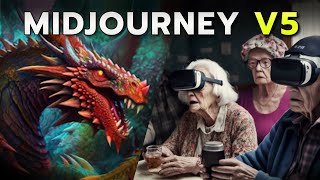
A YouTube tutorial (by LARRUZ) that walks through a shared spreadsheet of 100 Midjourney prompts and techniques for versions V4 and V5. The presenter demos categories such as detailed “big gun” prompts, prompt weights, style-fusion, emojis-only prompts, artist-style copying, juxtaposition, macro/micro prompts, exploded-view and nulling-perspective product visuals, layering with the '+' operator, the 'versus' split concept, and anthropomorphic prompts. The video contrasts V4 vs V5 visual tendencies (V5 often sharper/‘X factor’ and more photoreal/game-like depending on keywords) and gives practical advice about keywords (e.g., octane, unreal engine steer toward a game-render look). The host also promotes Wirestock as a platform for selling AI-generated images, cites platform stats and commission splits, invites viewers to join a Discord community and weekly art contest (with a newsletter audience ~65,000), and recommends using GPT‑4 as a complementary prompt-generation tool.
Questions this video answers
Over 210,000 creators and 8.5 million pieces of media.
Creators receive 85% per sale; Wirestock takes 15% commission.
Around 65,000 people.
Chapters
Midjourney V5 is incredibly potent, but you probably know that by now. The problem with that is that there is so many options, so many styles, so many keywords that you can utilize that no human being can keep track. All of it. And that's why, with the help of my team, I put together a spreadsheet that shows you all the various tricks that you need to consider. And not just that, I will show you all the tricks today. I will also show you Midjourney v4 and Midjourney v5 results so you can get a better feeling for what these different models are capable of. And my hope is that after looking at some of these examples together, you can go into the sheet and try experimenting yourself. Because the only real way to get better at using AI for your work or pleasure is to use it. So now I'm going to lead you through this entire sheet that we prepared. Then there's going to be a link in the description so you can explore it yourself and test some of these prompts and keywords that we prepared. And look, let's be real, this could easily be a paid product and I'm open sourcing it and providing you with free video training to go along with it. But all I ask of you is to like this video so more people can see it and check out our Discord community, where thousands of people are discussing AI art on a daily basis and sharing their little tips and tricks and results while they get better at it. Honestly, there's no better way to do this than with the power of Community. So check out the Discord. But now let's dive in and let's look at this massive sheet of 100min journey tricks where I'm confident that everybody can find some tricks that they didn't know before. Okay, so first up, you can find a link to this in the description below. But let me walk you through this. So the way this is set up up, you always have the prompt on the left side, you have the midjourney v4 result and then you have the midjourney v5 result. We also added these notes to the site whenever we begin a new category of tips. So, for example, these are the big guns, very detailed prompts that get you a specific result that is stunning. And then prompt 7 to 11 are all about weights and how they affect the image. So what I would recommend is go category by category and explore that, try those prompts and then move on. And that's exactly what we're going to be doing in this video. So let's start with the first category. So these are the big guns. These are really big prompts that are super detailed and they work really well in both v4. You might recognize that these look very similar as the outputs of the GPT4 prompt generator that I showed you in another video. And that's because that was the exact starting point for these. But we customized them a little bit. So as you can see here, we, for example, add emotional context. And in the end, we also have the art medium. And there's a lot of little keywords like this throughout this entire sheet. So you will just have to experiment and dive deep to find all the little Easter eggs that we hid in here. But what I personally find particularly interesting about these big gans is the difference between V4 and V5. Because once you get this precise with your prompting, the results are quite similar actually. But you can see that, hey, mid four gives you photorealistic results. But V5 has that little X factor to it that even with my background in photography and videography, I'm not exactly sure if it's the sharpness, if it's the way the lighting falls onto the characters here. It just pushes it over the edge of realism, which is one thing that I really realized by reviewing this sheet. But for example, in this first prompt, I don't even see that big of a difference. The water looks more realistic. And yes, this is a little bit of a painting style. And this depth of field looks like it came from a camera. But with these big gun prompts, the difference is not as dramatic. So I just thought that was interesting. So in today's video, we're exploring 100 midjourney prompts and tricks. And what if I told you there is a way to make income on the side by using your newly acquired prompting skills? Enter wirestock, a platform designed to make selling AI generated images on stage stock websites seamless and hassle free. Wirestock enables you to distribute your content to top marketplaces like Adobe Stock Pond 5 and deposit photos, all from a single platform. That means no more separate signups, extensive forms, or juggling payments across multiple sites. Wirestock has your back, guys. Seriously, take it from somebody who has been selling stock photos and videos since eight years now. The signups, titling, keywording, payment handling, multiple uploads. It's a lot of work. And in the case of AI generated art, it's usually more work than generating the art itself. And that's what's so great about wirestock. It takes care of all the keywording and caption work for you so you can focus on creating even more awe inspiring AI generated artwork. And with over 210,000 creators and 8.5 million pieces of media, you'll be an excellent company as a creator. You'll also get a free individual portfolio where you can sell content directly, create collections, and even sell prints. Showcase your incredible AI generated art to potential clients worldwide without breaking a sweat. And here's the important part. When it comes to commissions, you'll receive a generous 85% per sale, with Wirestock taking just 15% commission. That's a win win if you ask me. So if you already feel Inspired by the 100 Mid Journey prompts featured in this video and want to start selling your own creations, Wirestock is your go to platform. Click the link in the description to begin your journey today. And don't forget to share your success with the AI Advantage community. Good luck out there and happy selling. So let's look at the next category, which is all about prompt weights. And if you didn't know, prompt weights are a way to combine two or more concepts and then as the name suggests, you could weigh one of the two more so it becomes more dominant. So for example, here we're emphasizing the tiger and as you can see, it's the dominant object inside of the picture. Again, the differences between V4 and V5 are not that large because we are quite precise with our prompts here. But in this picture of the eagle, which used the keyword a photorealistic image, we can really see the difference. V4 gives us a painting and V5 does its best to emulate a wildlife photo. Also, this image of a tropical beach. This looks like a drone photo straight off Instagram and this is a stunning, simple painting, but the details are more subtle than that. You can see the textures really changed and all these little differences are just something you're going to have to feel out while using it. So for example, if I switch to my second setup here and I copy the prompt, all you need to do is go into my journey. Yes, now you do need a paid plan, but you can simply copy it in here and you know, maybe I want to change the aspect ratio to 16 by 9 for a YouTube thumbnail and then I hit enter and it will generate this image. So there's like zero work involved to testing this. So there you go. We just generated this twice and as you can see we get similar results here and you can do the same. This is what I would recommend for your favorites. Take the prompt, regenerate it yourself and start adding little parts or taking some parts away. Okay, so Next up, number 12 is super exciting because before I already showed you how to copy artists style by using the keyword of their name. But here's another way. By using the keyword style fusion, you're able to combine multiple styles. And from our testing, this works even better than including the name of one artist and then the name of a second artist. And hey, in my opinion, this is where we enter the interesting territory of this sheet. Because as you can see, this is not natural language. This is a bunch of keywords. But the Midjourney V5 results are still excellent. And this is the type of knowledge that I'm trying to communicate here. You do not need natural language to make V5 work very well. I mean, look at this picture. Some of these results are stunning and it all comes from a bunch of keywords. And that's the thing with AI, there's no one right way to do it. There's multiple ways because the neural net is so complex. I'll give you a little tip here though. That was communicated by the midjourney team during the release of v5. If you use keywords like octane, render 8k, unreal engine, it will turn it into more of a video game ish look than a photorealistic look in V5. So you know, just something to be aware of. Moving on, Starting with prompt 17, you can see some keywords that will get you these trippy results. Feel free to play with these. Feel free to copy paste parts of this prompt into your own prompts. You will get some crazy stuff from this. And similarly, in the next category, we talk about the various ways in which artists display displayed, and not just what you see inside of the art. So for example, if you say provide an exploded view, you will get this very particular style that is referred to as exploded view. This is an incredible keyword whenever you're working with products. I mean, look at this vintage card. This is incredible. Another one here would be the nulling perspective, which by the way, makes excellent content for your social media accounts. Okay, at prompt 26, we start talking about artist styles, which is a video that I created before. But it's just important to go into as it's one of the main capabilities of midjourney. You can use any artist name like Banksy here to get sales similar results. This is also the one that stirs all the controversy, but it's hard to avoid as the results are simply stunning. Okay, next up, we need to talk about my personal favorite Juxtaposition. This is where you create as much contrast between two topics. So as you can see here we have a medieval knight on a horse in the middle of New York. Or you have a graveyard with fireworks. And this is less of a keyword and more of a concept that I would like you to consider. Because if you put VR headsets on elderly people playing bingo, you're simply put gonna get interesting results. Or these visuals of an Victorian era ballroom. And then in the center of the ballroom stands a futuristic teleportation device. You take two opposites and midjourney can create something completely new from that. Absolutely love this technique. Try some of these out. And now let's move on. And here we enter the fun territory. So you can really combine text emojis, aspect ratios and different parameters to get these super dynamic images. And these would be some examples of. So here we also use emojis to emphasize some of the points. And I mean, look at these fake fairy tale like results. I personally think these two are absolutely excellent. And we achieved that by including various techniques, including a description of all the elements that we see in here, plus emojis on top. And if you didn't know or realize, it also considers the color palette of the emoji. So whenever you include a rainbow, it doesn't just mean there might be a rainbow in your image. It also means that use the various colors inside of a rainbow emoji. And here from 46 on we go into emojis only, which is kind of of a fun exercise and doesn't work as well with V5 anymore. But that doesn't mean it doesn't work. Your results just start going all over the place. Because as you can see here, if we use Castle, Dragon, Sword and shield in v4 we get this dragon knight in v5 we get. I don't know, this one looks like a custom built in Minecraft. This is some screen in a mobile game, but sometimes it gets super interesting because look at the next one. Rocket, Alien planet, stars. With V4 you get this result that I would call typical for v4, but. But with v5, look at this little alien. This is super crazy. I would have never expected this and I'm glad I'm seeing this right now. And if you look at this example of the burger, fry and beer emojis, well with V5 you're going to see the photorealistic tendencies that the model has. We said nothing about photorealistic. It just simply does it after we provided it a bunch of emojis. Okay. Next up, we show you a bunch of example of punk styles. Most people are only familiar with steampunk, but there's more. How about nanopunk? You get this huge, futuristic, technology infused look that I personally love. Or this one is Diesel punk. Or how about gothic punk? Extremely strong visuals, and especially in V5, you get these scary looking characters with like a crimson background. Again, it's just one of those things that you wouldn't have thought by yourself. But yeah, here you have it. Gothic punk is a thing and you can use it. Okay, 56 is all about making your images beautiful. And it's important to realize inside of midjourney that there's different types of beauty. So as you can see in the note here, there's visual, emotional, and intellectual. And by us focusing on these different aspects in our prompts, we're going to be able to achieve a lot of different results. So, for example, here we say breathtaking visual beauty, and this one says emotional beauty level. And that's where midjourney really starts tapping into emotional expressions that it learned through its training material. And look, intellectual beauty is yet another style that you can use to your advantage. Okay, at 61, there's another category which talks all about descriptive prompts. And again, these are these long prompts that leave nothing to chance. You can play around with these and you can always just take a particular part here because they're so detailed. You could maybe just take this part amidst a sea of golden hues and apply that to the image that you're generating right now. Okay, next up. So this is a really funny one. We keep the prompt super short, but by using a microscope emoji, you're able to get macro photography like results. If you're not familiar. Macro photography is where the subject gets very close to a lens and you're able to achieve this high level of detail. Okay. Or if you want to create some characters, here's a bunch of prompts that can do that. And again, be careful with the keywords like 8k, octane, render, unreal engine. The results will be more like a video game than a photo. And we're nearing the end here, but there's more gems in here. The next one would be emotional descriptions, and by describing some of the emotions in here, it creates a visual look that matches it. This was also super interesting. For example, faces drawn and tense, and you get a fire in the background. Without us explicitly mentioning, include a fire. Okay, next up. This is a really great technique because what we do here is instead of separating the different Keywords by commas, we separate them with the addition symbol and this forces Midjourney to read the prompt from start to finish. So you can think of this as function a Photoshop document where it layers the different elements one by one and it starts with the very first one. And honestly, these results are stunning. But that's due to a lot of the hyper realistic and 4K related keywords in here. But it's also partially due to the fact that it's layered differently with this addition keyword in between. This is really one where you have to experiment with it. But now let's talk about the next one, which is the versus keyword. You can create these crazy split images just by using the keyword versus. So for example, nature versus human nature. You get this visually incredibly deep results where it shows different seasons in a fantasy landscape. I mean, this one in particular is an extremely powerful keyword with a very specific outcome. Okay, and last but definitely not least, one of the most interesting capabilities of Midjourney V5 is using the keyword anthropomorphic. So if you're not familiar, this is a common term within the AI space and it means giving human attributes to something that is non human. And by starting your prompts with this, you can create these fantastical creatures that don't exist, but they resemble humans because. Because we use this keyword. In this case, you get an anthropomorphic majestic blobfish night. So I don't know, did I over promise or did you find a bunch of new techniques in here? If you did, I want to see your results. Head on over to our Discord server and we have an art contest running every week. You can submit your results and others can vote on it. If you get the most votes, you'll probably be featured in my weekly newsletter that at this point goes out to around 65,000 people. Also, there's a special role in the Discord for Art contest winners, which lets everybody know that you're the real deal when it comes to Midjourney. But even beyond that, it's just a fantastic place to discuss all of these products prompts and to get all of your AI related questions answered in the AI beginner rooms. And if you want to go even deeper on Midjourney, I recommend you watching this video because using GPT4 is really the ultimate hack to midjourney V5. And again, I hope to see you in the Discord.










